Exercises

“Exploration is the engine that drives innovation.” —Edith Widder

This appendix contains some ideas for further exploration, open questions, and challenges for readers who want to go beyond the material covered in this book.

Chapter 1, Foundations

  1. The book focuses on information security in conventional computer systems, but appliances and devices also run on software, and these are increasingly connected to the internet. How do we extend principles such as C-I-A to secure software that interacts with the physical world?

Chapter 2, Threats

  1. Threat model an existing software design, or just one component of a large system.
  2. For fun, threat model a favorite movie or scene from a book where adversaries battle over a prized asset.

Chapter 3, Mitigations

  1. Write helper functions to limit the exposure of sensitive data in memory as described in “Minimize Data Exposure” on page XX.
  2. Intentionally code a Confused Deputy and try to exploit it, or challenge a colleague to do so. Fix the vulnerability and confirm the code is secure.
  3. Design a library to enforce an extensible access policy for an existing data access API.

Chapter 4, Patterns

  1. Take an existing design, or undertake a new one, and see how many of the chapter’s patterns you can use to make it as secure as possible.
  2. What additional security patterns and anti-patterns can you think of? Keep a running list, adding to the ones presented in the chapter, and share them with colleagues.
  3. Are allow lists always better than block lists? Think of an exception, or explain why none exist.

Chapter 5, Cryptography

  1. An easy way to play around with real crypto tools is with the OpenSSL command line (https://wiki.openssl.org/index.php/Main_Page). You can use it to experiment with symmetric and asymmetric crypto, as well as MACs (called digests in openssl(1)), or even create and check your own certificates.
  2. Find a high-quality crypto library and try using it to implement the basic operations described in the chapter. How was the API in terms of ease of use, and how confident are you that your implementation is secure?
  3. If the previous exercise proved difficult, how could you redesign the API to be easier to use, as well as more foolproof?
  4. Code the crypto API improvements you thought of, or wrap the original library to provide a better API.

Chapter 6, Secure Design

  1. Explore Google’s design document writing guidance (https://www.industrialempathy.com/posts/design-docs-at-google/).
  2. If you haven’t written a software design document before, try it out the next time you get an opportunity to do so (making it as informal and high level as you like).
  3. If you work on a codebase that has no written design document, retroactively create one. For large systems, create designs for one component at a time, focusing on whatever components are most important to security or otherwise of interest.

Chapter 7, Design Reviews

  1. Find existing designs and review them as a learning exercise. Don’t just look for vulnerabilities; create a broad assessment of both strengths and weaknesses, including places where security matters most, ways the design enhances security, mitigation alternatives, and ways in which security could be improved or made more usable.
  2. Share and discuss your findings from the preceding exercise with colleagues.

Chapter 8, Secure Programming

  1. To get a feel for realistic examples of security vulnerabilities, look for security bugs that have already been found and fixed in your codebase or in open source software projects. I suggest focusing on open source projects because vulnerabilities are usually described in detail and you can see the code. The US Department of Homeland Security sponsors a large database of publicly known vulnerabilities (https://cve.mitre.org/). The Chromium bug database (https://bugs.chromium.org/p/chromium/issues/list/) is another good source of public vulnerabilities. A good starting point is to filter these databases for fixed security bugs so you can see the actual code changes.
  2. Underhanded coding, also known as obfuscated coding, is the fine art of using footguns and other trickery to write code that works differently from what anyone inspecting the code would expect. Underhanded coding contests challenge programmers to show off their creativity in pushing programming languages to their limits. But the same techniques used to camouflage malicious code as benign can also, if stumbled upon inadvertently, become footguns. Check out these sites for a start, or try to craft your own: http://www.underhanded-c.org/ and https://underhandedcrypto.com/.

Chapter 9, Low-Level Coding Flaws

  1. Why don’t languages that provide fixed-width integer types provide any mechanism to detect overflow? Would it help? If so, how would you extend the C language to take advantage of it?
  2. Explore how analysis tools such as Valgrind detect issues with memory management (see https://valgrind.org/docs/manual/mc-manual.html).
  3. Write a little program that includes a few kinds of memory management vulnerabilities, such as both read and write buffer overflows. Use a tool like Valgrind to see if it detects the bugs. Try varying the code to make it harder for the tool to analyze, and see if you can sneak a bug past it.

Chapter 10, Input Validation

  1. Identify the untrusted inputs on the main attack surface of the system you work on and see how thoroughly input validation is implemented and tested.
  2. If you find that untrusted inputs may represent vulnerabilities, implement input validation.
  3. Often, input validation for a system is repetitive. Look for opportunities to use common code or helper functions to handle it reliably. Consider ways of baking input validation into frameworks so it cannot be accidentally forgotten.

Chapter 11, Web Security

  1. Write security requirements for a component that creates and authenticates a web session. Design and threat model it, and find a friend to security review it.
  2. Build an implementation of your web session into a simple web app. Try to impersonate another session, or steal the necessary session state. Better yet, find a friend to “attack” your implementation.
  3. Add a CSRF protection mechanism to the component and test it in your web app.
  4. Explore ways of securing web sessions without the use of cookies as an experiment to understand the essence of the security challenge.
  5. Find the source code (and ideally, a written design document) for a web framework and learn how it implements sessions, prevents XSS and CSRF vulnerabilities, and ensures that HTTPS secures all web interactions. By threat modeling or other means, can you find any vulnerabilities? If you want to try attacking it, put up your own test server to do that.

Chapter 12, Security Testing

  1. In the codebase of your choice, locate some area where security is important and look for additional security test cases that should be added. Write and contribute new security test cases.
  2. Consider this alternative example of a vulnerability in GotoFail that the security tests we wrote wouldn’t catch—in place of the extra goto fail;, instead insert the line: if (expected_hash[0] == 0x23) goto fail;
    This sort of technique might be used to secretly include a vulnerability that requires a specific trigger as a kind of backdoor. Detecting this would require a test case with an expected hash whose first byte was 0x23. How could you write tests to detect this sort of vulnerability without knowing the specifics?
  3. Check out an old version of an open source software project with a known vulnerability. Run the test suite and ensure that all tests pass. Write a security regression test to confirm the vulnerability. Sync up to the next version that fixes the vulnerability, merging in your regression test. Your security regression test should now pass; if not, fix it. Then check for additional, related vulnerabilities in the latest version.

Chapter 13, Secure Development Best Practices

  1. Explore easy ways to make incremental code quality improvements, such as using lint or code scanning tools, as well as checking the test coverage of error and exception handling.
  2. See how well the security aspects of your codebase are documented and make needed improvements.
  3. Whenever you do code reviews, put on your security hat for another pass when applicable.
  4. Consider security when you do bug triage, or perhaps browse your bug database with security in mind to see if bugs that have security implications are being punted.

Chapter 14, Looking Ahead

  1. Look for opportunities to make improvements along the lines mentioned in the chapter, even if this means taking small steps: broader security participation, earlier integration of a security perspective and strategy, reduction or management of complexity, improving transparency about security practice, and so on.
  2. Identify a unique security challenge and design and develop a reusable component that addresses it.
  3. Pursue other ideas of your own to raise the security bar and spread the word.

Glossary

Affected users — An assessment of the proportion of users potentially impacted by the exploitation of a specific vulnerability. (Component of DREAD)

Assessment report — The written results of a security design review (SDR), consisting of a ranked summary of findings and recommendations, including specific design changes and strategies to improve security. (See Chapter 7)

Asset — Valuable data or resources, especially likely targets of attack, to be protected.

Asymmetric encryption — Data encryption with separate keys for encryption (public key) and decryption (private key). (Cf. Symmetric encryption)

Attack — Action taken in an attempt to violate security.

Attacker — A malicious agent working to violate the security of a system. (Also known as Threat actor)

Attack surface — The aggregate of all potential points of entry to a system for attack.

Attack vector — A sequence of steps forming a complete attack, starting from the attack surface and culminating in access to an asset.

Auditing — Maintaining a reliable record of actions by principals, for regular inspection, to detect suspicious behavior indicative of improper activity. (Component of the Gold Standard)

Authentication (authN) — High-assurance determination of the identity of a principal. (Component of the Gold Standard)

Authenticity — Assurance that data values have not been tampered with; in other words, that the system doesn’t allow unauthorized modification of data.

Authorization (authZ) — Security policy controls ensuring that privileged access is restricted to certain authenticated principals. (Component of the Gold Standard)

Availability — Assurance that data access is always available to authorized principals; in other words, that the system avoids significant delays or outages hindering legitimate access.

Backtracking — Behavior of algorithms, such as regular expression matching, where progress may advance and regress, exponentially repeating. Potential security issues result when backtracking incurs excessive computation that degrades availability. (See Chapter 10)

Block cipher — A symmetric encryption algorithm that processes fixed-length blocks of data, as opposed to one bit at a time.

Bottleneck — A single point in the code execution path that guards all access to a specific asset. Bottlenecks are important for security because they ensure that uniform authorization checks happen for all accesses.

Buffer overflow — A class of vulnerabilities involving invalid access outside the bounds of allocated memory.

Certificate authority (CA) — An issuer of digital certificates.

Chokepoint — See Bottleneck.

Chosen plaintext attack — Analysis of encryption where the attacker is able to learn the ciphertext for a plaintext of choice, and thereby discover the secret key. (See Chapter 5)

C-I-A — The fundamental information security model. (See Confidentiality, Integrity, and Availability)

Ciphertext — The encrypted form of a message that is meaningless without the key. (Cf. Plaintext)

Collision — When two different inputs produce the same message digest value.

Collision attack — Using a known collision to subvert authenticity relying on cryptographic message digest values being unique.

Command injection — A vulnerability allowing malicious inputs to result in running arbitrary commands controlled by an attacker.

Confidentiality — The fundamental information security property of enforcing only authorized access to data.

Confused Deputy — A vulnerable pattern where an unauthorized agent can trick an authorized agent or code to perform a harmful action on the former’s behalf. (See Chapter 4)

Cryptography — The mathematical art of reversibly transforming data so as to conceal it.

– **Cryptographically secure pseudo-random number generator (CSPRNG) ** — A source of random numbers considered unpredictable enough that guessing is infeasible, which is thus suitable for cryptography. (Cf. Pseudo-random number generator (PRNG))

Damage potential — An assessment of how much harm can be done by exploiting a specific vulnerability. (Component of DREAD)

Decryption — The process of transforming a ciphertext back into the original plaintext message.

Denial of service (DoS) — An attack that consumes computing resources in order to degrade availability. (Also a component of STRIDE)

Dependency — A software library or other component of a system that software requires in order to operate.

Dialog fatigue — The human response to repetitive or uninformative software dialogs, often leading to reflexive responses to get past the dialog in order to accomplish a goal. The security impact occurs when users fail to understand or consider the security consequences of their actions.

Digest — A unique numerical value of fixed size computed from an arbitrarily large data input. Different digest values guarantee the inputs are different, but collisions are possible. (Also known as Hash)

Digital certificate — A digitally signed statement asserting a specific claim by the signer. Common digital certificate standards include TLS/SSL secure communications (both for the server and the client side), code signing, email signing, and certificate authorities (root, intermediate, leaf).

Digital signature — A computation demonstrating knowledge of a private key, proving the authenticity of the signer.

Discoverability — An assessment of how easily the existence of a specific vulnerability could be learned by a would-be attacker. (Component of DREAD)

DREAD — An acronym for a five-component system used to assess a vulnerability to gauge its severity. (See Damage potential, Reproducibility, Exploitability, Affected users, and Discoverability)

ECB (electronic code book) mode — A block cipher encryption mode where each block is encrypted independently. Since identical blocks result in identical outputs, for many applications ECB is weak and usually not recommended. (See Chapter 5)

Elevation of privilege — Any means by which an agent acquires increased privileges, especially when an attacker exploits a vulnerability. (Component of STRIDE)

Encryption — An algorithm transforming plaintext into ciphertext to secretly convey a message.

Entropy source — A source of random input to a random number generator.

Exploit — The recipe for a working attack that violates security, causing harm.

Exploitability — An assessment of how easy it is to exploit a specific vulnerability. Often this is a subjective guess due to many unknowns. (Component of DREAD)

Fact of communication — Knowledge of whether or not two communicants exchanged information, such as by an eavesdropper observing encrypted messages they cannot decipher.

Flaw — A bug that might or might not be a vulnerability, either in design or implementation.

Footgun — A software feature that makes it easy to introduce a bug, especially a vulnerability.

Fuzz testing — Automated brute-force testing with arbitrary inputs to discover software flaws.

Gold Standard — A nickname for the three basic security enforcement mechanisms. (See Auditing, Authentication (authN), and Authorization (authZ))

Guard — An authorization enforcement mechanism in software that controls access to a resource.

Hardware random number generator (HRNG) — A hardware device designed to produce highly random data efficiently. (See Cryptographically secure pseudo-random number generator (CSPRNG))

Hash — See Digest.

Hash message authentication code (HMAC) — A class of message digest functions where each key value determines a unique message digest function.

HTML injection — A vulnerability allowing an attacker to craft malicious inputs that inject arbitrary markup or script into an HTML page.

Incident — A specific instance of a security attack.

Information disclosure — An unauthorized information leak. (Component of STRIDE)

Injection attack — A security attack that uses malicious input to exploit a vulnerability where part of the input is interpreted in an unexpected manner. Common forms include SQL injection, HTML injection, command injection, and path traversal. (See Chapter 10)

Input validation — Defensive checking of input data to ensure that it is of a valid format, so that it will be correctly processed downstream.

Integration testing — Software testing of multiple components operating together. (Cf. Unit testing)

Integrity — The fundamental information security property of maintaining data accurately, or only allowing authorized modification and deletion. (See C-I-A)

Key — A parameter to a cryptographic algorithm that determines how the data is transformed. (See Private key, Public key)

Keyed hash function — See Hash message authentication code (HMAC).

Message authentication code (MAC) — Data accompanying a message as evidence that it is authentic and has not been tampered with. (Cf. Hash message authentication code (HMAC))

Message digest — See Digest.

Mitigation — A preemptive countermeasure to prevent a potential attack or reduce its harm, such as by minimizing damage, making the attack recoverable, or making it easily detectable.

Nonce — An arbitrary number used once, such as in a communications protocol, to prevent replay attacks.

One-time pad — A shared secret key for message encryption that can only be used once because reuse weakens its security.

Overflow — The incorrect result of an arithmetic instruction when the value exceeds the capacity of the variable. When overflow happens undetected, it often results in a vulnerability by introducing unexpected results.

Path traversal — A common vulnerability where malicious input injects unexpected content into a filesystem path that allows it to designate files outside the bounds of intended access.

Plaintext — The original message before encryption, or after decryption by the intended recipient.

Preimage attack — An attack on a message digest function attempting to find an input value that produces a specific message digest value. (See Chapter 5)

Principal — An authenticated agent: a person, business, organization, application, service, or device.

Private key — A parameter needed for decryption, kept secret by the authorized recipient.

Provenance — A reliable history of the origin and chain of custody, providing confidence in the validity of data.

Pseudo-random number generator (PRNG) — A “pretty good” random number generator that is vulnerable to prediction by sophisticated analysis. These random numbers are useful for many purposes, such as simulations, but are unsuitable for cryptography because they are not sufficiently random. (Cf. Cryptographically secure pseudo-random number generator (CSPRNG))

Public key — A widely known parameter needed to encrypt a message for a particular recipient.

Random number — An arbitrarily chosen number that cannot be reliably predicted.

Rate limiting — A method of slowing down a process, commonly used to mitigate attacks that rely on brute-force repetition to succeed.

Replay attack — Attacking an secure communication protocol by resending previous authentic messages. A replay attack succeeds if an attacker resends a copy of a previous authentic communication that is mistaken as a subsequent identical message sent by the original sender. (See Chapter 5)

Reproducibility — An assessment of how reliably the exploitation of a specific vulnerability will work. (Component of DREAD)

Repudiation — Plausible deniability for actions, specifically allowing an attacker to evade responsibility. (Component of STRIDE)

Root certificate — The self-signed digital certificate authorizing trust in a certificate authority.

Sandbox — A restricted execution environment designed to cap the maximum privilege available to code executing within it.

Security design review (SDR) — A structured review of the security of a software design.

Security hat — An expression describing the “putting on” of a security mindset to think about how things might go wrong.

Security regression — The recurrence of a known security bug that was previously fixed.

Security test case — A software test case that checks that a security control is always enforced.

Security testing — Software testing to ensure that security controls work properly.

Side channel attack — An attack that deduces confidential information indirectly, as opposed to by directly defeating protection mechanisms. For example, reliably deducing knowledge of the results of a computation from the time delay to produce the result. (See Chapter 8)

Speculative execution — The optimization method used in modern processors whereby future instructions are executed early to potentially save time, with backtracking logic to discard results later if unneeded. The impact of speculative execution on the cache state potentially leaks information not otherwise accessible, making it a security threat. (See Chapter 8)

Spoofing — The subversion of authentication where an attacker pretends to be an authorized principal. (Component of STRIDE)

SQL injection — A vulnerability allowing an attacker to craft malicious inputs to run arbitrary SQL commands.

STRIDE — An acronym for the six basic kinds of software security threats, useful to guide threat modeling. (See Spoofing, Tampering, Repudiation, Information disclosure, Denial of service, Elevation of privilege)

Symmetric encryption — An encryption method where the same key is used to encrypt or decrypt. The symmetry is that anyone who can encrypt can also decrypt. (Cf. Asymmetric encryption)

Tainting — A process of tracing the origin of data through software used to mitigate untrusted inputs, or data influenced by those inputs, from being used in privileged operations such as for an injection attack. (See Chapter 8)

Tampering — The unauthorized modification of data. (Component of STRIDE)

Threat — A potential or hypothetical security problem.

Threat actor — See Attacker.

Threat modeling — Analysis of the model of a system used to identify threats needing mitigation. (See Chapter 2)

Timing attack — A side channel attack where information can be inferred from measuring the timing of an operation.

Underflow — Lost precision in the result of a floating-point computation.

Unit testing — Software testing of individual modules in isolation from other components.

Untrusted input — Input data from untrusted sources, in particular as a potential attack surface.

Vulnerability — A software flaw that makes a security attack possible.

Vulnerability chain — A collection of vulnerabilities that, when combined, constitute a security attack.

Weakness — A bug that causes fragility and hence may be a vulnerability.

Sample Design Document

The following document is a hypothetical design provided to illustrate the process of security reviewing design documents. Intended as a learning tool, it omits many details that would be present in a real design, focusing instead on security aspects. As such, it is not a complete example of a real software design document.

Italic text is intended as meta-description about this design document. I use it to remark on the document’s pedagogical purpose and explain shortcuts I’ve taken. I use bold text to highlight security-related content: examples of good security practice in a design, what features a good designer adds, or points that security reviewers should be raising.

Title – Private Data Logging Component Design Document

Table of Contents

Section 1 – Product Description

This document describes a logging component (herein called Logger) that provides standard software event logging facilities to support auditing, system monitoring, and debugging, designed to mitigate risks of inadvertent information disclosure. Logger will explicitly handle private data within logs so that non-private data can be freely accessed for routine uses. In rare cases when this access level is insufficient, limited access to protected, private log data can be provided, subject to explicit approval and with restrictions to eminimize potential exposure.

The notion of explicitly handling private data separately within the context of a logging system is an example of security-centric design thinking. Adding this feature to an existing system would be less efficient and require considerable code churn*, compared to designing it in from the start.*

Section 2 – Overview

For baseline project design assumptions, see the documents listed in Section 10.

2.1 Purpose

All applications in the datacenter need to log details of important software events, and since these logs potentially contain private data, careful access control needs to be enforced. Logger provides standard components to generate logs, store logs, and enforce appropriate access to authorized staff while maintaining a reliable and non-repudiable record of what access does occur. Since the logging, access, and retention requirements of systems vary, Logger operates based on a simple policy configuration that specifies an access policy.

2.2 Scope

This document explains the design of the software components of Logger without mandating the choice of implementation language, deployment, or operational considerations.

2.3 Concepts

The notion of a filtered view of logs is core to the design. The idea is to allow relatively free inspection of the logs with any private details filtered out, an access level which should suffice for most uses. Additionally, when needed, sensitive data that is logged can be inspected, subject to additional authorization. The access event is logged too, making the fact of inspection auditable. This graduated access lets applications log important private details while still minimizing how that data is exposed to legitimate uses by internal staff. Data so sensitive that it should never appear in logs simply should not be logged in the first place.

For example, web applications routinely log HTTPS requests as a record of system usage and for many other reasons. Often these logs contain private information (including IP addresses, cookies, and much more) that must be captured but is rarely needed. For example, IP addresses are useful when investigating malicious attacks (to identify the origin of an attack), but for other uses are immaterial. A filtered view of logs hides, or “wraps,” private data while showing nonsensitive data. Designated pseudonyms in a filtered view can show that, for instance, the IP addresses of all events labeled “IP7” are identical without disclosing the actual address. Often such a filtered view provides sufficient information for the purposes of monitoring, gathering statistics, or debugging, and when that is the case it’s advantageous to have avoided exposing any private data at all. The logs still contain the full data, and in the rare cases when the protected information is required the unfiltered view is available in a controlled manner with proper authorization.

Suppose that a web application receives a user login attempt which triggers a bug that causes the process to crash. Here is a simplified example of what the log might contain:

2018/06/23 08:09:10 66.77.88.99 POST login.htm {user: "SAM", password: ">1<}2{]3[\\4/"}

The items in this log are: timestamp (not sensitive), IP address (sensitive), HTTP verb and URL (not sensitive), username (sensitive), password (very sensitive). An investigation potentially needs to consider all this information in order to reproduce the bug, but you don’t want to display this data in plaintext unless absolutely necessary, and then only to authorized agents.

To address the security needs of a wide range of systems, the sensitivity of various kinds of log data should be configurable, and the logging system should only selectively reveal confidential data. For example, as a best practice URLs should not contain sensitive information, but a legacy system might be known to violate this rule of thumb and require protection not usually necessary—which makes the filtered view less useful for some debugging. In the case of a URL, regular expressions could facilitate configuring certain URLs as more sensitive than others.

A filtered view of the previous example log that omits or wraps the sensitive data might look like this:

The IP address, username, and password are all wrapped as identifiers to hide the data, but the substituted identifiers could be used in context to query other requests with matching values. In this example, US1 designates an IP address in the US; USER1 designates the username associated with the event without divulging it specifically; and PW1 stands for the password submitted. The suffixes in parentheses indicate the format or length of the actual data, adding a hint without revealing specific details: we can see that it’s an IPv4 address, the username has 3 characters, and the password has 12. For example, if an excessively long password caused a problem, this fact would be apparent from its surprising length alone. Knowing the length of the password leaks a little information but should not be compromising in practice.

When the filtered view is insufficient for the task at hand, an additional request to unwrap an identifier such as US1 can be made. This makes seeing the sensitive data an explicit choice, and allows a graduated revealing of data. For example, if only the IP address is needed, the username and password values remain undisclosed.

2.4 Requirements

Logs are reliably stored, immediately accessible with authorization, and destroyed after the required retention period. To support high volumes of use, the log capture interface must be fast, and once it reports success, the generating application may rightly assume that the log is stored.

Logs can be monitored without knowledge of private details, so a filtered log view can be made widely available for most uses, with special authorization needed to see the full data (including private data) only when strictly necessary.

The logs system is used exclusively by technical staff and so all users are expected to be capable of understanding a complex interface and the workings of software-generated logs.

An important goal of this design is to allow logging of very sensitive private data that can be made available for investigation of possible security incidents or, in rare cases, debugging of issues that only occur in production. Complete mitigation against an insider attack is an impractical goal, but it’s important to take all reasonable precautions and preserve a strong audit trail as a deterrent.

Storage for logs is encrypted to protect against leaks if the physical media is stolen.

Software generating logs is fully trusted; it must correctly identify private data in order for Logger to handle it correctly.

2.5 Non-Goals

As Logger is intended for use by admins, a slick UI is unnecessary.

Insider attacks such as code tampering or abuse of admin root privilege are out of scope.

To be effective, Logger requires careful configuration and oversight. How this is implemented must be defined by system management but should include a review process and auditing with checks and balances.

2.6 Outstanding Issues

Details of log access configuration, user authentication, and grants of unfiltered access authorization remain to be specified.

Query of encrypted private data is inherently slow. This design envisions that log data volumes are sufficiently small that a brute-force pass (that is, without reliance on an index) decrypting records on demand will be performant. A more ambitious future version might tackle indexing and fast querying over encrypted data.

Error cases need to be identified and handling specified.

Enhancements for future versions of Logger to consider include:

  • Defining levels of filtered views that provide more or less detailed information
  • Providing a facility to capture portions of the log for long-term secure storage that would eventually be routinely deleted

2.7 Alternative Designs

The final design chosen is based on fully trusting Logger to store all sensitive information in logs, putting “all eggs in one basket.” An alternative was considered that allowed sensitive information to be compartmentalized by source. This was not pursued for a few reasons (sketched following) that did not appear compatible with important use scenarios, but it is important to note that this would arguably be a more secure logging solution.

Alternative design

Log sources would create an asymmetric cryptographic key pair and use it to encrypt the sensitive data portions of log records before sending to Logger. If this were done carefully, Logger could (probably) still generate pseudonyms for filtered views (for example, US1 for a certain IP address in the US). Authorized access to unfiltered views would then require the private key in order to decrypt the data. The main advantage of this approach is that disclosure of stored log data would not leak sensitive data that was encrypted, and Logger would not even have the necessary key(s).

Reasons not chosen

This design puts the burden of encryption and key management on both log sources and authorized accessors. The designation of what data is sensitive and how it should be partitioned is determined by the log source and fixed at that time. By centralizing trust in Logger, both of these aspects can be reconfigured as needed, and fine-grained access can be controlled by authenticating the log viewer.

Section 3 – Use Cases

Applications in the datacenter generate logs of important software events using Logger. Routine monitoring software and appropriate operational staff are allowed filtered access (data views without disclosure of any private data) for their routine duties. Operational statistics including traffic levels, active users, error rates, and so forth are all generated from filtered log views.

Rarely, when support or debugging requires access to the unfiltered logs, authorized staff may get limited access subject to policy. Access requests specify the subset of logs needed, their time window, and the reason for the access. Once approved, a token is issued that permits the access, which is logged for audit. Upon completion, the requester adds a note describing the result of the investigation, which is reviewed by the approver to ensure propriety.

Reports detailing summaries of requests, approvals, and audit reviews, as well as log volume trends and confirmation of expired log data deletion, are generated to inform management.

Section 4 – System Architecture

Within the datacenter, Logger service instances run on physically separate machines operated independently from the applications they serve, via a standard publish/subscribe protocol. Logger is constituted from three new services organized as the following functions:

Logger Recorder

A log storage service. Applications stream log event data over an encrypted channel to the Logger Recorder service, where they are written to persistent storage. One instance may be configured to handle logs for more than one application.

Logger Viewer

A web application that technical staff uses to manually inspect filtered logs, with the ability to reveal unfiltered views subject to authorization according to policy. Subject to access policy, Logger Viewer provides access to filtered and (with authorization) unfiltered logs.

Logger Root Recorder

A special instance of Logger Recorder that logs events of Logger Recorder and Viewer. For simplicity we omit the details of filtered and unfiltered views of this log.

Section 5 – Data Design

Log data is collected directly from applications that determine what events, with what details, should be logged. Logs are append-only records of software events, and are never modified other than being deleted upon expiration.

Applications define a schema of log event types, with zero or more items of preconfigured data, as illustrated by the following example. All log events must have a timestamp and at least one other identifying data item.

{LogTypes: [login, logout, . . .]}
{LogType: login, timestamp: time, IP: IPaddress, verb: string,
 URL: string, user: string, password: string, cookies: string}
{LogType: logout, timestamp: time, IP: IPaddress, verb: string,
 URL: string, user: string, cookies: string}
{Filters: {timestamp: minute, IP: country, verb: 0, URL: 0,
 user: private, password: pw_mask, cookies: private}}

Many details regarding built-in types, formatting, and so forth are omitted since the basic idea of how these would be defined should be clear from this partial example.

Requests and responses must be UTF-8-encoded valid JSON expressions less than 1 million characters in length. Individual field values are limited to at most 10,000 characters.

The first line (LogTypes) enumerates the types of log events this application will produce. For each type, a JSON record with the corresponding LogType entry (the second line is for LogType: login) lists the allowable data items that may be provided with such a log.

The fourth line (Filters) declares the disposition of each data item: 0 for nonsensitive data, private for private data to be “wrapped,” and other special types of data handling, including:

minute — Time value is rounded to the nearest minute (obscuring precise times)

country — IP addresses are mapped to country of origin in the filtered view

Filters should be defined by pluggable components and easily extended to support custom data types that various applications will require.

Note that “nonsensitive” data should be used for limited internal viewing only; this designation does not mean that this data should be publicly disclosed. The requirement that all data items be declared, including disposition (private or not), is to ensure that explicit decisions are made about each one in the context of the application. It is critical that these definitions and any updates have careful scrutiny to ensure the integrity of the log processing.

Here is an example log entry in the unfiltered view for this schema:

2018/06/23 08:09:10 66.77.88.99 POST login.html {user: "SAM", password: ">1<}2{]3[\\4/"}

And this is the corresponding filtered view:

2018/06/23 08:09 US1(v4) POST login.html {user: USER1(3), password: PW1(12)}

Data is stored persistently and available until the policy-configured expiration date is reached, measured as time elapsed since the event log timestamp.

Logs are transient data only intended for monitoring and debugging or for forensic purposes in the case of a security breach, and as such are only kept for a limited time. Potential data loss is mitigated by storing the data on a dedicated machine, using a redundant RAID (or similar) disk array for redundant persistent storage. Logs are intended as short-term storage for auditing and diagnostic purposes. Long-term storage of any of this data should be created separately, derived from the logs, and encrypted to secure access control.

Section 6 – API

The Logger Recorder’s network interface accepts the following remote procedure calls:

Hello — Must be the first API call of the session; identifies the application and version

Schema — Defines the log data schema (see Section 5)

Log — Sends event data (see Section 5) to be recorded to the specified log

Goodbye — Sent when the application terminates, ending the session

Each application connects to its logging service via a dedicated channel. HTTPS secures API invocations between authenticated endpoints; the preconfigured server name authenticates (by its digital certificate) that clients are connected to valid Logger service instances. The following are the request types.

6.1 Hello Request

Any process that will use the Logger service sends this request to initiate the logging:

{"verb": "Hello", "source": "Sample application", "version": "1"}

The following response acknowledges the request with an OK or error and provides a string token for the session:

{"status": "OK", "service": "Logger", "version": "1", "token": "XYZ123"}

The token is used in subsequent requests to identify the context of the initiating application corresponding to the Hello, allowing multiple applications to log over a single connection. Tokens are generated randomly with sufficient complexity and entropy to preclude guessing: the minimum recommended token size is 120 bits, or about 20 characters in base64 encoding. Shorter tokens are used here for brevity.

6.2 Schema Definition Request

This request defines the data schema for subsequent logging, as described in Section 5:

{"verb": "Schema", "token": "XYZ123", ...}

Details of this request are omitted for brevity.

The schema defines the field names, types, and other attributes that will appear in the log contents, as illustrated by the sample event log request shown in the following section (which includes the fields timestamp, ipaddr, http, url, and error).

6.3 Event Log Request

This request actually logs one record with the Logger service:

{"verb": "Event", "token": "XYZ123", "log":
 {"timestamp": 1234567890, "ipaddr": "12.34.56.78", 
  "http": "POST", "url": "example", "error": "404"}}

The log JSON presents content to be recorded to the log that must match the schema.

The response acknowledges the request with an OK or error:

{"status": "OK"}

Error details are omitted for brevity. Logging errors (for example, insufficient storage space) are serious and require immediate attention, since system operation is not auditable in the absence of logging.

6.4 Goodbye Request

This request completes a session of logging:

{"verb": "Goodbye", "token": "XYZ123"}

The response acknowledges the request with an OK or error:

{"status": "OK"}

The token thereafter is no longer valid. To resume logging, the client must first make a Hello request.

Section 7 – User Interface Design

The user interface to the Logger is a web interface served by Logger Viewer that is used to examine the logs. The web app is only accessible by authorized operations staff and authenticated by enterprise single sign-on. Authenticated users see a selection of logs they are allowed to access, with links to browse or search the most recent filtered log entries or, when allowed, to request access to unfiltered logs subject to approval.

For brevity, only a high-level description of the web interface is provided for this example.

Approval requests are queued for processing in a web form that provides basic information:

  • The reason access is requested, including specifics such as customer issue ticket numbers
  • The scope of access requested (typically a specific user account or IP address)

Approval requests trigger automated email to approvers with a link to the web app page to review these requests. When the decision is taken an email notifies the requester with the following:

  • An approval or denial
  • Reason for denial, if applicable
  • Time window for approved access

Filtered and unfiltered logs are visible on a page corresponding to each log. Queries may be entered specifying which log entries to view. An empty query shows the most recent entries with Next/Previous links for paging through the results.

Queries specify log entry fields and values, combined with Boolean operators to select matching log entries. Most recent first is the default order, unless an explicit ordering is given in the query. For brevity, the details of query syntax are omitted.

Filtered logs are displayed with symbolic identifiers (see Section 2.3 for an example) instead of the raw log contents. Queries may use symbolic identifiers present in filtered log content; for example, if a filtered log entry shows IP address US1, a query of \[IP = US1\] would find other logs from that IP address without disclosing the address itself.

Queries over filtered logs must disallow searches on filtered fields with exact values. For example, even if IP addresses are not shown, if the user can guess [IP = 1.1.1.1] (and so forth) they may eventually hit a log entry that will show it as something like USA888 and then be able to infer the actual value.

Even when unfiltered access is approved, users must select an option to begin unfiltered viewing and querying. Best practice maximizes use of filtered logs, only revealing filtered values on an as-needed basis, and it is important that the user interface encourage this.

Users can renounce the right to unfiltered log access when the task is completed. The user interface should promote this after a period of inactivity to minimize risk of unnecessary access.

Web pages displaying log contents should not be locally cached by user agents to avoid inadvertent disclosure and to ensure that, on expiry, the log data is no longer available.

Section 8 – Technical Design

The Logger Recorder service consists of a write-only interface for applications to stream log event data that will be written to persistent storage, and a query interface to get views of those logs. Storage is a sequence of write-append files consisting of UTF-8 lines of text, with one line per log event. Log data as described by the relevant schema (see above) maps to/from a canonical representation as text. Details of formatting are omitted for this example.

Log data fields subject to filtering should be stored in the filtered representation in addition to the raw data encrypted with an AES key generated by the service, using a new key every day. Use a hardware key storage or suitable means of securely protecting these keys.

Since exhausting available storage represents a fatal error for a logging service, the write rate is measured against free space (free_storage_MB /avg_logging_MB_per_hour) and a priority operational alert is raised if space for fewer than 10 hours of data, assuming constant write volumes, remains (this number of hours to alert is configurable).

For performance, consider a SQL database recording filtered log event information (timestamp, log type, filename, and offset), supplementing the actual log files for efficient access.

Filtered logs hide private data with symbolic identifiers (for example, US1 for an IP address in the US). To avoid storing unfiltered private data, these maps go from a secure digest of the unfiltered data value to the filtered moniker. This mapping is temporary and maintained by Logger Viewer separately for each user context per log. Users have the ability to clear mappings for a fresh start, or after 24 hours of non-use they are automatically cleared to prevent useless buildup over time.

Logger Root Recorder is a special instance of Logger Recorder that logs the actions of Logger itself.

Section 9 – Configuration

Log retention is configured as follows. Data is automatically deleted after its retention period. Data is securely and permanently deleted beyond the retention period (not just moved to trash; use the shred(1) command or similar).

Retention: {
  "Log1": {"days": 10},
  "Log2": {"hours": 24},
}

Log access is granted by configuring lists of authorized users:

Access: {
  "Log1": {"filtered": ["u1", "u2", "u3", . . .],
  "unfiltered": ["x1", "x2", "x3", . . .],
  "approval": ["a1", "a2", "a3", . . .]},
}

Users allowed filtered access to the log denoted Log1 are listed within brackets, as shown above (for example, u1, u2, u3). Users permitted unfiltered access are then similarly listed. These users will be granted access only following an approved request. Finally, users with the power to grant approval for limited unfiltered access are listed in the same manner.

Section 10 – References

The following documents are useful for understanding this design document.

These are fictional.

  • Enterprise baseline design assumptions document (referenced in Section 2)
  • Enterprise general data protection policy and guidelines
  • Publish/subscribe protocol design document (referenced in Section 4)

END OF DOCUMENT

Looking Ahead

Designing Secure Software by Loren Kohnfelder (all rights reserved)
Home 00 01 02 03 04 05 06 07 08 09 10 11 12 13 14 Appendix: A B C D
Buy the book here.


“We are called to be architects of the future, not its victims.” —R. Buckminster Fuller

Having watched computing evolve over the last 50 years, I have learned that attempting to predict the future is folly. However, to conclude this book I would like to offer my thoughts about future directions in security that I think would be valuable, unlikely as some of them may be. The following are by no means predictions, but rather possibilities that would constitute significant progress.

The nascent internet received a wake-up call in 1988 when the Morris worm first demonstrated the potential power of online malware and how it can spread by exploiting existing vulnerabilities. More than 30 years later, though we have made astounding progress on many fronts, I wonder if we have fully understood these risks and prioritized our mitigation efforts sufficiently. Reports of attacks and private data disclosures are still commonplace, and no end is in sight. Sometimes, it seems that the attackers are having a field day while the defenders are frantically treading water. And it’s important to bear in mind that many incidents are kept secret, or may even persist undetected, so the reality is almost certainly worse than we know. In large part, we’ve learned to live with vulnerable software.

What’s remarkable is that, despite our imperfect systems continuing to be compromised, everything somehow manages to keep going. Perhaps this is why security problems persist: the status quo is good enough. But even understanding the cool logic of returns on investment, deep down I just don’t accept that. I believe that when, as an industry, we accept the current state of affairs as the best we can do, we block real progress. Justifying more effort in the interest of security is always difficult, because we rarely learn about failed attacks, or even what particular lines of defense were effective.

This concluding chapter sketches out promising future directions to raise the level of our collective software security game. The first section recapitulates the core themes of the book, summarizing how you can apply the methods in this book to good effect. The remainder of this chapter envisions further innovations and future best practices, and is more speculative. A discussion of mobile device data protection provides an example of how much more needs to be done to actually deliver effective security in the “last mile.” I hope the conceptual and practical ideas in this book spark your interest in this vital and evolving field, and serve as a springboard for your own efforts in making software secure.

Call to Action

“The great aim of education is not knowledge but action.” —Herbert Spencer

This book is built around promoting two simple ideas that I believe will result in better software security: involving everyone building the software in promoting its security, and integrating a security perspective and strategy from the requirements and design stage. I entreat readers of this book to help lead the charge.

In addition, a continuing focus on the quality of the software we create will contribute to better security, because fewer bugs mean fewer exploitable bugs. High-quality software requires work: competent designs, careful coding, comprehensive testing, and complete documentation, all kept up to date as the software evolves. Developers, as well as end users, must continue to push for higher standards of quality and polish to ensure this focus is maintained.

Security Is Everyone’s Job

Security analysis is best done by people who deeply understand the software. This book lays out the conceptual basis for good security practice, empowering any software professional to understand the security facets of design, learn about secure coding, and more. Instead of asking experts to find and fix vulnerabilities because security has been largely neglected, let’s all pitch in to ensure at least a modest baseline is met for all the software we produce. We can then rely on experts for the more arcane and technical security work, where their skills are best applied. Here’s the rationale:

  • However well expert consultants know security, as outsiders, they cannot fully understand the software and its requirements in context, including how it must operate within the culture of an enterprise and its end users.
  • Security works best when it’s integral to the entire software lifecycle, but it isn’t practical to engage security consultants for the long haul.
  • Skilled software security professionals are in high demand, difficult to find, and hard to schedule on short notice. Hiring them is expensive.

Security thinking is not difficult, but it is abstract and may feel unfamiliar at first. Most vulnerabilities tend to be obvious in hindsight; nonetheless, we seem to make the same mistakes over and over. The trick, of course, is seeing the potential problem before it manifests. This book presents any number of methods to help you learn how to do just that. The good news is that nobody is perfect at this, so starting out with even a small contribution is better than nothing. Over time, you will get better at it.

Broader security participation is best understood as a team effort, where every individual does the part that they do best. The idea is not that each individual can handle the entire job alone, but rather that the combined input of team members with a diverse set of skills synergistically produces the best result. Whatever your part is in producing, maintaining, or supporting a software product, focus on that as your primary contribution. But it’s also valuable to consider the security of related components, and double-check the work of your teammates and ensure they haven’t overlooked something. Even if your role is a small one, you just might spot a vital flaw, just as a soccer goalie occasionally scores a goal.

It’s important to be clear that outside expertise is valuable for performing tasks such as gap analysis or penetration testing, for balancing organizational capacity, and as “fresh eyes” with deep experience. However, specialist consultants should supplement solid in-house security understanding and well-grounded practice, rather than being called in to carry the security burden alone. And even if specialists do contribute to the overall security stance, at the end of the day they go off to other engagements, so it’s always best to have as many people as possible on the team responsible for the software be thinking about security regularly.

Baking In Security

Bridges, roads, buildings, factories, ships, dams, harbors, and rockets are all designed, meticulously reviewed to ensure quality and safety, and only then built. In any other engineering field, it’s acknowledged that refining a design on paper is better than retrofitting security measures after the fact. Yet most software is built first and then secured later.

A central premise of this book, which the author has seen proven in industry time and again, is that earlier security diligence saves time and reaps significant rewards, improving the quality of the result. When designs thoroughly consider security, implementers have a much easier job of delivering a secure solution. Structuring components to facilitate security makes it easy to anticipate potential issues. Getting all of this right from the start makes the work so much easier, as well as more secure.

The worst-case scenario, and most compelling reason for front-loading security into the design phase (“moving left,” in popular industry jargon), is to avoid by-design security flaws. Designed-in security flaws—whether in componentization, API structure, protocol design, or any other aspect of architecture—are potentially devastating, because they are nearly impossible to fix after the fact without breaking compatibility. Catching and fixing these problems early is the best way to avoid painful and time-consuming reactive redesigns.

Good security design decisions have greater benefits that often go unrecognized. The essence of good design is minimalism without compromising necessary functionality. Applied to security, this means the design minimizes the area of the attack surface and critical component interactions, which in turn means there are fewer opportunities for implementers to make mistakes.

Security-focused design reviews are important because functional reviews of software designs take a different perspective and ask questions that don’t consider security. “Does it fulfill all the necessary requirements? Will it be easy to operate and maintain? Is there a better way?” In fact, an insecure design can easily pass all these tests with flying colors while being vulnerable to devastating attack. Supplementing design review with a security assessment vets the security of the design by understanding the threats it faces and considering how it might fail or be abused.

The implementation side of software security consists of learning about, and vigilantly avoiding, the many potential ways of inadvertently creating vulnerabilities, or at least mitigating those common pitfalls. Secure designs minimize the opportunities for the implementation to introduce vulnerabilities, but it can never magically make software bulletproof. Developers must be diligent not to undermine security by stepping into any number of potential traps.

Security is a process that runs through the entire lifecycle of a software system, from conception to its inevitable retirement. Digital systems are complex and fragile, and as software “eats the world,” we become increasingly dependent on it. We are imperfect humans using imperfect components to build good-enough systems for imperfect people. But just because perfection is unattainable does not mean we cannot progress. Instead, it means that every bug fixed, every design improved, every security test case added helps in ways big and small to make systems more trustworthy.

Future Security

“The future depends on what you do today.” —Mahatma Gandhi

This book is built around the methods of improving security that I have practiced and seen work consistently, but there is much more to do beyond this. The following subsections sketch a few ideas that I think are promising. Although these notions require additional development, I believe they may lead to significant further advances.

Artificial intelligence or other advanced technologies offer much promise, but my intuition is that a lot of the work needed is of the “chop wood, carry water” variety. One way we can all contribute is by working to ensure the quality of the software we produce, because it is from bugs that vulnerabilities arise. Second, as our systems grow in power and scope, complexity necessarily grows, but we must manage it so as not to be overwhelmed. Third, in researching this book, I was disappointed (but not surprised) by the dearth of solid data about the state of the world’s software and how secure it is: surely, more transparency will enable a clearer view to better guide us forward. Fourth, authenticity, trust, and responsibility are the bedrock of how the software community works together safely, yet modern mechanisms are largely ad hoc and unreliable—advances in these areas could be game changers.

Improving Software Quality

“The programmers get paid to put the bugs in, and they get paid to take the bugs out.” This was one of the most memorable observations I heard as a Microsoft program manager 25 years ago, and this attitude about the inevitability of bugs still prevails, with little danger of changing any time soon. But bugs are the building blocks of vulnerabilities, so it’s important to be aware of the full cost of buggy software.

One way to improve security is to augment the traditional bug triage by also considering whether each bug could possibly be part of an attack chain, and prioritizing fixing those where this seems more likely and the stakes are high. Even if just a fraction of these bug fixes closes an actual vulnerability, I would argue that these efforts are entirely worthwhile.

Managing Complexity

“An evolving system increases its complexity unless work is done to reduce it.” —Meir Lehman

As software systems grow larger, managing the resultant complexity becomes more challenging, and these systems risk becoming more fragile. The most reliable systems succeed by compartmentalizing complexity within components that present simple interfaces, loosely coupled in fault-tolerant configurations. Large web services achieve high resiliency by distributing requests over a number of machines that perform specific functions to synthesize the whole response. Designed with built-in redundancy, in the event of a failure or timeout, the system can retry using a different machine if necessary.

Compartmentalization of the respective security models of the many components of a large information system is a basic requirement for success. Subtle interactions between the assembled components may influence security, making the task of securing the system massively harder as interdependencies compound. In addition to excellent testing, well-documented security requirements and dependencies are important first lines of defense when dealing with a complex system.

From Minimizing to Maximizing Transparency

Perhaps the bleakest assessment of the state of software security derives from this (variously attributed) aphorism: “If you can’t measure it, you can’t improve it.” Lamentably, there is a dearth of measurements of the quality of the world’s software, in particular regarding security. The public’s knowledge of security vulnerabilities is limited to a subset of cases: software that is open source, public releases of proprietary software (usually requiring reverse engineering of binaries), or instances when a researcher finds flaws and goes public with a detailed analysis. Few enterprises would even consider making public the full details of their software security track record. As an industry, we learn little from security incidents because full details are rarely disclosed—which is in no small part due to fear. While this fear is not unfounded, it needs to be balanced against the potential value to others of more informative disclosure.

Even when we accept the barriers that exist to a full public disclosure of all security vulnerabilities, there is much room for improvement. The security update disclosures for major operating systems typically lack useful detail at the expense of their users, who would likely find additional information useful in responding to and assessing risk. In the author’s opinion, major software companies often obscure the information they do provide to the point of doublespeak. Here are a few examples from a recent operating system security update:

  • “A logic issue was addressed with improved restrictions.” (This applies to almost any security bug.)
  • “A buffer overflow issue was addressed with improved memory handling.” (How is it possible to fix a buffer overflow any other way?)
  • “A validation issue was addressed with improved input sanitization.” (Again, this can be said of any input validation vulnerability.)

This lack of detail has become reflexive with too many products; it harms customers, and the software security community would benefit from more informative disclosure. Software publishers can almost always provide additional information without compromising future security. Realistically, adversaries are going to analyze changes in the updates and glean basic details, so useless release notes only deprive honest customers of important details. Responsible software providers of the future would do better to begin with full disclosure, then redact it as necessary so as to not weaken security. Better yet, after the risk of exploit is past, it should be safe to disclose additional details held in abeyance that would be valuable to our understanding of the security of major commercial software products, if only in the rearview mirror.

Providing detailed reporting of vulnerabilities may be embarrassing, because in hindsight the problem is usually blatantly obvious, but I maintain that honestly confronting these lapses is healthy and productive. The learning potential from a full disclosure is significant enough that if we are serious about security for the long term, we need greater transparency. As a customer, I would be much more impressed with a software vendor whose security fix release notes included:

  • Dates that the bug was reported, triaged, fixed, tested, and released, with an explanation of any untoward delays.
  • A description of when and how the vulnerability was created (for example, a careless edit, ignorance of the security implications, miscommunication, or a malicious attack).
  • Information about whether the commit that contained the flawed code was reviewed. If so, how was it missed; if not, why not?
  • An account of whether there was an effort to look for similar flaws of the same kind. If so, what was found?
  • Details of any precautions taken to prevent regression or similar flaws in the future.

Shifting the industry toward a culture of sharing more forthcoming disclosures of vulnerabilities, their causes, and their mitigations enables us all to learn from these incidents. Without much detail or context, these disclosures are just going through the motions and benefit no one.

A great example of best practice is the National Transportation Safety Board, which publishes detailed reports that the aviation industry as well as pilots can follow to learn from accidents. For many reasons software cannot simply follow that process, but it serves as a model to aspire to. Ideally, leading software makers should see public disclosure as an opportunity to explain exactly what happened behind the scenes, demonstrating their competence and professionalism in responding. This would not only aid broad learning and prevention of similar problems in other products, but help rebuild trust in their products.

Improving Software Authenticity, Trust, and Responsibility

Large modern software systems are built from many components, all of which must be authentic and themselves built by trustworthy entities, from secure subcomponents, using a secure tool stack. This chain continues on and on, literally to the dawn of modern digital computing. The security of our systems depends on the security of all these iterations that have built up our modern software stack, yet the exact chains of descent have by now faded into the mists of computing history, back to a few early self-compiling compilers that began it all. The classic paper “Reflections on Trusting Trust” by Ken Thompson elegantly demonstrates how security depends on all of this history, as well as how hard it can be to find malware once it’s deeply embedded. How do we really know that something untoward isn’t lurking in there?

The tools necessary to ensure the integrity of how our software is built are by now freely available, and it’s reasonable to assume they work as advertised. However, their use tends to be dismayingly ad hoc and manual, making the process susceptible to human error, if not potential sabotage. Sometimes people understandably skip checking just to save time. Consider, for example, validating the legitimacy of a *nix distribution. After downloading an image from a trusted website, you would also download the separate authoritative keys and checksum files, then use a few commands (obtained from a trustworthy source) to verify it all. Only after these checks all pass should installation proceed. But in practice, how thoroughly are administrators actually performing these extra steps, especially when instances of these checks failing for a major distro are unheard of? And even if they always are, we have no record of it as assurance.

Today, software publishers sign released code, but the signature only assures the integrity of the bits against tampering. There is an implication that signed code is trustworthy, yet any subsequent discovery of vulnerabilities in no way invalidates the signature, so that is not a safe interpretation at all.

In the future, better tools, including auditable records of the chain of authenticity, could provide a higher assurance of integrity, informing the trust decisions and dependencies that the security of our systems relies on. New computers, for example, should include a software manifest documenting that the operating system, drivers, applications, and so on are authentic. Documenting and authenticating the software bill of materials of components and the build environment requires a major effort, but we shouldn’t let the difficulty deter us from starting with a subset of the complete solution and incrementally improving over time. If we start getting serious about software provenance and authenticity, we can do a much better job of providing assurance that important software releases are built from secure components, and the future will thank us.

Delivering the Last Mile

“The longest mile is the last mile home.” —Anonymous

If you diligently follow every best practice, apply the techniques described in this book, code with attention to avoid footguns, perform reviews, thoroughly test, and fully document the complete system, I wish that I could say your work will be perfectly secure. But of course, it’s more complicated than that. Not only is security work never finished, but even well-designed and well-engineered systems can still fall short of delivering the intended levels of security in actual use in the real world.

The “last mile,” a term taken from the telecommunications and transportation industries, refers to the challenge of connecting individual customers to the network. This is often the most expensive and hardest part of delivering services. For example, an internet service provider might already have high-speed fiber infrastructure in your neighborhood, but acquiring each new customer requires a service call, possibly running cables, and installing a modem. None of this scales well, and the time and expense become significant additional upfront investments. In much the same way, deploying a well-designed, secure system is often only the beginning of actually delivering real security.

To understand these “last mile” challenges for security, let’s take an in-depth look at the current state of the art of mobile device data security through the lens of a simple question: “If I lose my phone, can someone else read its contents?” After years of intensive engineering effort resulting in a powerful suite of well-built modern crypto technology, the answer, even for today’s high-end phones, seems to be, “Yes, they probably can get most of your data.” As this is perhaps the largest single software security effort in recent times, it’s important to understand where it falls short and why.

The following discussion is based on the 2021 paper “Data Security on Mobile Devices: Current State of the Art, Open Problems, and Proposed Solutions,” written by three security researchers at Johns Hopkins University. The report describes several important ways that delivering robust software security often remains elusive. I will simplify the discussion greatly in the interests of highlighting the larger lessons for security in general that this example teaches.

First, let’s talk about levels of data protection. Mobile apps do all kinds of useful things—too much for a single encryption regime to work for everything—so mobile operating systems provide a range of choices. The iOS platform offers three levels of data protection that differ mainly in how aggressively they minimize the time window that encryption keys are present in memory to facilitate access to protected data. You can think of this as analogous to how often a bank vault door is left open. Opening the big, heavy door in the morning and shutting it only at closing time provides the staff convenient access throughout the day, but it also means the vault is more exposed to intrusion when not in use. By contrast, if the staff has to find the bank manager to open the vault every time they need to enter, they trade that convenience for increased security: the vault is securely locked most of the time. For a mobile device, asking the user to unlock the encryption keys (by password, fingerprint, or facial recognition) in order to access protected data roughly corresponds to asking the bank manager to open the vault.

Under the highest level of protection, the encryption keys are only available while the phone is unlocked and in use. While very secure, this is a hindrance for most apps, because they lose access to data when the device is locked. For example, consider a calendar app that reminds you when it’s time for a meeting. A locked phone makes the app unable to access calendar data. Background operations, including syncing, will also be blocked during the locked state. This means that if an event were added to your calendar while the phone was locked, then you would fail to get the notification unless you happened to unlock the phone beforehand so it could sync. Even the least restrictive protection class, known as After First Unlock (AFU), which requires user credentials to reconstitute encryption keys after booting, presents serious limitations. As the name suggests, a freshly rebooted device would not have encryption keys available, so a calendar notification would be blocked then, too.

We can imagine designing apps to work around these restrictions by partitioning data into separate stores under different protection classes, depending on when it is needed. Perhaps for a calendar, the time would be unprotected so as to be available, so the notification would vaguely say, “You have a meeting at 4 PM,” requiring the user to unlock the device to get the details. Notifications lacking titles would be annoying, but users also expect their calendars to be encrypted for privacy, so a trade-off is necessary. The sensitivity of this information may vary between users and depend on the specifics of the meeting, but making the user explicitly decide in each case isn’t workable either, because people expect their apps to work on their own. In the end, most apps opt for increased access to the data they manage, and end up using lower levels of data protection—or, often, none at all.

When most apps operate under the “no protection” option for convenience, all that data is a sitting duck for exfiltration if the attacker can inspect the device. It isn’t easy, but as the Johns Hopkins report details, sophisticated techniques often find a way into memory. With AFU protection all the attacker needs to do is find the encryption key, which, since devices spend most of their time in this state, is often sitting in memory.

Confidential messaging apps are the main exception to the rule; they use the “complete protection” class. Given their special purpose, users are predisposed to put up with the missing functionality when the device is locked and the extra effort required to use them. These are a minority of apps, comprising a tiny proportion of locally stored user data, yet most phone users (those who even think about security at all) probably believe all of their data is secure.

As if the picture wasn’t already bleak enough, let’s consider how important cloud integration is for many apps, and how it is antithetical to strong data protection. The cloud computing model has revolutionized modern computing, and we are now accustomed to having ubiquitously connected datacenters at our fingertips, with web search, real-time translation, image and audio storage, and any number of other services instantly available. Functionality such as searching our photo collections for people with facial recognition vastly exceeds even the considerable compute power of modern devices, so it very much depends on the cloud. The cloud data model also makes multi-device access easy (no more syncing), and if we lose a device, the data is safely stored in the cloud so all we need to do is buy new hardware. But in order to leverage the power of the cloud, we must entrust it with our data instead of locking it down with encryption on our devices.

Of course, all of this seamless data access is antithetical to strong data protection, particularly in the case of a lost cloud-connected phone. Most mobile devices have persistent cloud data access, so whoever recovers the device potentially has access to the stored data too. That data most likely isn’t encrypted; even if we tried to envision, say, a photo app that stored end-to-end encrypted data in the cloud, that would mean only opaque blobs of bits could be stored, so we’d lose the power of the cloud to search or provide photo sharing. And since the decryption key would have to be strictly held on the device, multi-device access scenarios would be difficult. Also, if something happened to the key on the device, all the data in the cloud would potentially be useless. For all these reasons, apps that rely on the cloud almost completely opt out of encrypted data protection.

We’ve only scratched the surface of the full technical details of the effectiveness of data protection in mobile devices here, but for our purposes, the outlines of the more general problem should be clear. Mobile devices exist in a rich and complicated ecosystem, and unless data protection works for all components and scenarios, it quickly becomes infeasible to use. The best advice remains to not use your phone for anything that you wouldn’t greatly mind possibly leaking if you lose it.

The lessons of this story that I want to emphasize go beyond the design of mobile device encryption, and in broad outlines apply to any large systems seeking to deliver security. The point is that despite diligent design, with a rich set of features for data protection, it’s all too easy to fall short of fully delivering security in the last mile. Having a powerful security model is only effective if developers use it, and when users understand its benefits. Achieving effective security requires providing a useful balance of features that work with, instead of against, apps. All the data that needs protection must get it, and interactions with or dependencies on infrastructure (such as the cloud in this example) shouldn’t undermine its effectiveness. Finally, all of this must integrate with typical work flows so that end users are contributing to, rather than fighting, security mechanisms.

Years ago I witnessed a case of falling short on the last mile with the release of the .NET Framework. The security team worked hard getting Code Access Security (described in Chapter 3) into this new programming platform, but failed to evangelize its use enough. Recall that CAS requires that managed code be granted permissions to perform privileged operations and then assert them when needed—an ideal tool for the Least Privilege pattern. Unfortunately, outside of the runtime team, developers perceived this as a burden and failed to see the feature’s security benefit. As a result, instead of using the fine-grained permissions that the system provided only where needed, applications would typically assert full privilege once, at the start of the program, and then operate entirely without restrictions. This worked functionally, but meant that applications ran under excess permissions—with the bank vault door always open, if you will—resulting in any vulnerabilities being far more exposed to risk than they would have been if CAS had been used as intended.

These considerations are representative of the challenges that all systems face, and are a big reason why security work is never really done. Having built a great solution, we need to ensure that it is understood by developers as well as users, that it is actually used, and that it is used properly. Software has a way of getting used in novel ways its makers never anticipated, and as we learn about these cases, it’s important to consider the security ramifications and, if necessary, adapt. All of these factors and more are essential to building secure systems that really work.

Conclusion

Software has the unique and auspicious property of consisting entirely of bits—it’s just a bunch of zeros and ones—so we can literally conjure it out of thin air. The materials are free and available in unlimited quantities, so our imagination and creativity are the only limiting factors. This is equally true for the forces of good as it is for those who seek to harm, so both the promise and the daunting challenge are unbounded.

This chapter provided a call to action and some forward-looking ideas. When developing software, consider security implications early in the process, and get more people thinking about security to provide more diverse perspectives on the topic. An increased awareness of security leads to healthy skepticism and vigilance throughout the software lifecycle. Lessen your dependence on manual checking, and provide more automated verification. Keep auditable records of all key decisions and actions along the way to realizing a system, so the security properties of the system are well defined. Choose components wisely, but also test assumptions and important properties of the system. Reduce fragility; manage complexity and change. When vulnerabilities arise, investigate their root causes, learn from them, and proactively reduce the risk going forward. Critically examine realistic scenarios and work toward delivering security to the last mile. Publish the details as fully as is responsible so others can learn from the issues you encounter and how you respond. Iterate relentlessly in small steps to improve security and honor privacy.

Thank you for joining me on this trek through the hills and valleys of software security. We certainly did not cover every inch, but you should now have a grasp of the lay of the land. I hope you have found useful ideas herein and, with a better understanding of the topic, that you will begin to put them into practice. This book isn’t the answer, but it offers some answers to raising the bar on software security. Most importantly, please don your “security hat” from time to time and apply these concepts and techniques in your own work, starting today.

13: Secure Development Best Practices

Designing Secure Software by Loren Kohnfelder (all rights reserved)
Home 00 01 02 03 04 05 06 07 08 09 10 11 12 13 14 Appendix: A B C D
Buy the book here.


“They say that nobody is perfect. Then they tell you practice makes perfect. I wish they’d make up their minds.” —Winston Churchill

So far in this book, we have surveyed a collection of security vulnerabilities that arise in the development phase. In this chapter, we’ll focus on how aspects of the development process itself relate to security and can go wrong. We’ll begin by discussing code quality: the value of good code hygiene, thorough error and exception handling, and documenting security properties, as well as the role of code reviews to promote security. Second, we’ll look at dealing with dependencies: specifically, how they introduce vulnerabilities into systems. The third area we’ll cover is bug triage—a critical skill for balancing security against other exigencies. Finally, secure development depends on maintaining a secure working environment, so I provide some basic tips on what you need to do to avoid being compromised.

For practical reasons, the guidance that follows is generic. Readers should be able to apply it to their own development practices. Many other effective techniques are specific to programming languages, operating systems, and other particulars of a given system. For this reason, it’s important that you recognize the big patterns in the following discussion, but also be alert to additional security-related issues and opportunities that arise in your own work.

Code Quality

“Quality is always in style.” —Robert Genn

The earlier chapters in Part 3 explained many of the ways that vulnerabilities slip into code, but here I want to focus on the relationship of bugs in general to security. If you can raise the quality of your code, you’ll make it more secure in the long run, whether you recognize this or not. All vulnerabilities are bugs, so fewer bugs means fewer vulnerabilities and vulnerability chains. But of course, diminishing returns kick in long before you eliminate all bugs, so it’s best to take a balanced approach.

The following discussion covers some of the key areas to focus on in the name of security.

Code Hygiene

Programmers usually have a good sense of the quality of the code they’re working with, but for various reasons, they often choose to accept known flaws instead of making needed improvements. Code smells, spaghetti code, and postponed “TODO” comments that mark further work needed all tend to be fertile ground for vulnerabilities. At least in areas where security is of special concern, identifying and smoothing out these rough edges can be one of the best ways to avoid vulnerabilities, without needing to do any security analysis in order to see how bugs may be exploitable.

In addition to your native sense of the condition of the code, use tools to flag these issues. Compile your code with full warnings, and then fix the code to resolve any issues. Some of these automated warnings, such as misleading indentation or unused code for which there is no execution path, would have identified the GotoFail vulnerability we talked about in Chapters 8 and 12. Lint and other static code analysis tools offer even richer scrutiny of the code, providing tips that sometimes reveal bugs and vulnerabilities.

Code analysis doesn’t always identify security bugs as such, so you’ll have to cast a broader net. Use these tools frequently during development to lower the overall number of potential bugs. This way, if a tool’s output changes significantly you’ll have a better chance of noticing it, because the new content won’t get lost in a torrent of older messages.

Fix all warnings if it’s easy to do so, or when you see that an issue could be serious. For example, unreachable code suggests that although somebody wrote the code for a reason, it’s now out of the picture, and that can’t be right. On the other hand, warnings about variable naming conventions, while being good suggestions, probably won’t relate to any security vulnerability.

Finding time to do this kind of cleanup is always challenging. Take an incremental approach; even an hour or two a week will make a big difference over time, and the process is a good way to become familiar with a big codebase. If all the warnings are too much to deal with, start with the most promising ones (for example, GCC’s \-Wmisleading-indentation), then fix what gets flagged.

Exception and Error Handling

The 1996 Ariane 5 Flight 501 Failure Report painfully details the consequences of poor exception handling. While the calamitous bug was purely self-inflicted, involving no malicious actor, it stands as an example of how an attacker might exploit the resulting behavior to compromise a system.

Soon after the Ariane 5 spacecraft’s launch, a floating point to integer conversion in a calculation caused an exception. An exception-handling mechanism triggered, but as the conversion error was unanticipated, the exception handler code had no contingency for the situation. The code shut down the engine, resulting in catastrophic failure after 36.7 seconds of flight.

Defending against such problems begins with recognizing the risks of slapdash exception handling and then thinking through the right response for even the most unlikely exceptions. Generally speaking, it’s best to handle exceptions as close to the source as possible, where there is the most context for it and the shortest window of time for further complications to arise.

That said, large systems may need a top-level handler to field any unhandled exceptions that bubble up. One good way to do this is to identify a unit of action and fail that in its entirety. For example, a web server might catch exceptions during an HTTP request and return a generic 500 (server error) response. Typically, web applications should handle state-changing requests as transactions so that any error always results in no state change. This avoids partial changes that may leave the system in a fragile state.

Much of the reasoning that connects sloppy exception handling to potential vulnerabilities also applies to error handling in general. Like exceptions, error cases may occur infrequently, so it’s easy for developers to forget them, leaving them incomplete or untested. A common trick attackers use to discover exploits is to try causing some kind of error and then observe what the code does in hopes of discovering weaknesses. Therefore, the best defense is to implement solid error handling from the start. This is a classic example of one way that security vulnerabilities are different from other bugs: in normal use, some error might be exceedingly rare, but in the context of a concerted attack, invoking an error might be an explicit goal.

Solid testing is important in order to get error and exception handling right. Ensure that there is test coverage on all code paths, especially the less common ones. Monitor logs of exceptions in production and track down their causes to make sure that exception recovery works correctly. Aggressively investigate and fix intermittent exceptions, because if a smart attacker learns how to trigger one, they may be able to fine-tune it into a malicious exploit from there.

Documenting Security

When you’re writing code with important security consequences, how much do you need to explain your decisions in comments, so others (or your own forgetful self, months or years later) don’t accidentally break it?

For critical code, or wherever the security implications deserve explanation, commenting is important, as it allows anyone who is contemplating changing the code to understand the stakes. When you write comments about security, explain the security implications and be specific: simply writing // Beware: security consequences isn’t an explanation. Be clear and stick to the point: include too much verbiage and people will either tune it out or give up. Recalling the Heartbleed bug we discussed in Chapters 10 and 12, a good comment would explain that rejecting invalid requests with byte counts exceeding the actual data provided is crucial because it could result in disclosing private data beyond the extent of the buffer. If the security analysis becomes too complex to explain in the comments, write up the details in a separate document, then provide a reference to that document.

This does not mean that you should attempt to flag all code that security depends on. Instead, aim to warn readers about the less-than-obvious issues that might be easily overlooked in the future. Ultimately, comments cannot fully substitute for knowledgeable coders who are constantly vigilant of security implications, which is why this stuff is not easy.

Writing a good security test case (as discussed in Chapter 12) is an ideal way to back up the documentation with a mechanism to prevent others from unwittingly breaking security with future changes. As a working mock-up of what an attack looks like, such a test not only guards against accidental adverse changes, but also serves to show exactly how the code might go wrong.

Security Code Reviews

The professional software development process includes peer code reviews as standard practice, and I want to make the case for explicitly including security in those reviews. Usually this is best done as one step within the code review workflow, along with the checklist of potential issues that reviewers should be on the lookout for, including code correctness, readability, style, and so forth.

I recommend that the same code reviewer add an explicit step to consider security, typically after a first pass reading the code, going through it again with their “security hat” on. If the reviewer doesn’t feel up to covering security, they should delegate that part to someone capable. Of course, you can skip this step for code changes that are clearly without security implications.

Reviewing code changes for security differs from an SDR (the topic of Chapter 7) in that you are looking at a narrow subset of the system without the big-picture view you get when reviewing a whole design. Be sure you consider how the code handles a range of untrusted inputs, check that any input validation is robust, and avoid potential Confused Deputy problems. Naturally, code that is crucial to security should get extra attention, and usually merits a higher threshold of quality. The opportunity to focus an extra pair of eyes on the security of the code has great potential for improving the system as a whole.

Code reviews are also an excellent opportunity to ensure that the security test cases that have been created (as described in Chapter 12) are sufficient. As a reviewer, if you hypothesize that certain inputs might be problematic, write a security test case and see what happens, rather than guessing. Should your exploratory test case reveal a vulnerability, raise the issue and also contribute the test case to ensure it gets fixed.

Dependencies

“Dependence leads to subservience.” —Thomas Jefferson

Modern systems tend to build on large stacks of external components. Dependencies are problematic in more ways than one. Many platforms, such as npm, automatically pull in numerous dependencies that are difficult to track. And using old versions of external code with known vulnerabilities is one of the biggest ongoing threats the industry has yet to systematically eliminate. In addition, there is risk of picking up malicious components in your software supply chain. This can happen in several ways; for example, packages created with similar names to well-known ones may get selected by mistake, and you can get malware indirectly via other components through their dependencies.

Adding components to a system can potentially harm security even if those components are intended to strengthen it. You must trust not only the component’s source, but everything the source trusts as well. In addition to the inevitable risks of extra code that adds bugs and overall complexity, components can expand the attack surface in unexpected new ways. Binary distributions are virtually opaque, but even with source code and documentation, it’s often infeasible to carefully review and understand everything you get inside the package, so it often boils down to blind trust. Antivirus software can detect and block malware, but it also uses pervasive hooks that go deep into the system, needs superuser access, and potentially increases the attack surface, such as when it phones home to get the latest database of malware and report findings. The ill-advised choice of a vulnerable component can end up degrading security, even if your intention was to add an extra layer of defense.

Choosing Secure Components

For the system as a whole to be secure, each of its components must be secure. In addition, the interfaces between them must be secure. Here are some basic factors to consider to choose secure components:

  • What is the security track record of the component in question, and of its maker?
  • Is the component’s interface proprietary, or are there compatible alternatives? (More choices may provide more secure alternatives.)
  • When (not if) security vulnerabilities are found in the component, are you confident its developers will respond quickly and release a fix?
  • What are the operational costs (in other words, effort, downtime, and expenses) of keeping the component up to date?

It’s important to select components with a security perspective in mind. A component used to process private data should provide guarantees against information disclosure: if, as a side effect of processing data, it will be logging the content or storing it in unsecured storage, that constitutes a potential leak. Don’t repurpose software written to handle, say, ocean temperatures, which have no privacy concerns at all, for use with sensitive medical data. Also avoid prototype components, or anything other than high-quality production releases.

Securing Interfaces

A well-documented interface should explicitly specify its security and privacy properties, but in practice this often doesn’t happen. In the interest of efficiency, it’s easy for programmers to omit input validation, especially when they assume that validation will have already been handled. On the other hand, making every interface perform redundant input validation is indeed wasteful. When unsure, test to find out how the interface behaves if you can, and if still in doubt add a layer of input validation in front of the interface for good measure.

Avoid using deprecated APIs, because they often mask potential security issues. API makers commonly deprecate, rather than entirely remove, APIs that include insecure features. This discourages others from using the vulnerable code while maintaining backward compatibility for existing API consumers. Of course, deprecation happens for other reasons as well, but as an API consumer, it’s important to investigate whether the reason for the deprecation has security implications. Remember that attackers may be tracking API deprecations as well, and may be readying an attack.

Beyond these basic examples, take extra care whenever an interface exposes its internals, because these often get used in unintended ways that can easily create vulnerabilities. Consider “The Most Dangerous Code in the World,” a great case study of a widely used SSL library that researchers found was repeatedly used unsafely, completely undermining the security properties it was meant to provide. The authors found that “the root cause of most of these vulnerabilities is the terrible design of the APIs to the underlying SSL libraries.”

Also be wary of APIs with complicated configuration options, particularly if security depends on them. When designing your own APIs, honor the Secure by Default pattern, document how to securely configure your system, and where appropriate provide a helper method that ensures proper configuration. When you must expose potentially insecure functionality, do everything possible to ensure that nobody can plausibly use it without knowing exactly what they are doing.

Don’t Reinvent Security Wheels

Use a standard, high-quality library for your basic security functionality when possible. Every time someone attempts to mitigate, say, an XSS attack in query parameters from scratch, they risk missing an obscure form of attack, even if they know HTML syntax inside out.

If a good solution isn’t available, consider creating a library for use throughout your codebase to address a particular potential flaw, and be sure to test it thoroughly. In some cases, automated tools can help find specific flaws in code that often become vulnerabilities. For example, scan C code for the older “unsafe” string functions (such as strcpy) and replace them with the newer “safe” versions (strlcpy) of the same functionality.

If you are writing a library or framework, look carefully for security foibles so they get handled properly, once and for all. Then follow through and explicitly document what protections are and aren’t provided. It isn’t helpful to just advertise: “Use this library and your security worries will all be solved.” If I am relying on your code, how do I know what exactly is or is not being handled? For example, a web framework should describe how it uses cookies to manage sessions, prevents XSS, provides nonces for CSRF, uses HTTPS exclusively, and so forth.

While it may feel like putting all your eggs in one basket, solving a potential security problem once with a library or framework is usually best. The consistent use of such a layer provides a natural bottleneck, addressing all instances of the potential problem. When you find a new vulnerability later, you can make a single change to the common code, which is easy to fix and test and should catch all usages.

Security-aware libraries must sometimes provide raw access to underlying features that cannot be fully protected. For example, an HTML framework template might let applications inject arbitrary HTML. When this is necessary, thoroughly document wherever the usual protections cease to apply, and explain the responsibilities of the API users. Ideally, name the API in a way that provides an unmistakable hint about the risk, such as unsafe_raw_html.

The bottom line is that security vulnerabilities can be subtle, possible attacks are many, and it only takes one to succeed—so it’s wise to avoid tackling such challenges on your own. For the same reasons, once someone has successfully solved a problem, it’s smart to reuse that as a general solution. Human error is the attacker’s friend, so using solutions that make it easy to do things the secure way is best.

Contending with Legacy Security

Digital technology evolves quickly, but security tools tend to lag behind for a number of reasons. This represents an important ongoing challenge. Like the proverbial frog in hot water, legacy security methods often remain in use for far too long unless someone takes a hard look at them, explicitly points out the risk, and proposes a more secure solution and a transition plan.

To be clear, I’m not saying that existing security methods are necessarily weak, just that almost everything has a “sell by” date. Plus, we need to periodically re-evaluate existing systems in the context of the evolving threat landscape. Password-based authentication may need shoring up with a second factor if it becomes susceptible to phishing attacks. Crypto implementations are based on modern hardware cost and capability assessments, and as Moore’s law tells us, this is a constantly moving target; as quantum computing matures, high-security systems are already moving on to post-quantum algorithms thought to be resistant to the new technology.

Weak security often persists well past its expiration date for a few reasons. First, inertia is a powerful force. Since systems typically evolve by increments, nobody questions the way authentication or authorization is currently done. Second, enterprise security architecture typically requires all subsystems to be compatible, so any changes will mean modifying every component to interoperate in a new way. That often feels like a huge job and so raises powerful resistance.

Also, older subcomponents can be problematic, as legacy hardware or software may not support more modern security technologies. In addition, there is the easy counterargument that the current security has worked so far, so there’s no need to fix what isn’t broken. On top of all this, whoever designed the legacy security may no longer be around, and nobody else may fully understand it. Or, if the original designer is around, they may be defensive of their work.

No simple answer can address all of these concerns, but threat modeling may identify specific issues with weak legacy security that should make the risk it represents evident.

Once you’ve identified the need to phase out the legacy code, you need to plan the change. Integrating a new component with a compatible interface into the codebase makes the job easier, but sometimes this isn’t possible. In some cases, a good approach is to implement better security incrementally: parts of the system can convert to the new implementation piecewise, until you can remove legacy code when it is no longer needed.

Vulnerability Triage

“The term ‘triage’ normally means deciding who gets attention first.” —Bill Dedman

Most security issues, once identified, are straightforward to fix, and your team will easily reach consensus on how to do so. Occasionally, however, differences of opinion about security issues do happen, particularly in the middle ground where the exploitability of a bug is unclear or the fix is difficult. Unless there are significant constraints that compel expediency, it’s generally wise to fix any bug if there is any chance that it might be vulnerable to exploit. Bear in mind how vulnerability chains can arise when several minor bugs combine to create major vulnerabilities, as we saw in Chapter 8. And always remember that just because you can’t see how to exploit a bug, that by no means proves that a determined attacker won’t.

DREAD Assessments

In the rare case that your team does not quickly reach consensus on fixing a bug, make a structured assessment of the risk it represents. The DREAD model, originally conceived by Jason Taylor and evangelized by both of us at Microsoft, is a simple tool for evaluating the risk of a specific threat. DREAD enumerates five aspects of the risk that a vulnerability exposes:

Damage potential — If exploited, how bad would it be?

Reproducibility — Will attacks succeed every time, some of the time, or only rarely?

Exploitability — How hard, in terms of technical difficulty, effort, and cost, is the vulnerability to exploit? How long is the attack path?

Affected users — Will all, some, or only a few users be impacted? Can specific targets be easily attacked, or are the victims arbitrary?

Discoverability — How likely is it that attackers will find the vulnerability?

In my experience, it works best to think of DREAD ratings in terms of five independent dimensions. Personally, I do not recommend assigning a numerical score to each, because severity is not very linear. My preferred method is to use T-shirt sizes (S, M, L, XL) to represent subjective magnitudes, as the following example illustrates. If you do use numerical scores, I would specifically discourage adding up the five scores to get a total to use for ranking one threat against another, as this is essentially comparing apples to oranges. Unless several of the factors have fairly low DREAD scores, consider the threat a significant one likely worth mitigating.

If the issue requires a triage meeting to resolve, use DREAD to present your case. Discuss the individual factors as needed to get a clear view of the consequences of the vulnerability. Often, when one component scores low, the debate will focus on what that means to the overall impact.

Let’s see how DREAD works in practice. Pretend we’ve just discovered the Heartbleed bug and want to make a DREAD rating for it. Recall that this vulnerability lets anonymous attackers send malicious Heartbeat requests and receive back large chunks of the web server’s memory.

Here is a quick DREAD scoring of the information leakage threat:

Damage potential: XL — Internal memory of the server potentially discloses secret keys.

Reproducibility: M — Leaked memory contents will vary due to many factors and will be innocuous in some cases, but unpredictable.

Exploitability: L — An anonymous attacker needs only send a simple request packet; extracting useful secrets takes a little expertise.

Affected users: XL — The server and all users are at risk.

Discoverability: L — It depends on whether the idea occurs to an attacker (obvious once publicly announced); it’s easily tried and confirmed.

This DREAD rating is subjective, because in our scenario, there has not been time to investigate the vulnerability much beyond a quick confirmation of the bug. Suppose that we have seen a server key disclosed (hence, Damage potential is XL), but that in repeated tests the memory contents varied greatly, suggesting the M Reproducibility rating. Discoverability is particularly tricky: how do you measure the likelihood of someone thinking to even try this? I would argue that if you’ve thought of this, then it’s best to assume others will too before long.

Discussions of DREAD scores are a great way to tease out the nuances of these judgments. When you get into a discussion, listen carefully and give plenty of consideration to other opinions. Heartbleed is among the worst vulnerabilities in history, yet we didn’t rate all of its DREAD factors at the maximum, serving as a good demonstration of why ratings must be carefully interpreted. Since this flaw occurred in code running on millions of web servers and undermined the security of HTTPS, you could say that the Damage potential and Affected users scores were actually off the charts (say, XXXXXXXL), more than making up for the few moderate ratings. The value of DREAD ratings is in revealing the relative importance of different aspects of a vulnerability, providing a clear view of the risk it represents.

Crafting Working Exploits

Constructing a working proof-of-principle attack is the strongest way to make the case to fix a vulnerability. For some bugs the attack is obvious, and when it’s easy to code up the exploit, that seals the deal. However, in my opinion this is rarely necessary, for a couple of reasons. For starters, crafting a demonstration exploit usually involves a lot of work. Actual working exploits often require a lot of refinement after you’ve identified the underlying vulnerability. More importantly, even if you are an experienced penetration tester, just because you fail to create a functional exploit, that is by no means proof that the vulnerability is not exploitable.

This is a controversial topic, but my take is that for all these reasons it’s difficult to justify the effort of creating a working exploit for the purpose of addressing a security vulnerability. That said, by all means write a regression test (as discussed in Chapter 12) that will trigger the bug directly, even if it isn’t a full-fledged working attack.

Making Triage Decisions

When using DREAD, or doing any vulnerability assessment for that matter, bear in mind that it’s far easier to underestimate, rather than overestimate, actual threats. Noticing a potential vulnerability and taking no action can be a tragic mistake, and one that’s obviously best avoided. I’ve lost a few of those battles, and can assure you that there is no satisfaction in saying “I told you so” after the fact. Failing to fix significant flaws is a Russian roulette game not worth playing: “just fix it” is a great standing policy.

Here are some general rules of thumb for making better security triage decisions:

  • Bugs in privileged code, or code that accesses valuable assets, should be fixed and then carefully tested to guard against the introduction of new bugs.
  • Bugs that are well isolated from any attack surface and seem harmless are usually safe to defer.
  • Carefully confirm claims that a bug is harmless: it may be easier to fix the bug than to accurately assess its full potential impact.
  • Aggressively fix bugs that could be part of vulnerability chains (discussed in Chapter 8).
  • Finally, when it’s a toss-up, I always advise fixing the issue: better safe than sorry.

When more research is needed, assign someone to investigate the issue and report back with a proposal; don’t waste time debating hypotheticals. In discussions, focus on understanding other perspectives rather than trying to change minds. Trust your intuition. With practice, when you know what to focus on, this will quickly become easier.

Maintaining a Secure Development Environment

“The secret of landscapes isn’t creation. . . It’s maintenance.” —Michael Dolan

Good hygiene is a useful analogy: to produce a safe food product, manufacturers need fresh ingredients from trustworthy suppliers, a sanitary working environment, sterilized tools, and so forth. Similarly, good security practices must be observed throughout the entire development process for the resulting product to be secure.

Malicious code could slip into the product due to even a one-time lapse during development, a fact which should give you pause. The last thing that developers want is for their software to become a vector for malware.

Separating Development from Production

Strictly separate your development and production environments, if you aren’t doing this already. The core idea is to provide a “wall” between the two, typically consisting of separate subnetworks, or at least mutually exclusive access permission regimes. That is, when developing software, the programmer should not have access to production data. Nor should production machines and operations staff have access to the development environment and source code (write access). In smaller shops, where one person handles both production and development, you can switch between user accounts. The inconvenience of switching is more than compensated for by saving the product from even a single mistake. Plus, it provides peace of mind.

Securing Development Tools

Carefully vet development tools and library code before installing and using them. Some minor utility downloaded from “somewhere,” even for a one-time use, could bring more trouble than it’s worth. Consider setting up a safely isolated sandbox for experiments or odd jobs not part of the core development process. This is easily done with a virtual machine.

All computers involved in development must be secure if the result is to be secure. So must all source code repositories and other services, as these are all potential openings for vulnerabilities to creep into the final product. In fact, it goes deeper: all operating systems, compilers, and libraries involved in the process of development must also be secure. It’s a daunting challenge, and it may sound almost impossible, but fortunately perfection is not the goal. You must recognize all of these risks, then find opportunities to make incremental improvements.

The best way to mitigate these risks is by threat modeling the development environment and processes. Analyze the attack surface for a range of threats, treating the source code as your primary asset. Basic mitigations for typical development work include:

  • Keep development computers updated and configured as securely as is feasible.
  • Restrict personal use of computers used for development.
  • Systematically review new components and dependencies.
  • Securely administer computers used for the build and release processes.
  • Securely manage secrets (such as code signing keys).
  • Secure login credential management with strong authentication.
  • Regularly audit source change commits for anomalous activity.
  • Keep secure backup copies of source code and the build environment.

Releasing the Product

Use a formal release process to bridge development and production. This can happen through a shared repository that only development staff can modify, and that operations staff can only read. This Separation of Duty ensures that the responsibilities of the respective parties are not only clear but enforced, essentially rendering impossible solo “cowboy” efforts to make quick code changes and then push the new version into production, where security flaws are easily introduced, without going through approved channels.

Security Testing

Designing Secure Software by Loren Kohnfelder (all rights reserved)
Home 00 01 02 03 04 05 06 07 08 09 10 11 12 13 14 Appendix: A B C D
Buy the book here.


“Testing leads to failure, and failure leads to understanding.” —Burt Rutan

This chapter introduces security testing as an essential part of developing reliable, secure code. Testing proactively to detect security vulnerabilities is both well understood and not difficult to do, but it’s vastly underutilized in practice and so represents a major opportunity to raise security assurance.

This chapter opens with a quick overview of the uses of security testing, followed by a walkthrough of how security testing could have saved users worldwide from a major vulnerability. Next, we look at the basics of writing security test cases to detect and catch vulnerabilities or their precursors. Fuzz testing is a powerful supplementary technique that can help you ferret out deeper problems. We’ll also cover security regression testing, created in response to existing vulnerabilities to ensure that the same mistakes are never made twice. The chapter concludes with discussion of testing to prevent denial-of-service and related attacks, followed by a summary of security testing best practices (which covers a wide range of ideas for security testing, but is by no means comprehensive).

What Is Security Testing?

To begin, it’s important to define what I mean by security testing. Most testing consists of exercising code to check that functionality works as intended. Security testing simply flips this around, ensuring that operations that should not be allowed aren’t (an example with code will shortly make this distinction clear).

Security testing is indispensable, because it ensures that mitigations are working. Given that coders reasonably focus on getting the intended functionality to work with normal use, attacks that do the unexpected can be difficult to fully anticipate. The material covered in the preceding chapters should immediately suggest numerous security testing possibilities. Here are some basic kinds of security test cases corresponding to the major classes of vulnerabilities covered previously:

Integer overflows — Establish permitted ranges of values and ensure that detection and rejection of out-of-range values works.

Memory management problems — Test that the code handles extremely large data values correctly, and rejects them when they’re too big.

Untrusted inputs — Test various invalid inputs to ensure they are either rejected or converted to a valid form that is safely processed.

Web — Ensure that HTTP downgrade attacks, invalid authentication and CSRF tokens, and XSS attacks fail (see the previous chapter for details on these).

Exception handling flaws — Force the code through its various exception handling paths (using dependency injection for rare ones) to check that it recovers reasonably.

What all of these tests have in common is that they are off the beaten path of normal usage, which is why they are easily forgotten. And since all these areas are ripe for attack, thorough testing makes a big difference. Security testing makes code more secure by anticipating such cases and confirming that the necessary protection mechanisms always work. In addition, for security-critical code, I recommend thorough code coverage to ensure the highest possible quality, since bugs in those areas tend to be devastating.

Security testing is likely the best way you can start making real improvements to application security, and it isn’t difficult to do. There are no public statistics for how much or how little security testing is done in the software industry, but the preponderance of recurrent vulnerabilities strongly suggests that it’s an enormous missed opportunity.

Security Testing the GotoFail Vulnerability

“What a testing of character adversity is.” —Harry Emerson Fosdick

Recall the GotoFail vulnerability we examined in Chapter 8, which caused secure connection checks to be bypassed. Extending the simplified example presented there, let’s look at how security testing would have easily detected problems like that.

The GotoFail vulnerability was caused by a single line of code accidentally being doubled up, as shown by the highlighted line in the following code snippet. Since that line was a goto statement, it short-circuited a series of important checks and caused the verification function to unconditionally produce a passing return code. Earlier we looked only at the critical lines of code (in my simplified version), but to security test it, we need to examine the entire function:

vulnerable code

/*
* Copyright (c) 1999-2001,2005-2012 Apple Inc. All Rights Reserved.
*
* @APPLE_LICENSE_HEADER_START@
*
* This file contains Original Code and/or Modifications of Original Code
* as defined in and that are subject to the Apple Public Source License
* Version 2.0 (the 'License'). You may not use this file except in
* compliance with the License. Please obtain a copy of the License at
* http://www.opensource.apple.com/apsl/ and read it before using this
* file.
*
* The Original Code and all software distributed under the License are
* distributed on an 'AS IS' basis, WITHOUT WARRANTY OF ANY KIND, EITHER
* EXPRESS OR IMPLIED, AND APPLE HEREBY DISCLAIMS ALL SUCH WARRANTIES,
* INCLUDING WITHOUT LIMITATION, ANY WARRANTIES OF MERCHANTABILITY,
* FITNESS FOR A PARTICULAR PURPOSE, QUIET ENJOYMENT OR NON-INFRINGEMENT.
* Please see the License for the specific language governing rights and
* limitations under the License.
*
* @APPLE_LICENSE_HEADER_END@
*/
int VerifyServerKeyExchange(ExchangeParams params,
                            uint8_t *expected_hash, size_t expected_hash_len) {
  int err;
  HashCtx ctx = 0;
  uint8_t *hash = 0;
  size_t hash_len;
  if ((err = ReadyHash(&ctx)) != 0)
    goto fail;
1 if ((err = SSLHashSHA1_update(ctx, params.clientRandom, PARAM_LEN)) != 0)

    goto fail;
2 if ((err = SSLHashSHA1_update(ctx, params.serverRandom, PARAM_LEN)) != 0)
    goto fail;
goto fail;
3 if ((err = SSLHashSHA1_update(ctx, params.signedParams, PARAM_LEN)) != 0) 
    goto fail;
  if ((err = SSLHashSHA1_final(ctx, &hash, &hash_len)) != 0)
    goto fail;
  if (hash_len != expected_hash_len) {
    err = -106;
    goto fail;
  }
4 if ((err = memcmp(hash, expected_hash, hash_len)) != 0) { 
    err = -100; // Error code for mismatch
}
  SSLFreeBuffer(hash);

fail:
  if (ctx)
    SSLFreeBuffer(ctx);
  }
  return err;
}

Note This code is based on the original sslKeyExchange.c with the bug. Code not directly involved with the critical vulnerability is simplified and some names are changed for brevity. For example, the actual function name is SSLVerifySignedServerKeyExchange.

The VerifyServerKeyExchange function takes a params argument consisting of three fields, computes the message digest hash over its contents, and compares the result to the expected_hash value that authenticates the data. A zero return value indicates that the hashes match, which is required for a valid request. A nonzero return value means there was a problem: the hash values did not match (-100), the hash lengths did not match (-106), or some nonzero error code was returned from the hash computation library due to an unspecified error. Security depends on this: any tampering with the hash value or the data causes the hashes to mismatch, signaling that something is amiss.

Let’s first walk through the correct version of the code, before the duplicated goto statement was introduced. After setting up a HashCtx ctx context variable, it hashes the three data fields of params in turn (at 1, 2, and 3). If any error occurs, it jumps to the fail label to return the error code in the variable err. Otherwise, it continues, copying the hash result into a buffer and comparing that (at 4) to the expected hash value. The comparison function memcmp returns 0 for equal, or if the hashes are different, the code assigns an error code of -100 to err and falls through to return that result.

Functional Testing

Before considering security testing, let’s start with a functional test for the VerifyServerKeyExchange function. Functional testing checks that the code performs as expected, and this simple example is by no means complete. This example uses the MinUnit test framework for C. To follow along, all you need to know is that mu_assert(test, message) checks that the expression test is true; if not, the test fails, printing the message provided:

mu_assert(0 == VerifyServerKeyExchange(test0, expected_hash, SIG_LEN),
    "Expected correct hash check to succeed.");

This calls the function with known-good parameters, so we expect a return value of 0 to pass the test. In the function itself, the three fields will be hashed (at 1, 2, and 3). The hashes compare equal at 4. Not shown are the test values for the three fields of data (in the ExchangeParams struct named test0) with the precomputed correct hash (expected_hash) that the server would sign.

Functional Testing with the Vulnerability

Now let’s introduce the GotoFail vulnerability (that highlighted line of code) and see what impact it has. When we rerun the functional test with the extra goto, the test still passes. The code works fine up to the duplicated goto, but then it jumps over the hashing of the third data field (at 3) and the comparison of hashes (at 4). The function will continue to verify correct inputs, but now it will also verify some bad inputs that it should reject. However, we don’t know that yet. This is precisely why security testing is so important—and why it’s so easily overlooked.

More thorough functional testing might well include additional test cases, such as to check for verification failure (a nonzero return value). However, functional testing often stops short of thoroughly covering all the cases where we need the verify function to reject inputs in the name of security. This is where security testing comes in, as we shall see next.

Security Test Cases

Now let’s write some security test cases. Since there are three chunks of data to hash, that suggests writing three corresponding tests; each of these will change the data values in some way, resulting in a hash that won’t match the expected value. The target verify function should reject these inputs because the changed values potentially represent data tampering, which the hash comparison is supposed to prevent. The actual values (test1, test2, test3) are copies of the correct test0 with slight variations in one of the three data fields; the values themselves are unimportant and not shown. Here are the three test cases:

mu_assert(-100 == VerifyServerKeyExchange(test1, expected_hash, SIG_LEN), 
    "Expected to fail hash check: wrong client random.");
mu_assert(-100 == VerifyServerKeyExchange(test2, expected_hash, SIG_LEN),
    "Expected to fail hash check: wrong server random.");
mu_assert(-100 == VerifyServerKeyExchange(test3, expected_hash, SIG_LEN),
    "Expected to fail hash check: wrong signed parameters."); 

All three of these will fail due to the bug. The verify function works fine up to the troublesome go``to, but then unconditionally jumps to the label fail, leaving its hashing job incomplete and never comparing hash values at 4. Since we wrote these tests to expect verification failure as correct, a return value of 0 causes the tests to fail. Now we have a testing safety net that would have caught this vulnerability before release, avoiding the resulting fiasco.

In the spirit of completeness, another security test case suggests itself. What if all three values are correct, as in the test0 case, but with a different signed hash (wrong_hash)? Here’s the test case for this:

mu_assert(-100 == VerifyServerKeyExchange(test0, wrong_hash, SIG_LEN),
    "Expected check against the wrong hash value to fail.");

This test fails as well with the errant goto, as we would expect. While for this particular vulnerability just one of these tests would have caught it, the purpose of security testing is to cover as broad a range of potential vulnerabilities as possible.

The Limits of Security Tests

Security testing aims to detect the potential major points of failure in code, but it will never cover all of the countless ways for code to go wrong. It’s possible to introduce a vulnerability that the tests we just wrote won’t detect, but it’s unlikely to happen inadvertently. Unless test coverage is extremely thorough the possibility of crafting a bug that slips through the tests remains; however, the major threat here is inadvertent bugs, so a modest set of security test cases can be quite effective.

Determining how thorough the security test cases need to be requires judgment, but the rules of thumb are clear:

  • Security testing is more important for code that is crucial to security.
  • The most important security tests often check for actions such as denying access, rejecting input, or failing (rather than success).
  • Security test cases should ensure that each of the key steps (in our example, the three hashes and the comparison of hashes) works correctly.

Having closely examined a real security vulnerability with a simple (if unexpected) cause, and how to security test for such eventualities, let’s consider the general case and see how we could have anticipated this sort of problem and proactively averted it.

Writing Security Test Cases

“A good test case is one that has a high probability of detecting an as yet undiscovered error.” —Glenford Myers

A security test case confirms that a specific security failure does not occur. These tests are motivated by the second of the Four Questions: what can go wrong? This differs from penetration testing, where honest people ethically pound on software to find vulnerabilities so they can be fixed before bad actors find them, in that it does not attempt to scope out all possible exploits. Security testing also differs from penetration testing in providing protection against future vulnerabilities being introduced.

A security test case checks that protective mechanisms work correctly, which often involves the rejection or neutralization of invalid inputs and disallowed operations. While nobody would have anticipated the GotoFail bug specifically, it’s easy to see that all of the if statements in the VerifyServerKeyExchange function are critical to security. In the general case, code like this calls for test coverage on each condition that enforces a security check. With that level of testing in place, when the extraneous goto creates a vulnerability, one of those test cases will fail and call the problem to your attention.

You should create security test cases when you write other unit tests, not as a reaction to finding vulnerabilities. Secure systems protect valuable resources by blocking improper actions, rejecting malicious inputs, denying access, and so forth. Create security test cases wherever such security mechanisms exist to ensure that unauthorized operations indeed fail.

General examples of commonplace security test cases include testing that login attempts with the wrong password fail, that unauthorized attempts to access kernel resources from user space fail, and that digital certificates that are invalid or malformed in various ways are always rejected. Reading the code is a great way to get ideas for good security test cases.

Testing Input Validation

Let’s consider security test cases for input validation. As a simple example, we’ll test input validation code that requires a string that is at least 10 characters and at most 20 characters long, consisting only of alphanumeric ASCII characters.

You could create helper functions to perform this sort of standardized input validation, ensuring that it happens uniformly and without fail, then combine input validation with matching test cases to confirm that the validation checks work and that the code performs properly, right up to the allowable limits. In fact, since off-by-one errors are legion in programming, it’s good practice to check both right at and just beyond the limits. The following unit tests cover the input validation test cases for this example:

  • Check that a valid input of length 10 works, but an input of length 9 or less fails.
  • Check that a valid input of length 20 works, but an input of length 21 or more fails.
  • Check that inputs with one or more invalid characters always fail.

Of course, the functional tests should have already checked that sample inputs that satisfy all constraints work properly.

For another similar example, suppose the code under test stores a byte array parameter in a fixed-length buffer of N bytes. Security test cases should ensure that the code works as expected with inputs of sizes up to and including N, but that input of size N+1 gets safely rejected.

Testing for XSS Vulnerabilities

Now let’s look at a more challenging security test case, and some of the different test strategies that are available. Recall the XSS vulnerability from Chapter 11, where an untrusted input injects itself into HTML generated on the web server and breaks out into the page, such as by introducing script that runs to launch an attack. The root cause of the vulnerability was improper escaping, so that is where our security tests will focus.

Say the code under test is the following Python function, which composes a fragment of HTML based on strings that describe its contents:

vulnerable code

def html_tag(name, attrs):
    """Build and return an HTML fragment with attribute values.
    >>> html_tag('meta', {'name': 'test', 'content': 'example'})
    '<meta name="test" content="example">'
    """
    result = '<%s' % name
    for attr in attrs:
        result += ' %s="%s"' % (attr, html.escape(attrs[attr]))
    return result + ">"

The doctest (marked with the >>> prefix) example in the comments (delimited by “”") illustrates how to use this function to generate HTML text for a <meta> tag. The first line builds the first section of the text string result: the angle bracket (<) that opens every HTML tag, followed by the tag name. Then the loop iterates through the attributes (attrs), appending a space and its declaration (of the form X="Y") for each attribute.

The code applies the html.escape function to each attribute string value correctly, but we still should test it. (For our purposes we’ll assume that attribute values are the only potential source of untrusted input that needs escaping. While in practice this usually sufficient, anything is possible, so more escaping or input validation might be necessary in some applications.)

Let’s write the test cases with Python’s unittest library:

class SecurityTestCases(unittest.TestCase):
    def test_basic(self):
        self.assertEqual(html_tag('meta', {'name': 'test', 'content': '123'}),
                         '<meta name="test" content="123">')

    def test_special_char(self):
        self.assertEqual(html_tag('meta', {'name': 'test', 'content': 'x"'}),
                         '<meta name="test" content="x&quot;">')

if __name__ == '__main__':
    unittest.main()

The first test case is a basic functional test that shows how these unit tests work. When run from the command line, the module invokes the unit test framework main in the last line. This automatically calls each method of all subclasses of unittest.TestCase, which contain the unit tests. The assertEqual method compares its arguments, which should be equal, or else the test fails.

Now let’s look at the security test case, named test_special_char. Since we know XSS can exploit the code by breaking out of the double quotes that the untrusted input goes into, we test the escaping with a string containing a double quote. Correct HTML escaping should convert this to the HTML entity &quot;, as shown in the expected string of the assert statement. If we remove the html.escape function in the target method, this test will indeed fail, as we want it to.

So far, so good. But note that in order to write the test we had to know in advance what kinds of inputs might be problematic (double quote characters). Since the HTML specification is fairly involved, how do we know there aren’t more important test cases needed? We could try a bunch of other special characters, a number of which the escape function would convert to various HTML entity values (for example, converting the greater-than sign to &gt;). However, adjusting our test cases to cover all the possibilities like this would involve a lot of effort.

Since we are working with HTML, we can use libraries that know all about the specification in detail to do the heavy lifting for us. The following test case checks the result of forming HTML tags as we did earlier for the same two test values, the normal case and the one with a string containing a double quote character, assigned to the variable content in turn:

    def test_parsed_html(self):
        for content in ['x', 'x"']:
            result = html_tag('meta', {'name': 'test', 'content': content})
            soup = BeautifulSoup(result, 'html.parser')
            node = soup.find('meta')
            self.assertEqual(node.get('name'), 'test')
            self.assertEqual(node.get('content'), content)

Inside the loop is the common code that tests both cases, beginning with a call to the target function to construct a string HTML <meta> tag.

Instead of checking for an explicit expected value, we invoke the BeautifulSoup parser, which produces a tree of objects that logically represent the parsed HTML structure (colorfully referred to as a soup of objects). The variable soup is the root of the HTML node structure, and we can use it to navigate and examine its contents through an object model.

The find method finds the first <meta> tag in the soup, which we assign to the variable node. The node object sports a get method that looks up the values of attributes by name. The code tests that both the name and content attributes of the <meta> tag have the expected values. The big advantage of using the parser is that it takes care of spaces or line breaks in the HTML text, handles escaping and unescaping, converts entity expressions, and does everything else that HTML parsing entails.

Because we used the parser library, this security test case works on the parsed objects, shielded from the idiosyncrasies of HTML. If the XSS injects a malicious input that manages to break out of the double quotes, the parsed HTML won’t have the same value in the node object for the <meta> tag. So, even if you had no clue that double quote characters were problematic for some XSS attacks, you could easily try a range of special characters and rely on the parser to figure out which were working properly (or not). The next topic takes this idea of trying a number of test case variations and automates it at scale.

Fuzz Testing

“Rock and roll to the beat of the funk fuzz.” —A Tribe Called Quest

Fuzz testing is a technique that automatically generates test cases in an effort to bombard the target code with test inputs. This helps you determine if particular inputs might cause the code to fail or crash the process. Here’s an analogy that might help: a dishwasher cleans by spraying water at many different angles from a rotating arm. Without knowledge of how dishware happens to be loaded or at what angle shooting water will be effective, it sprays at random and still manages to get everything clean. In contrast to how security test cases written with specific intentions, the scattershot method of fuzz testing can be quite effective at finding a wider range of bugs, some of which will be vulnerabilities.

For security test cases, the typical approach is to “fuzz” untrusted inputs (that is, try lots of different values) and look for anomalous results or crashes. To actually identify a security vulnerability, you will need to investigate the leads that the results of fuzz testing produce.

You could easily convert the test case test_parsed_html from the previous section into a fuzz test by checking a bunch of special characters, instead of just the double quotes:

    def test_fuzzy_html(self):
        for fuzz in string.punctuation:
            content = 'q' + fuzz
            result = html_tag('meta', {'name': 'test', 'content': content})
            soup = BeautifulSoup(result, 'html.parser')
            node = soup.find('meta')
            self.assertEqual(node.get('name'), 'test')
            self.assertEqual(node.get('content'), content)

Rather than trying a chosen list of test cases, this code loops over all ASCII punctuation characters, which are defined by a constant in the standard string library. On each iteration, the variable fuzz takes the value of a punctuation character and prepends this with the letter q to construct the two-character content value. The rest of the code is identical to the original example, only here it runs many more test cases.

This example is simplistic to the point of stretching the definition of fuzz testing a bit, but it illustrates the power of brute-force testing 32 cases programmatically instead of carefully choosing and writing a collection of test cases by hand. A more elaborate version of this code might construct many more cases using longer strings composed of the troublesome HTML quoting and escaping characters.

There are many libraries offering various fuzzing capabilities, from random fuzzing to the generation of variations based on the knowledge of specific formats such as HTML, XML, and JSON. If you have a particular testing strategy in mind, you can certainly write your own test cases and try them. The idea is that test cases are cheap, and generating lots of them is an easy way of getting good test coverage.

Security Regression Tests

“What regresses, never progresses.” —Umar ibn al-Khattâb

Once identified and fixed, security vulnerabilities are the last bugs we want to come back and bite us again. Yet this does happen, more often than it should, and when it does it’s a clear indication of insufficient security testing. When responding to a newly discovered security vulnerability, an important best practice is to create a security regression test that detects the underlying bug or bugs. This serves as a handy repro (a test case that reproduces the bug or bugs), as well as to confirm that the fix actually eliminates the vulnerability.

That’s the idea, anyway, but this practice seems to be less than diligently followed, even by the largest and most sophisticated software makers. For example, when Apple released iOS 12.4 in 2019, it reintroduced a bug identical to one already found and fixed in iOS 12.3, immediately re-enabling a vulnerability after that door should have been firmly closed. Had the original fix included a security regression test case, this should never have happened.

It’s notable that in some cases security regressions can be far worse than new vulnerabilities. That iOS regression was particularly painful because the bug was already familiar to the security research community, so they quickly adapted the existing jailbreak tool built for iOS 12.3 to work on iOS 12.4 (a jailbreak is an escalation of privilege circumventing restrictions imposed by the maker limiting what the user can do on their device).

I recommend writing the test case first, before tackling the actual fix. In an emergency, you might prioritize the fix if it’s clear-cut, but unless you’re working solo, having someone develop the regression test in parallel is a good practice. In the process of developing an effective regression test, you may learn more about the issue, and even get clues about related potential vulnerabilities.

A good security regression test should try more than a single specific test case that’s identical to a known attack; it should be more general. For example, for the SQL injection attack described in Chapter 10, it wouldn’t be sufficient to just test that the one known “Bobby Tables” attack now fails. Also try an excessively long name, which might suggest that input validation needs to length-check name input strings, too. Try variants on the attack, such as using a double quote instead of single quote, or a backslash (the SQL string escape character) at the end of the name. Also try similar attacks in other columns of the same table, or other tables. Just as you wouldn’t fix the SQL injection bug by narrowly rejecting only names beginning with Robert');, even though it would stop that specific attack, you shouldn’t write regression tests that way either.

In addition to addressing the newly discovered vulnerability, it’s common that the investigation will suggest similar vulnerabilities elsewhere in the system that might also be exploitable. Use your superior knowledge of system internals and familiarity with the source code to stay ahead of potential adversaries. If possible, probe for the presence of similar bugs immediately, so you can fix them as part of the update that closes the original vulnerability. This can be important, since you can bet that attackers will also be thinking along these lines, and releasing a fix will be a big clue about new ways they might target your system. If there is no time to explore all the leads, file away the details for investigation later, when time permits.

As an example, let’s consider how to write a security regression test for the Heartbleed vulnerability. Recall that the exploit worked by sending a packet containing a payload of arbitrary bytes with a much larger byte count; the server response honored the byte count and sent back additional memory contents, often causing a serious internal data leak.

The correct behavior is to ignore such invalid requests. Some good security regression test cases include:

  • Test that known exploit requests no longer receive a response.
  • Test with request byte counts greater than 16,384 (the maximum).
  • Test requests with payloads of 0 bytes, and the maximum byte size.
  • Investigate whether other types of packets in the TLS protocol could have similar issues, and if so test those as well.

Availability Testing

“Worry about being unavailable; worry about being absent or fraudulent.” —Anne Lamott

Denial-of-service attacks represent a unique potential threat, because the load limits that systems should be able to sustain are difficult to characterize. In particular, the term load packs a lot of meaning in that statement, including: processing power, memory consumption, operating system resources, network bandwidth, disk space, and other potential bottlenecks (recall the entropy pool of a CSPRNG from Chapter 5). Operations staff typically monitor these factors in response to production use, but there are a few cases where security testing can avert attacks that intentionally exploit performance vulnerabilities.

Security testing should include test cases for identifying code that may be subject to nonlinear performance degradation. We saw some examples of this kind of vulnerability in Chapter 10, when we considered backtracking regex and XML entity expansion blow-ups. Since these can adversely impact performance exponentially, they are particularly potent vulnerabilities. Of course, these are just two instances of a larger phenomenon, and the same issue can occur in all kinds of code.

The next sections explain two basic strategies to test for this kind of problem: measuring the performance of specific functionality and monitoring overall performance against various loads.

Resource Consumption

For functionality that you know may be susceptible to an availability attack, add security test cases that measure and determine a sensible limit on the input to protect blow-ups from occurring. Then test further to ensure that input validation prevents larger inputs from overloading the system.

For example, in the case of a backtracking regex, you could test with strings of length N and N+1 to estimate the geometric rate at which the computation time grows. Use that factor to extrapolate the time required for the longest valid input, and then check that it’s under the maximum threshold to pass the test.

For the sake of argument, let’s say that N = 20 takes 1 second and N = 21 takes 2 seconds, so the additional character doubles the runtime. If the maximum input length is 30 characters, you can estimate this will take 1,024 (2^10) seconds to process and decide if this is feasible or not. By extrapolating the processing time mathematically instead of actually executing the N = 30 case, you can avoid an extremely slow-running test case. However, bear in mind that actual performance times may depend on other factors, so more than two measurements may be necessary to validate a suitable model.

In addition to this kind of targeted testing, measure performance metrics for the overall system and set generous upper limits so that if an iteration causes a significant degradation, the test will flag it for inspection. Often, these measurements can be easily added to existing larger tests, including smoke tests, load tests, and compatibility tests.

One easy technique to guard against a code change causing dramatic increases in memory consumption is to run tests under artificially resource-constrained conditions. Memory here refers to stack and heap space, swap space, disk file and database, and so forth. Unit tests should run with little available memory; if the test suite ever hits the limit, that’s worth investigating. Larger integration tests will need resources comparable to those available in production, and when run with minimal headroom they can serve as a “canary in the coal mine.” For example, if you can test the system successfully with 80 percent of the memory available in production, that provides some assurance of 20 percent headroom (excess capacity).

Threshold Testing

One important but easily overlooked protection of system availability is to establish warning signs before fundamental limits are reached. A classic example of exceeding such a limit happened to a well-known software company not long ago, when the 32-bit counter that assigned unique IDs to the objects that the system managed wrapped from 2,147,483,647 to 0, resulting in the IDs of low-numbered objects being duplicated. It took hours to remedy the problem—a disaster that could easily have been averted by monitoring for the counter approaching its limit and issuing a warning when it reached, say, 0.99*INT_MAX. Surely, in the early days of the product, it was difficult to imagine the counter ever reaching its maximum, but as the company grew and the prospect become a potential issue nobody considered the possibility.

Warnings for such thresholds are often considered the responsibility of operational monitoring rather than security tests, but these are so often missed, and so easy to fix, that covering these eventualities under both categories is often worthwhile. Be sure to also watch out for other limits where the system will hit a brick wall, not just counters.

Storage capacity is another area where you’ll want significant advance warning, allowing you to respond smoothly. Rather than setting arbitrary thresholds, such as 99 percent of the limit, a more useful calculation looks at a time series (a set of measurements over time) and extrapolates the time it will take to reach the limit.

Don’t forget to stay ahead of time limits too. The expiration dates of digital certificates are easily ignored, until suddenly they fail to validate. Systems that rely on the certificates of partners that supply data feeds should monitor those, and provide a heads-up in order to avoid an outage that, to your customers, will look like your problem.

The “Y2K bug” is now a distant memory of a non-event (possibly due to the extraordinary efforts made at the time to avoid the chaos that might have ensued in computer systems that stored years as two-digit values when the year changed from 1999 to 2000). However, we now have the “Y2k38 bug” to look forward to on January 19, 2038, when 2,147,483,647 seconds will have passed since 00:00:00 UTC on January 1, 1970 (the Unix epoch). In less than two decades we will reach a point where the number of seconds elapsed since the epoch overflows the range of a 32-bit number, and this is almost certain to manifest all manner of nasty bugs. If it’s too soon to instrument your codebase for this, when is the right time?

Bug (xkcd comic)

Figure 12-1 Bug (courtesy of Randall Munroe, xkcd.com/376)

Distributed Denial-of-Service Attacks

Denial-of-service (DoS) attacks are single actions that adversely impact availability; distributed denial-of-service (DDoS) attacks accomplish this through the cumulative effect of a number of concerted actions. For internet-connected systems, the open architecture of the internet creates an additional risk of DDoS attacks, such as from a coordinated botnet. Brute-force overloading from distributed anonymous sources generally ends up as a contest of scale of computing power. Mitigating these attacks typically requires reliance on DDoS protection vendors that have networking expertise backed by massive datacenter capacity.

I point this out as separate from the other categories of availability threats, because this isn’t something you can easily mitigate on your own should your server be unfortunate enough to become a target of a serious DDoS attack.

Best Practices for Security Testing

Writing solid security test cases is an important way to improve the security of any codebase. While security test cases can’t guarantee perfect security, they confirm that your protections and mitigations are working, and are thus a significant step in the right direction. A robust suite of security test cases, combined with security regression tests, dramatically lowers the chances of a major security lapse.

Test-Driven Development

Security test cases are especially important when you’re writing critical code and thinking through its security implications. I strongly endorse test-driven development (TDD), where you write test cases concurrently with new code—rigorous practitioners of this method actually make the tests first, only authoring new code in order to fix the initially failing tests. TDD with security test cases included from the start ensures that security is built into the code, rather than an afterthought, but whatever methodology you use for testing, security test cases need to be part of your test suite.

If others write the tests, developers should provide guidance that describes the security test cases needed, because they can be harder to intuit without a solid understanding of the security demands on the code.

Leveraging Integration Testing

Integration testing puts systems through their paces to ensure that all the components, already unit tested individually, work together as they should. These are important tests for quality assurance purposes—but once you’ve invested the effort, it’s easy to extend them for a little security testing, too.

In 2018, a major social media platform advised its customers to change their passwords due to a self-inflicted breach of security: a bug had caused account passwords to spew into an internal log in plaintext. By leveraging integration tests, they could easily have detected and fixed the code that introduced this vulnerability before it was released to production. Integration tests for this service should have included logging in with a fake user account, say, USER1, with some password, such as /123!abc$XYZ (even fake accounts should have secure passwords). After the test completed, a security test would scan the outputs for that distinctive password string and raise an error if it found any matches. This testing approach applies not just to log files, but to anywhere a potential leak could occur: in other residual files, publicly accessible web pages, client caches, and so forth. Tests like this can be as simple as a grep(1) command.

Passwords are a convenient example for explanatory purposes, but this technique applies to any private data. Test systems require a bunch of synthetic data to stand in for actual user data in production, and all of that private content could potentially leak in just the same way. A more comprehensive leak test would scan all system outputs not explicitly protected as confidential for any traces of test input data that are private.

Security Testing Catch-Up

If you are working on a codebase bereft of security test cases, assuming that security is a priority, there is some important work that needs doing. If there is a design that considers security that has been threat modeled and reviewed, use it as a map of what code deserves attention first. It’s usually wise to divide the job into pieces with incremental milestones, do an achievable first iteration or two, and then assess the remaining need as you work through the tasks.

Target the protection mechanisms and functional areas in order of importance, letting the code guide you in determining what needs testing. Review existing test cases, as some may already do some security testing or be close enough to easily adapt for security. If someone is new to the project and needs to learn the code, have them write some of the security test cases; this is a great way to educate them and will produce lasting value.

11: Web Security

Designing Secure Software by Loren Kohnfelder (all rights reserved)
Home 00 01 02 03 04 05 06 07 08 09 10 11 12 13 14 Appendix: A B C D
Buy the book here.


“When the words appeared, everyone said they were a miracle. But nobody pointed out that the web itself is a miracle.” —E. B. White (from Charlotte’s Web)

The enormous success of the World Wide Web is in no small part due to the remarkable fact (today, completely taken for granted) that countless millions of people use it routinely without having the slightest understanding of how it works. This singular achievement for such a complex amalgam of technology is at once a blessing and a curse. Undoubtedly, the web’s ease of use has sustained widespread growth. On the flip side, securing a global network of independent digital services, used by countless millions of oblivious humans at the endpoints, is indeed an extremely difficult task. Security is perhaps the hardest part of this big hard problem.

One complicating factor that makes security especially challenging is that the early web was rather naively designed, without much consideration of security. As a result, the modern web is the product of a long evolution of standards, complicated by the competitive “browser wars” and backward compatibility restrictions. In short, the web is the most extreme instance of after-the-fact “bolting on of security” in history—though what we have, well over a quarter of a century after its invention, is getting respectable.

Yet while the modern web can be made secure, its complicated history means that it’s also quite fragile and filled with many “security and privacy infelicities,” as the authors of RFC 6265, a spec for web cookies, so colorfully put it. Software professionals need to understand all of this so as not to run afoul of these issues when building for the web. Tiny missteps easily create vulnerabilities. Given the “Wild West” nature of the internet, bad actors have the freedom to easily probe how websites work, as well as anonymously muck around looking for openings to attack.

This chapter focuses on the fundamentals of how the web security model evolved, and the right and wrong ways to use it. Vulnerabilities arise out of the details, and there are so many things a secure website must get exactly right. We’ll cover all of the basics of web security, beginning with a plea to build on top of a secure framework that handles the intricacies for you. From there, we will see how secure communication (HTTPS), proper use of the HTTP protocol (including cookies), and the Same Origin Policy combine to keep websites safe. Finally, we’ll cover two of the major vulnerabilities specific to the web (XSS and CSRF), and discuss a number of other mitigations that, combined, go a long way toward securing a modern web server. Nonetheless, this chapter is by no means a complete compendium of web security, the specifics of which are voluminous and evolve rapidly.

The goal here is to convey a broad-brush sense of the major common pitfalls, so you will recognize them and know how to deal with them. Web applications are also subject to the many other vulnerabilities covered elsewhere in this book: the focus in this chapter should not be interpreted to suggest that these are the only potential security concerns.

Note The following discussion assumes that you are minimally familiar with the basics of the web: the client/server model; the basics of HTTP and HTML, including cookies; a little CSS; JavaScript at the “101” level; and what the Document Object Model is. Readers less familiar with the web should still be able to follow along for the most part, perhaps with a little supplemental reading to fill in any gaps.

Build on a Framework

“Use design as a framework to bring order out of chaos.” —Nita Leland

Thanks to modern web development tools, building a website has become nearly as easy as using one. My top recommendations for building a secure website are to rely on a high-quality framework, never override the safeguards it provides, and let competent experts handle all the messy details.

A reliance on a solid framework should insulate you from the kinds of vulnerabilities covered in the following sections, but it’s still valuable to understand exactly what frameworks do and don’t do so you can use them effectively. It’s also critical that you choose a secure framework from the start, because your code will heavily depend on it, making it painful to switch later if it lets you down. How do you know if a web framework is really secure? It boils down to trust—both in the good intentions and the expertise of its makers.

Web frameworks rise and fall in popularity and buzz almost as fast as Paris fashions, and your choice will depend on many factors, so I won’t attempt to make recommendations. However, I can suggest general guidelines to consider for your own evaluation:

  • Choose a framework produced by a trustworthy organization that actively develops and maintains it in order to keep up with constantly changing web technologies and practices.
  • Look for an explicit security declaration in the documentation. If you don’t find one, disqualify the framework.
  • Research past performance: the framework doesn’t need a perfect record, but slow responses or ongoing patterns of problems are red flags.
  • Build a small prototype and check the resulting HTML for proper escaping and quoting (using inputs like the ones in this chapter’s examples).
  • Build a simple test bed to experiment with basic XSS and CSRF attacks, as explained later in this chapter.

The Web Security Model

“I’m kind of glad the web is sort of totally anarchic. That’s fine with me.” —Roger Ebert

The web is a client/server technology, and understanding its security model requires considering both of those perspectives at once. Doing so gets interesting quickly, since the security interests of the two parties are often in contention, especially given the threat of potential attackers intruding via the internet.

Consider the typical online shopping website. The security principles at play here apply, more or less, to all kinds of web activity. In order to do business, the merchant and customers must trust each other to a certain degree, and in the vast majority of cases that does actually happen. Nonetheless, there are inevitably a few bad actors out there, so websites cannot fully trust every client, and vice versa. The following points highlight some of the nuances of the tentative mutual trust between the merchant and customer.

Here are some the merchant’s basic requirements:

  • Other websites should be unable to interfere with my customer interactions.
  • I want to minimize my competitors’ ability to scrape my product and inventory details while helpfully informing legit customers.
  • Customers shouldn’t be able to manipulate prices, or order products not in stock.

Here are some of the customer’s:

  • I require assurance that the website I’m accessing is authentic.
  • I demand confidence that online payments are secure.
  • I expect the merchant to keep my shopping activities private.

Clearly, both parties must remain vigilant for the web to work well. That said, the customer expects many things from the merchant. Solving the hard problem of educating confused or gullible customers is out of scope here, if that’s even possible. Instead, in web security, we focus on securing a website from the merchant’s perspective. The web only works if servers do a good job of providing that security, making it possible for the honest end user to even have a chance at a secure web experience. Merchants must not only decide how much they can trust customers, but also intuit how much customers will likely trust them.

Another odd aspect of the web’s security model is the role of the client browser. Designing web services proves challenging because they need to interact with browsers that they have absolutely no control over. A malevolent client could easily use a modified browser capable of anything. Alternatively, a careless client could well be running an ancient browser full of security holes. Even if a web server attempts to limit the types of browsers clients use to certain versions, remember that the browser could easily misidentify itself to get around such restrictions. The saving grace is that honest clients want to use secure browsers and update them regularly, because it protects their own interests. Most importantly, so long as the server remains secure, one malicious client cannot interfere with the service that other clients receive.

Web servers overtrusting potentially untrustworthy client browsers is at the root of many web security vulnerabilities. I stress this point, at the risk of repetition, because it is so easily and often forgotten as I will explain throughout the chapter.

The HTTP Protocol

“Anyone who considers protocol unimportant has never dealt with a cat.” —Robert A. Heinlein

The HTTP protocol itself is at the heart of the web, so before we dig into web security, it’s worth briefly reviewing how it works. This hyper-simplified explanation serves as a conceptual framework for the rest of the security discussion, and we’ll focus on the parts where security enters the picture. For many, web browsing has become so commonplace in daily life that it’s worth stepping back and thinking through all the steps of the process—many of which we hardly notice, as modern processors and networks routinely provide blazing-fast responses.

Web browsing always begins with a uniform resource locator (URL). The following example shows its parts:

http://www.example.com/page.html?query=value#fragment

The scheme precedes the colon, and specifies the protocol (here, http) the browser must use to request the desired resource. IP-based protocols begin with // followed by the hostname, which for web pages is the domain name of the web server (in this case, www.example.com). The rest is all optional: the / followed by the path, the ? followed by the query, and the # followed by the fragment. The path specifies which web page the browser is requesting. The query allows the web page content to be parameterized. For example, when searching for something on the web, the URL path for results might be /search?q=something. The fragment names a secondary resource within the page, often an anchor as the destination of a link. In summary, the URL specifies how and where to request the content, the specific page on the site, query parameters to customize the page, and a way to name a particular part of the page.

Your web browser has a lot of work to do in order to display the web page when you give it a URL. First, it queries the Domain Name System (DNS) for the IP address of the hostname, in order to know where to send the request. The request contains the URL path and other parameters encoded as request headers (including any cookies, the user’s preferred language, and so on) sent to the web server host. The server sends back a response containing a status code and response headers (which may set cookies, and many other things), followed by the content body that consists of the HTML for the web page. For all embedded resources, such as scripts, images, and so forth, this same request/response process repeats until the content is fully loaded and displayed.

Now let’s look at what web servers must do correctly in order to remain secure. One important detail not yet mentioned is that the request specifies the HTTP verb. For our purposes here, we will focus on just the two most common of these verbs. GET requests content from the server. By contrast, clients use the POST verb to send form submissions or file uploads. GET requests are explicitly not state-changing, whereas POST requests intend to change the state of the server. Respecting this semantic distinction is important, as will be seen when we cover CSRF attacks. For now, keep in mind that even though the client specifies the request verb to use, the server is the one that decides what to do with it. Additionally, by offering hyperlinks and forms on its pages, the server in effect guides the client to make subsequent GET or POST requests.

Sticklers will point out that one certainly can run a server that changes state in response to GET verb requests and, perversely, refuses to change state for form POST submissions. But if you strictly follow the standard rules, it is vastly easier to make your server secure. Think of it this way: yes, it is possible to climb over fences marked “Keep Out!” at an overlook cliff and walk along the edge of the precipice without falling, but doing so needlessly puts your security in jeopardy.

A related security no-no is embedding sensitive data in a URL; instead, use form POST requests to send the data to the server. Otherwise, the REFERER header may disclose the URL of the web page that led to the request, exposing the data. For example, clicking a link on a web page with the URL https://example.com?param=SECRET navigates to the link destination using a GET request with a REFERER header containing the URL which includes SECRET, thereby leaking the secret data. In addition, logs or diagnostic messages risk disclosing the data contained in URLs. While servers can use the Referrer-Policy header to block this, they must depend on the client honoring it—hardly a perfect solution. (The REFERER header is indeed misspelled in the spec, so we’re stuck with that, but the policy name is correctly spelled.)

One easy mistake to make is including usernames in URLs. Even an opaque identifier, such as the hash of a username, leaks information, in that it potentially allows an eavesdropper to match two separately observed URLs and infer that they refer to the same user.

Digital Certificates and HTTPS

“If what is communicated is false, it can hardly be called communication.” —Benjamin Mays

The first challenge for secure web browsing is reliably communicating with the correct server. To do this, you must know the correct URL, and query a DNS service that provides the right IP address. If the network routes and transmits the request correctly, it should reach the intended server. That’s a lot of factors to get right, and a large attack surface: bad actors could interfere with the DNS lookup, the routing, or the data on the wire at any point along the route. Should the request be diverted to a malicious server, the user might never realize it; it isn’t hard to put up a lookalike website that would easily fool just about anyone.

The HTTPS protocol (also called HTTP over TLS/SSL) is tailor-made to mitigate these threats. HTTPS secures the web using many of the techniques covered in Chapter 5. It provides a secure end-to-end tamper-proof encrypted channel, as well as assurance to the client that the intended server is really at the other end of that channel. Think of the secure channel as a tamper-evident pipeline for data that confirms the server’s identity. An eavesdropping attacker could possibly see encrypted data, but without the secret key, it’s indistinguishable from random bits. An attacker may be able to tamper with the data on an unprotected network, but if HTTPS is used any tampering will always be detected. Attackers may be able to prevent communication, for example by physically cutting a cable, but you are assured that bogus data will never get through.

Nobody ever disputed the need for HTTPS to secure financial transactions on the web, but major sites delayed going fully HTTPS for far too long. (For example, Facebook only did so in 2013.) When first implemented, the protocol had subtle flaws, and the necessary computations were too heavyweight for the hardware at the time to justify widespread adoption. The good news is that, over time, developers fix the bugs and optimized the protocol. Thanks to more efficient crypto algorithms and faster processors, today HTTPS is fast, robust, and rapidly approaching ubiquity. It’s widely used to protect private data communications, but even for a website only serving public information, HTTPS is important to ensure authenticity and strong integrity. In other words, it provides assurance that the client is communicating with the bona fide server named in the request URL, and that data transmitted between them has not been snooped on or tampered with. Today, it’s difficult to think of any good reason not to configure a website to use HTTPS exclusively. That said, there are still plenty of non-secure HTTP websites out there. If you use them, keep in mind that the nice security properties of HTTPS do not apply, and take appropriate precautions.

Understanding precisely what HTTPS does (and does not do) to secure the client/server interaction is critical in order to grasp its value, how it helps, and what it can and cannot change. In addition to assuring server authenticity and the confidentiality and integrity of web request and response content, the secure channel protects the URL path (in the first line of the request headers—for example, GET /path/page.html?query=secret#fragment), preventing anyone who’s snooping from seeing what page of the website the client requested. (HTTPS can optionally also authenticate the client to the server.) However, the HTTPS traffic itself is still observable over the network, and because the IP addresses of the endpoints are unprotected, eavesdroppers can often deduce the identity of the server.

Table 11-1 provides a comparison of the security attributes of HTTP and HTTPS, in terms of the capabilities of an attacker lurking between the two endpoints of a client/server communication.

Table 11-1: HTTP vs. HTTPS Security Attributes

Can an attacker. . . HTTP HTTPS
See web traffic between client/server endpoints? Yes Yes
Identify the IP addresses of both client and server? Yes Yes
Deduce the web server’s identity? Yes Sometimes (see note below)
See what page within the site is requested? Yes No (in encrypted headers)
See the web page content, and the body of POSTs? Yes No (encrypted)
See the headers (including cookies) and URL (including the query portion)? Yes No
Tamper with the URL, headers, or content? Yes No

Note The reverse DNS lookup of a web server’s IP address reveals its domain name. When multiple web servers share an IP address, the SNI (Server Name Indication) is visible, but the ESNI (Encrypted SNI) is protected.

As HTTPS and the technology environment matured, the last obstacle to broad adoption was the overhead of getting server certificates. Whereas larger companies could afford the fees that trusted certificate authorities charged and had staff to manage the renewal process, the owners of smaller websites balked at the extra cost and administrative overhead. By 2015, HTTPS was mature and most internet-connected hardware operated fast enough to handle it, and with awareness of the importance of web privacy growing quickly, the internet community was approaching a consensus that it needed to secure the majority of web traffic. The lack of free and simple server certificate availability proved the biggest remaining obstacle.

Thanks to strong promotion by the wonderful Electronic Frontier Foundation and sponsorship by a wide range of industry companies, today Let’s Encrypt, a product of the nonprofit Internet Security Research Group, offers the world a free, automated, and open certificate authority. It provides Domain Validation (DV) digital certificates, free of charge, to any website owner. Here’s a simplified explanation of how Let’s Encrypt works. Keep in mind that the following process is usually fully automated in practice:

  1. Identify yourself to Let’s Encrypt by generating a key pair and sending the public key.
  2. Query Let’s Encrypt, asking what you need to do to prove that you control the domain.
  3. Let’s Encrypt issues a challenge, such as provisioning a specified DNS record for the domain.
  4. You satisfy the challenge by creating the requested DNS record and ask Let’s Encrypt to verify what you did.
  5. Once verified, the private key belonging to the generated key pair is authorized for the domain by Let’s Encrypt.
  6. Now you can request a new certificate by sending Let’s Encrypt a request signed by the authorized private key.

Let’s Encrypt issues 90-day DV certificates and provides a “certbot” to handle automatic renewals. With automatically renewable certificates available as a free service, secure web serving today has widely become a turnkey solution at no additional cost. HTTPS comprised more than 85 percent of web traffic in 2020, more than double the 40 percent level of 2016, when Let’s Encrypt launched.

A DV certificate is usually all you need to prove the identity of your website. DV digital certificates simply assert the authenticated web server’s domain name, and nothing more. That is, the example.com digital certificate is only ever issued to the owner of the example.com web server. By contrast, digital certificates offering higher levels of trust, such as Organization Validation (OV) and Extended Validation (EV) certificates, authenticate not only the identity of the website but also, to some extent, the owner’s identity and reputation. However, with the proliferation of free DV certificates, it’s increasingly unclear if the other kinds will remain viable. Few users care about such distinctions of trust, and the technical as well as legal nuances of OV and EV certificates are subtle. Their precise benefits are challenging to grasp unless (and even if) you are a lawyer.

Once you’ve set up your web server to use the HTTPS protocol with a digital certificate, you must make sure it always uses HTTPS. To ensure this, you must reject downgrade attacks, which attempt to force the communication to occur with weak encryption or without encryption. These attacks work in two ways. In the simplest case, the attacker tries changing an HTTPS request to HTTP (which can be snooped and tampered with), and a poorly configured web server might be tricked into complying. The other method exploits the HTTPS protocol options that let the two parties negotiate cipher suites for the encrypted channel. For example, the server may be able to “speak” one set of crypto “dialects,” and the client might “speak” a different set, so up front, they need to agree on one that’s in both their repertoires. This process opens the door to an attacker, who could trick both parties into selecting an insecure choice that compromises security.

The best defense is to ensure your HTTPS configuration only operates with secure modern cryptographic algorithms. Judging exactly which cipher suites are secure is highly technical and best left to cryptographers. You must also strike a balance to avoid excluding, or degrading the experience of, older and less powerful clients. If you don’t have access to reliable expert advice, you can look at what major trustworthy websites do and follow that. Simply assuming that the default configuration will be secure forever is a recipe for failure.

Mitigate such attacks by always redirecting HTTP to HTTPS, as well as restricting web cookies to HTTPS only. Include the Strict-Transport-Security directive in your response HTTP headers so the browser knows that the website always uses HTTPS. For an HTTPS web page to be fully secure, it must be pure HTTPS. This means all content on the server should use HTTPS, as should all scripts, images, fonts, CSS, and other referenced resources. Failing to take all the necessary precautions weakens the security protection.

The Same Origin Policy

“Doubt is the origin of wisdom.” —Rene Descartes

Browsers isolate resources—typically windows or tabs—from different websites so they can’t interfere with each other. Known as the Same Origin Policy, the rule allows interaction between resources only if their host domain names and port numbers match. The Same Origin Policy dates back to the early days of the web, and became necessary with the advent of JavaScript. Web script interacts with web pages via the Document Object Model (DOM), a structured tree of objects that correspond to browser windows and their contents. It didn’t take a security expert to see that if any web page could use script to window.open any other site, and programmatically do anything it wanted with the content, countless problems would ensue. The first restrictions that were implemented—including fixes for a number of tricky ways people found of getting around them over the years—evolved into today’s Same Origin Policy.

The Same Origin Policy applies to script and cookies (with a few extra twists), which both can potentially leak data between independent websites. However, web pages can include images and other content, such as web ads, from other websites. This is safely allowed, since these cannot access the content of the window they appear in.

Although the Same Origin Policy prevents script in pages from other websites from reaching in, web pages can always choose to reach out to different websites if they wish, pulling their content into the windows. It’s quite common for a web page to include content from other websites, to display images, to load scripts or CSS, and so forth. Including any content from other websites is an important trust decision, however, because it makes the web page vulnerable to malicious content that may originate there.

Web Cookies

“When the going gets tough, the tough make cookies.” —Erma Bombeck

Cookies are small data strings that the server requests the client to store on its behalf and then provide back to it with subsequent requests. This clever innovation allows developers to easily customize web pages for a particular client. The server response may set named cookies to some value. Then, until the cookies expire, the client browser sends the cookies applicable to a give page in subsequent requests. Since the client retains its own cookies, the server doesn’t necessarily need to identify the client to bind cookie values to it, so the mechanism is potentially privacy preserving.

Here’s a simple analogy: if I run a store and want to count how many times each customer visits, an easy way would be for me to give each customer a slip of paper with “1” on it and ask them to bring it back the next time they come. Then, each time a customer returns, I take their paper, add one to the number on it, and give it back. So long as customers comply, I won’t have to do any bookkeeping or even remember their names to keep accurate tallies.

We use cookies for all manner of things on the web, tracking users being among the most controversial. Cookies often establish secure sessions so the server can reliably tell all of its clients apart. Generating a unique session cookie for each new client allows the server to identify the client from the cookie appearing in a request.

While any client could tamper with its own cookies and pretend to be a different session, if the session cookie is properly designed, the client shouldn’t be able to forge a valid session cookie. Additionally, clients could send copies of their cookies to another party, but in doing so they would only harm their own privacy. That behavior doesn’t threaten innocent users and is tantamount to sharing one’s password.

Consider a hypothetical online shopping website that stores the current contents of a customer’s shopping cart in cookies as a list of items and total cost. There is nothing to stop a clever and unethical shopper from modifying the local cookie store. For instance, they could change the price of a valuable load of merchandise to a paltry sum. This does not mean that cookies are useless; cookies could be used to remember the customer’s preferences, favorite items, or other details, and tampering with these wouldn’t hurt the merchant. It just means that you should always use client storage on a “trust but verify” basis. Go ahead and store item costs and the cart total in the client if that’s useful, but before accepting the transaction, be certain to validate the cost of each item on the server side, and reject any data that’s been tampered with. This example makes the problem plain as day. However, other forms of the same trust mistake are more subtle, and attackers frequently exploit this sort of vulnerability.

Now let’s look at this same example from the client’s perspective. When two people use an online shopping website and browse to the same /mycart URL, they each see different shopping carts because they have distinct sessions. Usually, unique cookies establish independent anonymous sessions, or, for logged-in users, the cookies identify specific accounts.

Servers set session cookies with a time of expiration, but since they cannot always rely on the client to respect that wish, they must also enforce limits on the validity of session cookies that need renewing. (From the user’s perspective, this expiration looks like being asked to log in again after a period of inactivity.)

Cookies are subject to the Same Origin Policy, with explicit provisions for sharing between subdomains. This means that cookies set by example.com are visible to the subdomains cat.example.com and dog.example.com, but cookies set on those respective subdomains are isolated from each other. Also, though subdomains can see cookies set by parent domains, they cannot modify them. By analogy, state governments rely on national-level credentials such as passports, but may not issue them. Within a domain, cookies may be further scoped by path as well (but this is not a strong security mechanism). Table 11-2 illustrates these rules in detail. In addition, cookies may specify a Domain attribute for explicit control.

Table 11-2. Cookie sharing under Same Origin Policy (SOP) with subdomains

Can the web pages served by the hosts below. . . . . . see the cookies set for these hosts?
example.com dog.example.com cat.example.com example.org
example.com Yes (same domain) No (subdomain) No (subdomain) No (SOP)
dog.example.com Yes (parent domain) Yes (same domain) No (sibling domain) No (SOP)
cat.example.com Yes (parent domain) No (sibling domain) Yes (same domain) No (SOP)
example.org No (SOP) No (SOP) No (SOP) Yes (same domain)

Script nominally has access to cookies via the DOM, but this convenience would give malicious script that manages to run in a web page an opening to steal the cookies, so it’s best to block script access by specifying the httponly cookie attribute. HTTPS websites should also apply the secure attribute to direct the client to only send cookies over secure channels. Unfortunately, due to legacy constraints too involved to cover here, integrity and availability issues remain even when you use both of these attributes (see RFC 6265 for the gory details). I mention this not only as a caveat, but also a great example of a repeated pattern in web security; the tension between backward compatibility and modern secure usage results in compromise solutions that illustrate why, if security isn’t baked in from the start, it often proves to be elusive.

HTML5 has added numerous extensions to the security model. A prime example is Cross-Origin Resource Sharing (CORS), which allows selective loosening of Same Origin Policy restrictions to enable data access by other trusted websites. Browsers additionally provide the Web Storage API, a more modern client-side storage capability for web apps that’s also subject to the Same Origin Policy. These newer features are much better designed from a security standpoint, but still are not a complete substitute for cookies.

Common Web Vulnerabilities

“Websites should look good from the inside and out.” —Paul Cookson

Now that we’ve surveyed the major security highlights of website construction and use, it’s time to talk about specific vulnerabilities that commonly arise. Web servers are liable to all kinds of security vulnerabilities, including many of those covered elsewhere in this book, but in this chapter we’ll focus on security issues specific to the web. The preceding sections explained the web security model, including a lot of potential ways to avoid weakening security and useful features that help better secure your web presence. Even assuming you did all of that right, this section covers still more ways web servers can get it wrong and be vulnerable.

The first category of web vulnerability, and likely the most common, is cross-site scripting (XSS). The other vulnerability we’ll cover here is probably my favorite: cross-site request forgery (CSRF).

Cross-Site Scripting

“I don’t let myself ‘surf’ on the Web, or I would probably drown.” —Aubrey Plaza

The isolation that the Same Origin Policy provides is fundamental to building secure websites, but this protection breaks easily if we don’t take necessary precautions. *Cross-site scripting (*XSS) is a web-specific injection attack where malicious input alters the behavior of a website, typically resulting in running unauthorized script.

Let’s consider a simple example to see how this works and why it’s essential to protect against. The attack usually begins with the innocent user already logged in to a trusted website. The user then opens another window or tab and goes surfing, or perhaps unwisely clicks a link in an email, browsing to an attacking site. The attacker typically aims to commandeer the user’s authenticated state with the target site. They can do so even without a tab open to the victim site, so long as the cookies are present (which is why it’s good practice to log out of your banking website when you’re done). Let’s look at what an XSS vulnerability in a victim site looks like, exactly how to exploit it, and finally, how to fix it.

Suppose that for some reason a certain page of the victim website (www.example.com) wants to render a line of text in several different colors. Instead of building separate pages, all identical except for the color of that line, the developer chooses to specify the desired color in the URL query parameter. For example, the URL for the version of the web page with a line of green text would be:

https://www.example.com/page?color=green

The server then inserts the highlighted query parameter into the following HTML fragment:

<h1 style="color:green">This is colorful text.</h1>

This works fine if used properly, which is exactly why these flaws are easily overlooked. Seeing the root of the problem requires looking at the server-side Python code responsible for handling this task (as well as some devious thinking):

vulnerable code

query_params = urllib.parse.parse_qs(self.parts.query)
color = query_params.get('color', ['black'])[0]
h = '<h1 style="color:%s">This is colorful text.</h1>' % color

The first line parses the URL query string (the part after the question mark). The next line extracts the color parameter, or defaults to black if it’s unspecified. The last line constructs the HTML fragment that displays text with the corresponding font color, using inline styling for the heading level 1 tag (<h1>). The variable h then forms part of the HTML response that comprises the web page.

You can find the XSS vulnerability in that last line. There, the programmer has created a path from the contents of the URL (which, on the internet, anyone can send to the server) that leads directly into the HTML content served to the client. This is the familiar pattern of injection attacks from Chapter 10, and constitutes an unprotected trust boundary crossing, because the parameter input string is now inside the web page HTML contents. This condition alone is enough to raise red flags, but to see the full dimensions of this XSS vulnerability, let’s try exploiting it.

An attack requires a little imagination. Refer back to the <h1> HTML tag and consider other possible substitutions for the highlighted color name. Think outside the box, or in this case, outside the double quoted string style="color:green". Or can you break out of the <h1> tag entirely? Here’s what I mean by “break out”:

https://www.example.com/page?color=orange"><SCRIPT>alert("Gotcha!")</SCRIPT><span%20id="dummy

All of that highlighted stuff gets dutifully inserted into the <h1> HTML tag as before, producing a vastly different result.

In the actual HTML, this code would appear as a single line, but for legibility I’ve indented it here to show how it’s parsed:

<h1 style="color:orange">
<SCRIPT>alert("Gotcha!")</SCRIPT>
<span id="dummy">This is colorful text.
</h1>

The new <h1> tag is syntactic, specifying an orange color. However, note that the attacker’s URL parameter value supplied the closing angle bracket. This wasn’t done just to be nice: the attacker needed to close the <h1> tag in order to make a well-formed <SCRIPT> tag and inject it into the HTML, ensuring that the script would run. In this case, the script opens an alert dialog—a harmless but unmistakable proof of the exploit. After the closing </SCRIPT> tag, the rest of the injection is just filler to obscure that tampering occurred. The new <span> tag has an id attribute merely so the following double quote and closing angle bracket will appear as part of the <span> tag. Browsers routinely supply closing </span> tags if missing, so the exploited page is well-formed HTML, making the modifications invisible to the user (unless they inspect the HTML source).

To actually attack victims remotely, the attacker has more work to do in order to get people to browse to the malicious URL. Attacks like this generally only work when the user is already authenticated to the target website—that is, when valid login session cookies exist. Otherwise, the attacker might as well type the URL into their own browser. What they’re after is your website session, which shows your bank balance or your private documents. A serious attacker-defined script would immediately load additional script, and then proceed to exfiltrate data, or make unauthorized transactions in the user’s context.

XSS vulnerabilities aren’t hard for attackers to discover, since they can easily view a web page’s content to see the inner workings of the HTML. (To be precise, they can’t see code on the server, but by trying URLs and observing the resulting web pages, it isn’t hard to make useful inferences about how it works.) Once they notice an injection from the URL into a web page, they can then perform a quick test, like the example shown here, to check if the server is vulnerable to XSS. Moreover, once they have confirmed that HTML metacharacters, such as angle brackets and quotes, flow through from the URL query parameter (or perhaps another attack surface) into the resultant web page, they can view the page’s source code and tweak their attempts until they hit the jackpot.

There are several kinds of XSS attack. This chapter’s example is a reflected XSS attack, because it is initiated via an HTTP request and expressed in the immediate server response. A related form, the stored XSS attack, involves two requests. First, the attacker somehow manages to store malicious data, either on the server or in client-side storage. Once that’s set up, a following request tricks the web server into injecting the stored data into a subsequent request, completing the attack. Stored XSS attacks can work across different clients. For example, on a blog, if the attacker can post a comment that causes XSS in the rendering of comments, then subsequent users viewing the web page will get the malicious script.

A third attack form, called DOM-based XSS, uses the HTML Document Object Model as the source of the malicious injection, but otherwise works much the same. Categories aside, the bottom line is that all of these vulnerabilities derive from injecting untrusted data that the web server allows to flow into the web page, introducing malicious script or other harmful content.

A secure web framework should have XSS protection built in, in which case you should be safe so long as you work within the framework. As with any injection vulnerability, the defense involves either avoiding any chance for untrusted input to flow into a web page and potentially break out, or performing input validation to ensure that inputs will be handled safely. In the colored text example, the former technique could be implemented by simply serving named web pages (/green-page and /blue-page, for example) without the tricky query parameter. Alternatively, with a color parameter in the URL, you could constrain the query parameter value to be in an allowlist.

Cross-Site Request Forgery

“One cannot separate the spider web’s form from the way in which it originated.” —Neri Oxman

Cross-site request forgery (CSRF, or sometimes XSRF) is an attack on a fundamental limitation in the Same Origin Policy. The vulnerability that these attacks exploit is conceptually simple but extremely subtle, so exactly where the problem lies, and how to fix it, can be hard to see at first. Web frameworks should provide CSRF protection, but a strong understanding of the underlying issue is still valuable so you can confirm that it works and be sure not to interfere with the mechanism.

Websites certainly can and often do include content, such as images from different websites, obtained via HTTP GET. The Same Origin Policy allows these requests while isolating the content, so the image data doesn’t leak between different websites from different domains. For example, site X can include on its page an image from site Y; the user sees the embedded image as part of the page, but site X itself cannot “see” the image, because the browser blocks script access to image data via the DOM.

But the Same Origin Policy works the same for POST as it does for GET, and POST requests can modify a site’s state. Here’s exactly what happens: the browser allows site X to submit a form to site Y, and includes the Y cookies, too. The browser ensures that the response from site Y is completely isolated from site X. The threat is that a POST can modify data on the Y server, which X shouldn’t be able to do, and by design, any website can POST to any other. Since browsers facilitate these unauthorized requests, web developers must explicitly defend against these attempts to modify data on the server.

A simple attack scenario will illustrate what CSRF vulnerabilities look like, how to exploit them, and in turn, how to defend against attack. Consider a social website Y, with many users who each have accounts. Site Y is running a poll, and each user gets one vote. The site drops a unique cookie for each authenticated user on the voting page, and then only accepts one vote per user.

A comment posted on the voting page says, “Check this out before you vote!” and links to a page on another website, X, that offers advice on how to vote. Many users click the link and read the page. With the Same Origin Policy protecting you, what could go wrong?

If you don’t see the problem yet, here’s a big hint: think about what might be going on in the site X window. Suppose site X is run by some dastardly and guileful cheaters, and they’re trying to steal votes. Whenever a user browses to X, script on that page submits the site owner’s preferred vote to the social website in that user’s browser context (using their cookies from Y).

Since site X is allowed to submit forms using each user’s Y cookies, that’s enough to steal votes. The attackers just want to effect the state change on the server; they don’t need to see the response page confirming the user’s vote, which is all the Same Origin Policy blocks.

To prevent CSRF, ensure that valid state-changing requests are unguessable. In other words, treat each valid POST request as a special snowflake that only works once in the context of its intended use. An easy way to do this is by including a secret token as a hidden field in all forms, then checking that each request includes the secret corresponding to the given web session. There is a lot of nuanced detail packed into the creation and checking of a secret token for CSRF protection, so the details are worth digging into. A decent web framework should handle this for you, but let’s take a look at the details.

Here’s an example of the voting form with an anti-CSRF secret token highlighted:

<form action="/ballot" method="post">
<label for="name">Voting for</label>
<input type="text" id="name" name="name" value=""/>
<input type="hidden" name="csrf_token"
value="mGEyoi1wE6NBWCyhBN9IZdEmaJLQtrYxi0J23XuXR4o="/>
<input type="submit" value="Vote"/>
</form>

The hidden csrf_token field doesn’t appear on the screen, but is included in the POST request. The field’s value is a base-64 encoding of a SHA-256 hash of the contents of the session cookie, but any per-client secret works. Here’s the Python code creating the anti-CSRF token for the session:

def csrf_token(self):
    digest = hashlib.sha256(self.session_id.encode('utf-8')).digest()
    return base64.b64encode(digest).decode('utf8')

The code derives the token from the session cookie (the string value self.session_id), so it’s unique to each client. Since the Same Origin Policy prevents site X from knowing the victim’s site Y cookies, it’s impossible for Y’s creators to concoct an authentic form that satisfies these conditions to POST and steal the win.

The validation code on the Y server simply computes the expected token value and checks that the corresponding field in the incoming form matches it. The following code prevents CSRF attempts by returning an error message if the token doesn’t match, before actually processing the form:

token = fields.get('csrf\_token')
if token != self.csrf\_token():
    return 'Invalid request: Cross-site request forgery detected.'

There are many ways to mitigate CSRF attacks, but deriving the token from the session cookie is a nice solution, because all the necessary information to do the check arrives in the POST request. Another possible mitigation is to use a nonce—an unguessable token for one-time use—but to fend off CSRF attacks, you still have to tie it to the intended client session. This solution involves generating the random nonce for the form’s CSRF token, storing the token in a table indexed by session, then validating the form by looking up the nonce for the session and checking that it matches.

Modern browsers support the SameSite attribute on cookies to mitigate CSRF attacks. SameSite=Strict blocks sending cookies for any third-party requests (to other domains) on a page, which would stop CSRF but can break some useful behavior when navigating to another site that expects its cookies. There are other settings available, but support may be inconsistent across browser brands and older versions. Since this is a client-side CSRF defense it may be risky for the server to completely depend on it, so it should be considered at additional mitigation rather than the sole defense.

More Vulnerabilities and Mitigations

“The only way you can know where the line is, is if you cross it.” —Dave Chappelle

To recap, to be secure you should build websites in pure HTTPS, using a quality framework. Don’t override protection features provided by the framework unless you really know what you are doing, which means understanding how vulnerabilities such as XSS and CSRF arise. Modern websites often incorporate external scripts, images, styling, and the like, and you should only depend on resources from sources that you can trust since you are letting them inject content into your web page.

Naturally, that isn’t the end of the story, as there are still plenty of ways to get in trouble when exposing a server to the web. Websites present a large attack surface to the public internet, and those untrusted inputs can easily trigger all manner of vulnerabilities in server code, such as SQL injection (web servers frequently use databases for storage) and all the rest.

There are a number of other web-specific pitfalls worth mentioning. Here are some of the more common additional issues to watch out for (though this list is hardly exhaustive):

  • Don’t let attackers inject untrusted inputs into HTTP headers (similar to XSS).
  • Specify accurate MIME content types to ensure that browsers process responses correctly.
  • Open redirects can be problematic: don’t allow redirects to arbitrary URLs.
  • Only embed websites you can trust with <IFRAME>. (Many browsers support the X-Frame-Options header mitigation.)
  • When working with untrusted XML data, beware of XML external entity (XXE) attacks.
  • The CSS :visited selector potentially discloses whether a given URL is in the browser history.

In addition, websites should use a great new feature, the HTTP Content-Security-Policy response header, to reduce exposure to XSS. It works by specifying authorized sources for script or images (and many other such features), allowing the browser to block attempts to inject inline script or other malicious content from other domains. There are a lot of browsers out there, and browser compatibility for this feature is still inconsistent, so using this header isn’t sufficient to consider the vulnerability completely fixed. Think of this as an additional line of defense, but since it is client-side and out of your control, don’t consider it a free pass granting perfect immunity to XSS.

Links to untrusted third-party websites can be risky because the browser may send a REFERER header, as mentioned earlier in this chapter, as well as providing a window.opener object in the DOM to the target page. The rel="noreferrer" and rel="noopener" attributes, respectively, should be used to block these unless they are useful and the target can be trusted.

Adding new security features after the fact may be daunting for large existing websites, but there is a relatively easy way of moving in the right direction. In a test environment, add restrictive security policies in all web pages, and then test the website and track down what gets blocked issue by issue. If you prohibit script loading from a site that you know is safe and you intended to use, then by incrementally loosening the script policy, you’ll quickly arrive at the correct policy exceptions. With automated in-browser testing just to make sure the entire site gets tested, you should be able to make great strides for security with a modest investment of effort.

There are a number of HTTP response headers that help you specify what the browser should or should not allow, including the Content-Security-Policy, Referrer-Policy, Strict-Transport-Security, X-Content-Type-Options, and X-Frame-Options headers. The specifications are still evolving, and support may vary from browser to browser, so this is a tricky, changing landscape. Ideally, make your website secure on the server side, and then use these security features as a second layer of defense, bearing in mind that reliance only on client side mechanisms would be risky.

It’s amazing how secure the web actually is, considering all the ways that things can go wrong, what it evolved from, and the volume of critical data it carries. Perhaps, in hindsight, it’s best that security technologies have matured slowly over time as the web has seen widespread global adoption. Had the early innovators attempted to design a completely secure system back in the day, the task would have been extremely daunting, and had they failed the entire endeavor might never have come to anything.

10: Untrusted Input

Designing Secure Software by Loren Kohnfelder (all rights reserved)
Home 00 01 02 03 04 05 06 07 08 09 10 11 12 13 14 Appendix: A B C D
Buy the book here.


“I like engineering, but I love the creative input.” —John Dykstra

Untrusted inputs are perhaps the greatest source of concern for developers writing secure code. The term itself can be confusing, and may best be understood as encompassing all inputs to a system that are not trusted inputs, meaning inputs from code that you can trust to provide good data. Untrusted inputs are those that are out of your control and might be manipulated, and include any data entering the system that you do not fully trust. That is, they’re inputs you should not trust, not inputs you mistakenly trust.

Any data coming from the outside and entering the system is best considered untrusted. The system’s users may be nice, trustworthy people, when it comes to security they are best considered untrusted, because they could do anything, including falling victim to the tricks of others. Untrusted inputs are worrisome because they represent an attack vector, a way to reach into the system and cause trouble. Maliciously concocted inputs that cross trust boundaries are of special concern because they can penetrate deep into the system, causing exploits in privileged code, so it’s essential to have good first lines of defense. The world’s greatest source of untrusted inputs has to be the internet, and since it’s so rare for software to be fully disconnected, this represents a serious threat for almost all systems.

Input validation is defensive coding that imposes restrictions on inputs, forcing conformity to prescribed rules. By validating that inputs meet specific constraints, and ensuring that code works properly for all valid inputs, you can successfully defend against these attacks. This chapter centers on managing untrusted inputs using input validation, and why doing so is important to security. The topic may seem mundane, and it isn’t technically difficult, but the need is so commonplace that doing a better job at input validation is perhaps the most impactful low-hanging fruit available to developers to reduce vulnerabilities. As such, it’s covered in depth, because it’s well worth mastering. Character string inputs present specific challenges, and the security implications of Unicode are too little known, so we’ll also survey the basic issues they present. Then we’ll walk through some examples of injection attacks perpetrated using untrusted data with various technologies: SQL, path traversal, regular expressions, and XML external entities (XXE). Finally, I’ll summarize the available mitigation techniques for this broad set of vulnerabilities.

Input Validation

“Before you look for validation in others, try and find it in yourself.” —Greg Behrendt

Now that you understand what untrusted inputs are, consider their potential effects within a system and how to protect against harm. Untrusted inputs routinely flow through systems, often reaching down many layers into trusted components—so just because your code is directly invoked from trusted code, there is no guarantee that those inputs can be trusted. The problem is that components might be passing through data from anywhere. The more ways an attacker can potentially manipulate the data, the more untrusted it is. Upcoming examples should make this point clear.

Input validation is a good defense, as it dials untrusted input down to a range of values that the application can safely process. The essential job of input validation is to ensure that untrusted inputs conform to design specifications so that code downstream of the validation only deals with well-formed data. Let’s say you are writing a user login authentication service that receives a username and password, and issues an authentication token if the credentials are correct. By restricting usernames to between 8 and 40 characters, and requiring that they consist of a well-defined subset of Unicode code points, you can make the handling of that input much simpler, because it’s a known quantity. Subsequent code can use fixed-size buffers to hold a copy of the username, and it need not worry about the ramifications of obscure characters. You could likely simplify processing based on that assurance in other ways, too.

We have already seen input validation used to fix low-level vulnerabilities in the previous chapter. The paycheck integer computation code had input validation consisting of one if statement to guard against overly large input values:

if (millihours > max_millihours       // 100 hours max
    || hourlycents > max_hourlycents) // $200/hour rate 
return 0;

There’s no need to repeat the explanation for this, but it serves as a fine example of basic input validation. Almost any code you write will only work correctly within certain limitations: it won’t work for extreme values such as massive memory sizes, or perhaps text in different languages. Whatever the limitations are, we don’t want to expose code to inputs it wasn’t designed for, as this risks unintended consequences that could create vulnerabilities. One easy method to mitigate this danger is to impose artificial restrictions on inputs that screen out all problematic inputs.

There are some nuances worth pointing out, however. Of course, restrictions should never reject inputs that should have been rightfully handled; for instance, in the paycheck example, we cannot reject 40-hour work weeks as invalid. If the code cannot handle all valid inputs, then we need to fix it so it can handle a broader scope of inputs. Also, an input validation strategy may need to consider the interaction of multiple inputs. In the paycheck example, the product of the pay rate and hours worked could exceed the fixed-width integer size, as we saw in Chapter 9, so validation could limit the product of these two inputs, or set limits on each separately. The former approach is more permissive but may be more difficult for callers to accommodate, so the right choice depends on the application.

Generally you should validate untrusted inputs as soon as possible, so as to minimize the risk of unconstrained input flowing to downstream code that may not handle it properly. Once validated, subsequent code benefits from only being exposed to well-behaved data; this helps developers write secure code, because they know exactly what the range of inputs will be. Consistency is key, so a good pattern is to stage input validation in the first layer of code that handles incoming data, then hand the valid input off to business logic in deeper layers that can confidently assume that all inputs are valid.

We primarily think of input validation as a defense against untrusted inputs—specifically, what’s on the attack surface—but this does not mean that all other inputs can be blithely ignored. No matter how much you trust the provider of some data, it may be possible for a mistake to result in unexpected inputs, or for an attack to somehow compromise part of the system and effectively expand the attack surface. For all of these reasons, defensive input validation is your friend. It’s safest to err on the side of redundant checking rather than risk creating a subtle vulnerability—if you don’t know for certain that incoming data is reliably validated, you probably need to do it to be sure.

Determining Validity

Input validation begins with deciding what’s valid. This is not as straightforward as it sounds, because it amounts to anticipating all future valid input values and figuring out how, with good reason, to disallow the rest. This decision is usually made by the developer, who must weigh what users may want against the extra coding involved in permitting a wider range. Ideally, software requirements specify what constitutes valid input, and a good design may provide guidance.

For an integer input, the full range of 32-bit integers may appear to be an obvious choice, because it’s a standard data type. But thinking ahead, if the code will add these values together at some point, that’ll require a bigger integer, so the 32-bit restriction becomes arbitrary. Alternatively, if you can reasonably set a lower limit for validity, then you can make sure the sum of the values will fit into 32 bits. Determining the right answer for what constitutes a valid input will require examining the application-specific context—a great example of how domain knowledge is important to security. Once the range of values deemed valid is specified, it’s easy to determine the appropriate data type to use.

What usually works well is to establish an explicit limit on inputs and then leave plenty of headroom in the implementation to be certain of correctly processing all valid inputs. By headroom, I mean if you are copying a text string into a 4,096-byte buffer, use 4,000 bytes as the maximum valid length so you have a little room to spare. (In C, the additional null terminator overflowing a buffer by one byte is a classic mistake that’s easy to make.) Some programmers like a good challenge, but if you’re too generous (to allow the widest possible range of input), then you are forcing the implementation to take on a bigger and harder job than is necessary, leading to greater code complexity and test burden. Even if your online shopping application can manage a cart with a billion items, attempting to process such an unrealistic transaction would be counterproductive. It would be kindest to reject the input (which may well be due to somebody’s cat sitting on their keyboard).

Validation Criteria

Most input validation checks consist of several criteria, including ensuring the input doesn’t exceed a maximum size, that the data arrives in the proper format, and that it’s within a range of acceptable values.

Checking the value’s size is a quick test primarily intended to avoid denial-of-service threats to your code, which would cause your application to lumber or even crash under the weight of megabytes of untrusted input. The data format may be a sequence of digits for a number, strings consisting of certain allowed characters, or a more involved format, such as XML or JSON. Typically it’s wise to check these in this order: limit size first, so you don’t waste time trying to deal with excessively massive inputs, then make sure the input is well formed before parsing it, and then check that the resulting value is within the acceptable range.

Deciding on a valid range of values can be the most subjective choice, but it’s important to have specific limits. How that range is defined will depend on the data type. For integers, the range will be no less than a minimum and no greater than a maximum value. For floating-point numbers there may be limits on precision (decimal places) as well. For strings, it’s a maximum length, and usually an allowable format or syntax, as determined by a regular expression or the like. I recommend specifying maximum string lengths in characters rather than bytes, if only so that non-programmers have some hope of knowing what this constraint means.

It’s helpful to think about inputs as valid for a purpose, rather than in the abstract. For example, a language translation system might accept input that is first validated to conform to the supported character set and maximum length common to all supported languages. If the next processing stage analyzes the text to determine what language it is, having chosen the language you can then further restrict the text to the appropriate character set.

Or consider validating an integer input that represents the quantity of items ordered on a purchase invoice. The maximum quantity any customer might ever actually order is not easy to determine, but it’s a good question to consider up front. If you have access to past data, a quick SQL query might return an interesting example worth knowing for reference. While one could argue that the maximum 32-bit integer value is the least limiting and hence best choice, in practice this rarely makes much sense. Who wouldn’t consider an order of 4,294,967,295 of any product as anything but some sort of mistake? Since non-programmers are never going to remember such strange numbers derived from binary, choosing a more user-friendly limit, such as 1,000,000, makes more sense. Should anyone ever legitimately run up against such a limit, it probably is worth knowing about, and it should be easy to adjust. What’s more, in the process the developer will learn about a real use case that was previously unimagined.

The primary purpose of input validation is to ensure that no invalid input gets past it. The simplest way to do this is to simply reject invalid inputs, as we have been doing implicitly in the discussion so far. A more forgiving alternative is to detect any invalid input and modify it into a valid form. Let’s look at these different approaches, and when to do which.

Rejecting Invalid Input

Rejection of input that does not conform to specified rules is the simplest and arguably safest approach. Complete acceptance or rejection is cleanest and clearest, and usually easiest to get right. It’s like the common-sense advice for deciding if it’s safe to swim in the ocean: “When in doubt, don’t go out.” This can be as simple as refusing to process a web form if any field is improperly filled out, or as extreme as rejecting an entire batch of incoming data because of a single violation in some record.

Whenever people are providing the input directly, such as in the case of a web form, it’s kindest to provide informative error messages, making it easy for them to correct their mistakes and resubmit. Users presumably submit invalid input either as a mistake or due to ignorance of the validation rules, neither of which is good. Calling a halt and asking the data source to provide valid input is the conservative way to do input validation, and it affords a good chance for regular providers to learn and adapt.

When input validation rejects bad input from people, best practices include:

  • Explaining what constitutes a valid entry as part of the user interface, saving at least those who read it from having to guess and retry. (How am I supposed to know that area codes should be hyphenated rather than parenthesized?)
  • Flag multiple errors at once, so they can be corrected and resubmitted in one step.
  • When people are directly providing the input, keep the rules simple and clear.
  • Break up complicated forms into parts, with a separate form for each part, so people can see that they’re making progress.

When inputs come from other computers, not directly from people, more rigid input validation may be wise. The best way to implement these requirements is by writing documentation precisely describing the expected input format and any other constraints. In the case of input from professionally run systems, fully rejecting an entire batch of inputs, rather than attempting to partially process the valid subset of data, may make the most sense, as it indicates something is out of spec. This allows the error to be corrected and the full dataset submitted again without needing to sort out what was or wasn’t processed.

Correcting Invalid Input

Safe and simple as it may be to insist on receiving completely valid inputs and reject everything else, by no means is this always the best way to go. For online merchants seeking customers at all costs, rejecting inputs during checkout could lead to more instances of the dreaded “abandoned cart,” and lost sales. For interactive user input rigid rules can be frustrating, so if the software can help the user provide valid input it should.

If you don’t want to stop the show for a minor error, then your input validation code may attempt to correct the invalid inputs, transforming them into valid values instead of rejecting them. Easy examples of this include truncating long strings to whatever the maximum length is, or removing extraneous leading or trailing spaces. Other examples of correcting invalid inputs are more complicated. Consider the common example of entering a mailing address in the exact form allowed by the postal service. This is a considerable challenge, because of the precise spacing, spelling of street name, and form of abbreviation expected. Just about the only way to do this is to offer best-guess matches of similar addresses in the official format for the respondent to choose from.

The best cure for tricky validation requirements is to design inputs to be as simple as possible. For example, many of us have struggled when providing phone numbers that require area codes in parentheses, or dashes in certain positions. Instead, let phone numbers be strings of digits and avoid syntax rules in the first place.

While adjustments may save time, any correction introduces the possibility that the correction will modify the input in an unintended fashion (from the user’s standpoint). Take the example of a telephone number form field where the input is expected to be 10 digits long. It should be safe to strip out common characters such as hyphens and accept the input if the result produces 10 valid digits, but if the input has too many digits, the user might have intended to provide an international number, or they might have made a typo. Either way, it probably isn’t safe to truncate it.

Proper input validation requires careful judgment, but it makes software systems much more reliable, and hence more secure. It reduces the problem space, eliminates needless tricky edge cases, improves testability, and results in the entire system being better defined and stable.

Character String Vulnerabilities

“If you are a programmer working in 2006 and you don’t know the basics of characters, character sets, encodings, and Unicode, and I catch you, I’m going to punish you by making you peel onions for six months in a submarine.” —Joel Spolsky

Nearly all software components process character strings, at least as command line parameters or when displaying output in legible form. Certain applications process character strings extensively; these include word processors, compilers, web servers and browsers, and many more. String processing is ubiquitous, so it’s important to be aware of the common security pitfalls involved. What follows is a sampling of the many issues to be aware of to avoid inadvertently creating vulnerabilities.

Length Issues

Length is the first challenge, because character strings are potentially of unbounded length. Extremely long strings invite buffer overflow when copied into fixed-length storage areas. Even if handled correctly, massive strings can result in performance problems if they consume excessive cycles or memory, potentially threatening availability. So, the first line of defense is to limit the length of incoming untrusted strings to reasonable sizes. At the risk of stating the obvious, don’t confuse character count with byte length when allocating buffers.

Unicode Issues

Modern software usually relies on Unicode, a rich character set that spans the world’s written languages, but the cost of this richness is a lot of hidden complexity that can be fertile ground for exploits. There are numerous character encodings to represent the world’s text as bytes, but most often software uses Unicode as a kind of lingua franca. The latest Unicode standard (version 13.0 as of this writing) is just over 1,000 pages long, specifying over 140,000 characters, canonicalization algorithms, legacy character code standard compatibility, and right-to-left language support; it supports nearly all the world’s written languages, encoding more than one million code points.

Unicode text has several different encodings that you need to be aware of. UTF-8 is the most common, but there are also UTF-7, UTF-16, and UTF-32 encodings. Accurately translating between bytes and characters is important for security, lest the contents of the text inadvertently morph in the process. Collation (sorted order) depends on the encoding and the language, which can create unintended results if you aren’t aware of it. Some operations may work differently in the context of a different locale, such as when run on a computer configured for another country or language, so it’s important to test for correctness in all these cases. When there is no need to support different locales, consider specifying the locale explicitly rather than inheriting an arbitrary one from the system configuration.

Because Unicode has many surprising features, the bottom line for security is to use a trustworthy library to handle character strings, rather than attempting to work on the bytes directly. You could say that in this regard, Unicode is analogous to cryptography in that it’s best to leave the heavy lifting to experts. If you don’t know what you are doing, some quirk of an obscure character or language you’ve never heard of might introduce a vulnerability. This section details some of the major issues that are well worth being aware of, but a comprehensive deep dive into the intricacies of Unicode would deserve a whole book. Detailed guidance about security considerations for developers who need to understand the finer points is available from the Unicode Consortium: UTR#36: Unicode Security Considerations is a good starting point.

Encodings and Glyphs

Unicode encodes characters, not glyphs (rendered visual forms of characters): this simple dictum has many repercussions, but perhaps the easiest way to explain it is that the capital letter I (U+0049) and the Roman numeral one (U+2160) are separate characters that may appear as identical glyphs (called homomorphs). Web URLs support international languages, and the use of look-alike characters is a well-known trick that attackers use to fool users. Famously, someone got a legitimate server certificate using a Cyrillic character (U+0420) that looked just like the P in PayPal, creating a perfect phishing setup.

Unicode includes combining characters that allow different representations for the same character. The Latin letter Ç (U+00C7) also has a two-character representation, consisting of a capital C (U+0043) followed by the “Combining Cedilla” character (U+0327). Both the one- and two-character forms display as the same glyph, and there is no semantic difference, so code should generally treat them as equivalent forms. The typical coding strategy would be to first normalize input strings to a canonical form, but unfortunately Unicode has several kinds of normalization, so getting the details right requires further study.

Case Change

Converting strings to upper- or lowercase is a common way of canonicalizing text so that code treats test, TEST, tEsT, and so forth as identical. Yet it turns out that there are characters beyond the English A to Z that have surprising properties under case transformations.

For example, the following strings are different yet nearly identical to casual observation: ‘This ıs a test.’ and ‘This is a test.’ (Note the missing dot over the one lowercase i in the first one.) Converted to uppercase, they both turn into the identical ‘THIS IS A TEST.’ since the lowercase dotless ı (U+0131) and the familiar lowercase i (U+0069) both become uppercase I (U+0049). To see how this leads to a vulnerability, consider checking an input string for presence of <script>: the code might convert to lowercase, scan for that substring, then convert to uppercase for output. The string <scrıpt> would slip through but appear as <SCRIPT> in the output, which on a web page can run a script—the very thing the code was trying to prevent.

Injection Vulnerabilities

“If you ever injected truth into politics you would have no politics.” —Will Rogers

Unsolicited credit card offers comprise a major chunk of the countless tons of junk mail that clog up the postal system, but one clever recipient managed to turn the tables on the bank. Instead of tossing out a promotional offer to sign up for a card with terms he did not like, Dmitry Agarkov scanned the attached contract and carefully modified the text to specify terms extremely favorable to him, including 0% interest, unlimited credit, and a generous payment that he would receive should the bank cancel the card. He signed the modified contract and returned it to the bank, and soon received his new credit card. Dmitry enjoyed the generous terms of his uniquely advantageous contract for a while, but things got ugly when the bank finally caught on. After a protracted legal battle that included a favorable judgment upholding the validity of the modified contract, he eventually settled out of court.

This is a real-world example of an injection attack: contracts are not the same as code, but they do compel the signatories to perform prescribed actions in much the same way as a program behaves. By altering the terms of the contract, Dmitry was able to force the bank to act against its will, almost as if he had modified the software that manages credit card accounts in his favor. Software is also susceptible to this sort of attack: untrusted inputs can fool it into doing unexpected things, and this is actually a fairly common vulnerability.

There is a common software technique that works by constructing a string or data structure that encodes an operation to be performed, and then executing that to accomplish the specified task. (This is analogous to the bank writing a contract that defines how its credit card service operates, expecting the terms to be accepted unchanged.) When data from an untrusted source is involved, it may be able to influence what happens upon execution. If the attacker can change the intended effect of the operation, that influence may cross a trust boundary and get executed by software at a higher privilege. This is the idea of injection attacks in the abstract.

Before explaining the specifics of some common injection attacks, let’s consider a simple example of how the influence of untrusted data can be deceptive. According to an apocryphal story, just this kind of confusion was exploited successfully by an intramural softball team that craftily chose the name “No Game Scheduled.” Several times opposing teams saw this name on the schedule, assumed it meant that there was no game that day, and lost by forfeit as no-shows. This is an example of an injection attack because the team name is an input to the scheduling system, but “No Game Scheduled” was misinterpreted as being a message from the scheduling system.

The same injection attack principles apply to many different technologies (that is, forms of constructed strings that represent an operation), including but not limited to:

  • SQL statements
  • File path traversals
  • Regular expressions (as a denial-of-service threat)
  • XML data (specifically, XXE declarations)
  • Shell commands
  • Interpreting strings as code (for example, JavaScript’s eval function)
  • HTML and HTTP headers (covered in Chapter 11)

The following sections explain the first four kinds of injection attacks in detail. Shell command and code injection work similarly to SQL injection, where sloppy string construction is exploitable by untrusted inputs, and we’ll cover web injection attacks in the next chapter.

SQL Injection

The classic xkcd comic #327 (Figure 10-1) portrays an audacious SQL injection attack, wherein parents give their child an unlikely and unpronounceable name that includes special characters. When entered into the local school district’s database, this name compromises the school’s records.

xkcd comic #327: Exploits of a Mom

Figure 10-1 Exploits of a Mom (courtesy of Randall Munroe, xkcd.com/327)

To understand how this works, assume that the school registration system uses a SQL database and adds student records with a SQL statement of the form shown here:

INSERT INTO Students (name) VALUES ('Robert');

In this simplified example, that statement adds the name “Robert” to the database. (In practice, more columns than just name would appear in the two sets of parenthesized lists; those are omitted here for simplicity.)

Now imagine a student with the ludicrous name of Robert'); DROP TABLE students;--.`` Consider the resultant SQL command, with the parts corresponding to the student’s name highlighted:

INSERT INTO Students (name) VALUES ('Robert'); DROP TABLE Students;--');

According to SQL command syntax rules, this string actually contains two statements:

INSERT INTO Students (name) VALUES ('Robert');
DROP TABLE Students; --');

The first of these two SQL commands inserts a “Robert” record as intended. However, since the student’s name contains SQL syntax, it also injects a second, unintended command, DROP TABLE, that deletes the entire table. The double dashes denote a comment, so the SQL engine ignores the following text. This trick allows the exploit to work by consuming the trailing syntax (single quote and close parenthesis) in order to avoid a syntax error that would prevent execution.

Now let’s look at the code a little more closely to see what a SQL injection vulnerability looks like and how to prevent it. The hypothetical school registration system code works by forming SQL commands as text strings, such as in the first basic example we covered, and then executing them. The input data provides names and other information to fill out student records. In theory, we can even suppose that staff verified this input against official records to ensure their accuracy (assuming, with a large grain of salt, that legal names can include ASCII special characters).

The programmer’s fatal mistake was in writing a string concatenation statement such as the following without considering that an unusual name could “break out” of the single quotes:

sql_stmt = "INSERT INTO Students (name) VALUES ('" + student_name + "');";

Mitigating injection attacks is not hard but requires vigilance, lest you get sloppy and write code like this. Mixing untrusted inputs and command strings is the root cause of the vulnerability, because those inputs can break out of the quotes with harmful unintended consequences.

Determining what strings constitute a valid name is an important requirements issue, but let’s just focus on the apostrophe character used in this SQL statement as a single quote. Since there are names (such as O’Brien) that contain the apostrophe, which is key to cracking open the SQL command syntax, the application cannot forbid this character as part of input validation. This name could be correctly written as the quoted string ‘O’‘Brien’, but there could be many other special characters requiring special treatment to effectively eliminate the vulnerability in a complete solution.

As a further defense, you should configure the SQL database such that the software registering students does not have the administrative privileges to delete any tables, which it does not need to do its job. (This is an example of the Least Privilege pattern from Chapter 4.)

Rather than “reinventing the wheel” with custom SQL sanitization code, best practice is to use a library intended to construct SQL commands to handle these problems. If a trustworthy library isn’t available, create test cases to ensure that attempted injection attacks are either rejected or safely processed, and that everything works for students with names like O’Brien.

Here are a few simple Python code snippets showing the wrong and then the right way to do this. First up is the wrong way, using a mock-up of the Bobby Tables attack:

import sqlite3
con = sqlite3.connect('school.db')
student_name = "Robert'); DROP TABLE Students;--"
# The WRONG way to query the database follows:
sql_stmt = "INSERT INTO Students (name) VALUES ('" + student_name + "');"
con.executescript(sql_stmt)

After creating a connection (con) to the SQL database, the code assigns the student’s name to the variable student\_name. Next, the code constructs the SQL INSERT statement by plugging the string student\_name into the VALUES list, and assigns that to sql\_stmt. Finally, that string is executed as a SQL script.

The right way to handle this is to let the library insert parameters involving untrusted data, as shown in the following code snippet:

import sqlite3
con = sqlite3.connect('school.db')
student_name = "Robert'); DROP TABLE Students;--"
# The RIGHT way to query the database follows:
con.execute("INSERT INTO Students (name) VALUES (?)", (student_name,))

In this implementation, the ? placeholder is filled in from the following tuple parameter consisting of the student\_name string. Note that there are no quotes required within the INSERT statement string—that’s all handled for you. This syntax avoids the injection and safely enters Bobby’s strange name into the database.

There is a detail in this example that deserves clarification. Making the original exploit work requires the executescript library function, because execute only accepts a single statement, which serves as a kind of a defense against this particular attack. However, it would be a mistake to think that all injection attacks involve additional commands, and that this limitation confers much protection. For example, suppose there’s another student with a different unpronounceable name at the school, Robert', 'A+');--. He and plain old Robert are both failing—but when his grades are recorded in another SQL table, his mark gets elevated to an A+. How so?

When plain old Robert’s grades are submitted, the command enters the intended grade of an F as follows:

INSERT INTO Grades (name, grade) VALUES ('Robert', 'F');

But with the name Robert', 'A+');-- that command becomes:

INSERT INTO Grades (name, grade) VALUES ('Robert', 'A+');--', 'F');

One final remark is in order about xkcd’s “Little Bobby Tables” example that attentive readers may have noticed. Setting aside the absurdity of the premise, it is a remarkable coincidence that Bobby’s parents were able to foresee the arbitrarily chosen specific name of the database table (Students). This is best explained by artistic license.

Path Traversal

File path traversals are a common vulnerability closely related to injection attacks. Instead of escaping from quotation marks, as we saw in the previous section’s examples, this attack escapes into parent directories to make unexpected access to other parts of the filesystem. For example, to serve a collection of images, an implementation might collect image files in a directory named /server/data/image_store and then process requests for an image named X by fetching image data from the path /server/data/image_store/X, formed from the (untrusted) input name X.

The obvious attack would be requesting the name ../../secret/key, which would return the file /server/secret/key that should have been private. Recall that . (dot) is a special name for the current directory and .. (dot-dot) is the parent directory that allows traversal toward the filesystem root, as shown by this sequence of equivalent pathnames:

  • /server/data/image_store/../../secret/key
  • /server/data/../secret/key
  • /server/secret/key

The best way to secure against this kind of attack is to limit the character set allowed in the input (X in our example). Often, input validation ensuring that the input is an alphanumeric string suffices to completely close the door. This works well because it excludes the troublesome file separator and parent directory forms needed to escape from the intended part of the filesystem.

However, sometimes that approach is too limiting. When it’s necessary to handle arbitrary filenames this simple method is too restrictive, so you have more work to do, and it can get complicated because filesystems are complicated. Furthermore, if your code will run across different platforms, you need to be aware of possible filesystem differences (for example, the *nix path separator is a slash, but on Microsoft Windows it’s a backslash).

Here is a simple example of a function that inspects input strings before using them as subpaths for accessing files in the directory that this Python code resides in (denoted by __file__). The idea is to provide access only to files in a certain directory or its subdirectories—but absolutely not to arbitrary files elsewhere. In the version shown here, the guard function safe_path checks the input for a leading slash (which goes to the filesystem root) or parent directory dot-dot and rejects inputs that contain these. To get this right you should work with paths using standard libraries, such as Python’s os.path suite of functionality, rather than ad hoc string manipulation. But this alone isn’t sufficient to ensure against breaking out of the intended directory:

def safe_path(path):
    """Checks that argument path is a safe file path. If not, returns None.
    If safe, returns the normalized absolute file path.
    """
    if path.startswith('/') or path.startswith('..'):
        return None
    base_dir = os.path.dirname(os.path.abspath(__file__))
    filepath = os.path.normpath(os.path.join(base_dir, path))
    return filepath

The remaining hole in this protection is that the path can name a valid directory, and then go up to the parent directory, and so on to break out. For example, since the current directory this sample code runs in is five levels below the root, the path ./../../../../../etc/passwd (with five dot-dots) resolves to the /etc/passwd file.

We could improve the string-based tests for invalid paths by rejecting any path containing dot-dot, but such an approach can be risky, since it’s hard to be certain that we’ve anticipated all possible tricks and completely blocked them. Instead, there’s a straightforward solution that relies on the os.path library, rather than constructing path strings with your own code:

def safe_path(path):
    """Checks that argument path is a safe file path. If not, returns None.
    If safe, returns the normalized absolute file path.
    """
    base_dir = os.path.dirname(os.path.abspath(__file__))
    filepath = os.path.normpath(os.path.join(base_dir, path))
    if base_dir != os.path.commonpath([base_dir, filepath]):
        return None
    return filepath

This protection you can take to the bank, and here’s why. The base directory is a reliable path, because there is no involvement of untrusted input: it’s fully derived from values completely under the programmer’s control. After joining with the input path string, that path gets normalized, which resolves any dot-dot parent references to produce an absolute path: filepath. Now we can check that the longest common subpath of these is the intended directory to which we want to restrict access.

Regular Expressions

Efficient, flexible, and easy to use, a regex (regular expression) offers a remarkably wide range of functionality and is perhaps the most versatile tool we have for parsing text strings. They’re generally faster (both to code and at execution) than ad hoc code, and more reliable. Regex libraries compile state tables that an interpreter (a finite state machine or similar automaton) executes to match against a string.

Even if your regex is correctly constructed it can cause security issues, as some regular expressions are prone to excessive execution times, and if attackers can trigger these they can cause a serious denial of service. Specifically, execution time can balloon if the regex incurs backtracking—that is, when it scans forward a long ways, then needs to go back and rescan over and over to find a match. The security danger generally results from allowing untrusted inputs to specify the regex, or, if the code already contains a backtracking regex, from an untrusted input that supplies a long worst-case string that maximizes the computational effort.

A backtracking regex can look innocuous, as an example will demonstrate. The following Python code takes more than 3 seconds to run on my modest Raspberry Pi Model 4B. Your processor is likely much faster, but since each D added to the 26 in the example doubles the running time, it isn’t hard to lock up any processor with a slightly longer string:

import re
print(re.match(r'(D+)+$', 'DDDDDDDDDDDDDDDDDDDDDDDD!')) 

The danger of excessive runtime exists with any kind of parsing of untrusted inputs, in cases where backtracking or other nonlinear computations can blow up. In the next section you’ll see an XML entity example along these lines, and there are many more.

The best way to mitigate these issues depends on the specific computation, but there are several general approaches to countering these attacks. Avoid letting untrusted inputs influence computations that have the potential to blow up. In the case of regular expressions, don’t let untrusted inputs define the regex, avoid backtracking if possible, and limit the length of the string that the regex matches against. Figure out what the worst-case computation could be, and then test it to ensure that it’s not excessively slow.

Dangers of XML

XML is one of the most popular ways to represent structured data, as it is powerful as well as human-readable. However, you should be aware that the power of XML can also be weaponized. There are two major ways that untrusted XML can cause harm using XML entities.

XML entity declarations are a relatively obscure feature, and unfortunately, attackers have been creative in finding ways of abusing these. In the example that follows, a named entity big1 is defined as a four-character string. Another named entity, big2, is defined as eight instances of big1 (a total of 32 characters), and big3 is eight more of those, and so on. By the time you get up to big7, you’re dealing with a megabyte of data, and it’s easy to go on up from there. This example concocts an 8-megabyte chunk of XML. As you can see, you would need to add only a few lines to go into the gigabytes:

<!DOCTYPE dtd[
  <!ENTITY big1 "big!">
  <!ENTITY big2 "&big1;&big1;&big1;&big1;&big1;&big1;&big1;&big1;">
  <!ENTITY big3 "&big2;&big2;&big2;&big2;&big2;&big2;&big2;&big2;">
  <!ENTITY big4 "&big3;&big3;&big3;&big3;&big3;&big3;&big3;&big3;">
  <!ENTITY big5 "&big4;&big4;&big4;&big4;&big4;&big4;&big4;&big4;">
  <!ENTITY big6 "&big5;&big5;&big5;&big5;&big5;&big5;&big5;&big5;">
  <!ENTITY big7 "&big6;&big6;&big6;&big6;&big6;&big6;&big6;&big6;">
]>
<mega>&big7;&big7;&big7;&big7;&big7;&big7;&big7;&big7;</mega>

More tricks are possible with external entity declarations. Consider the following:

  <!ENTITY snoop SYSTEM "file:///etc/passwd>" >

This does exactly what you would think: reads the password file and makes its contents available wherever &snoop; appears in the XML henceforth. If the attacker can present this as XML and then see the result of the entity expansion, they can disclose the contents of any file they can name.

Your first line of defense against these sorts of problems will be keeping untrusted inputs out of any XML that your code processes. If you don’t need XML external entities, then protect against this sort of attack by excluding them from inputs, or disabling the processing of such declarations.

Mitigating Injection Attacks

Just as the various kinds of injection attacks rely on the common trick of using untrusted inputs to influence statements or commands that execute in the context of the application, mitigations for these issues also have common threads, though the details do vary. Input validation is always a good first line of defense, but depending on what allowable inputs may consist of, that alone is not necessarily enough.

Avoid attempting to insert untrusted data into constructed strings for execution, for instance as commands. Modern libraries for SQL and other functionality susceptible to injection attacks should provide helper functions that allow you to pass in data separately from the command. These functions handle quoting, escaping, or whatever it takes to safely perform the intended operation for all inputs. I recommend checking for a specific note about security in the library’s documentation, as there do exist slipshod implementations that just slap strings together and will be liable to injection attacks under the facade of the API. When in doubt, a security test case (see Chapter 12) is a good way to sanity-check this.

If you cannot, or will not, use a secure library—although, again, I caution against the slippery slope of “what could possibly go wrong?” thinking—first consider finding an alternative way to avoid the risk of injection. Instead of constructing a *nix ls command to enumerate the contents of a directory, use a system call. The reasoning behind this is clear: all that readdir(3) can possibly do is return directory entry information; by contrast, invoking a shell command could potentially do just about anything.

Using the filesystem as a homemade data store may be irresistible at times, and it may be the quickest solution in some cases, but I can hardly recommend it as a secure approach. If you insist on doing it the risky way, don’t underestimate the work required to anticipate and then block all potential attacks in order to fully secure it. Input validation is your friend here; if you can constrain the string to a safe character set (for example, names consisting only of ASCII alphanumerics), then you may be all right. As an additional layer of defense, study the syntax of the command or statement you are forming and be sure to apply all the necessary quoting or escaping to ensure nothing goes wrong. It’s worth reading the applicable specifications carefully, as there may be obscure forms you are unaware of.

The good news is that the dangerous operations where injections become a risk are often easy to scan for in source code. Check that SQL commands are safely constructed using parameters, rather than as ad hoc strings. For shell command injections, watch for uses of exec(3) and its variants, and be sure to properly quote command arguments (Python provides shlex.quote for exactly this purpose). In JavaScript, review uses of eval and either safely restrict them or consider not using it when untrusted inputs could possibly influence the constructed expression.

This chapter covered a number of injection attacks and related common vulnerabilities, but injection is a very flexible method that can appear in many guises. In the following chapter we will see it again (twice), in the context of web vulnerabilities.

9: Low-Level Coding Flaws

Designing Secure Software by Loren Kohnfelder (all rights reserved)
Home 00 01 02 03 04 05 06 07 08 09 10 11 12 13 14 Appendix: A B C D
Buy the book here.


“Low-level programming is good for the programmer’s soul.” —John Carmack

The next few chapters will survey the multitude of coding pitfalls programmers need to be aware of for security reasons, starting with the classics. This chapter covers basic flaws that are common to code that works closer to the machine level. The issues discussed here arise when some code exceeds the capacity of either fixed-size numbers or allocated memory buffers. Modern languages tend to provide higher-level abstractions that insulate code from these perils, but programmers working in these safer languages will still benefit from understanding these flaws, if only to fully appreciate all that’s being done for them, and why it matters.

Languages such as C and C++ that expose these low-level capabilities remain dominant in many software niches, so the potential threats they pose are by no means theoretical. Modern languages such as Python usually abstract away the hardware enough that the issues described in this chapter don’t occur, but the lure of approaching the hardware level for maximum efficiency remains powerful. A few popular languages offer programmers their choice of both worlds. In addition to type-safe object libraries, the Java and C# base types include fixed-width integers, and they have “unsafe” modes that remove many of the safeguards normally provided. Python’s float type, as explained in “Floating-Point Precision Vulnerabilities” on page XX, relies on hardware support and accrues its limitations, which must be coped with.

Readers who never use languages exposing low-level functionality may be tempted to skip this chapter, and can do so without losing the overall narrative of the book. However, I recommend reading through it anyway, as it’s best to understand what protections the languages and libraries you use do or do not provide, and to fully appreciate all that’s being done for you.

Programming closer to the hardware level, if done well, is extremely powerful, but it comes at a cost of increased effort and fragility. In this chapter, we focus on the most common classes of vulnerability specific to coding with lower-level abstractions.

Since this chapter is all about bugs that arise from issues where code is near or at the hardware level, you must understand that the exact results of many of these operations will vary across platforms and languages. I’ve designed the examples to be as specific as possible, but implementation differences may cause varying results—and it’s exactly because computations can vary unpredictably that these issues are easily overlooked and can have an impact on security. The details will vary depending on your hardware, compiler, and other factors, but the concepts introduced in this chapter do apply generally.

Arithmetic Vulnerabilities

Different programming languages variously define their arithmetic operators either mathematically or according to the processor’s corresponding instructions, which, as we shall see shortly, are not quite the same. By low-level, I mean features of programming languages that depend on machine instructions, which requires dealing with the hardware’s quirks and limitations.

Code is full of integer arithmetic. It’s used not only to compute numerical values but also for string comparison, indexed access to data structures, and more. Because the hardware instructions are so much faster and easier to use than software abstractions that handle a larger range of values, they are hard to resist, but with that convenience and speed comes the risk of overflow. Overflow happens when the result of a computation exceeds the capacity of a fixed-width integer, leading to unexpected results, which can create a vulnerability.

Floating-point arithmetic has more range than integer arithmetic, but its limited precision can cause unexpected results too. Even floating-point numbers have limits (for single precision, on the order of 10^38), but when the limit is exceeded, they have the nice property of resulting in a specific value that denotes infinity.

Readers interested in an in-depth treatment of the implementation of arithmetic instructions down to the hardware level can learn more from The Secret Life of Programs by Jonathan E. Steinhart (No Starch Press, 2019).

Fixed-Width Integer Vulnerabilities

At my first full-time job, I wrote device drivers in assembly machine language on minicomputers. Though laughably underpowered by modern standards, minicomputers provided a great opportunity to learn how hardware works, because you could look at the circuit board and see every connection and every chip (which had a modest number of logic gates inside). I could see the registers connected to the arithmetic logic unit (which could perform addition, subtraction, and Boolean operations only) and memory, so I knew exactly how the computer worked. Modern processors are fabulously complicated, containing billions of logic gates, well beyond human understanding by casual observation.

Today, most programmers learn and use higher-level languages that shield them from machine language and the intricacies of CPU architecture. Fixed-width integers are the most basic building blocks of many languages, including Java and C/C++, and if any computation exceeds their limited range, you get the wrong result silently.

Modern processors often have either a 32- or 64-bit architecture, but we can understand how they work by discussing smaller sizes. Let’s look at an example of overflow based on unsigned 16-bit integers. A 16-bit integer can represent any value between 0 and 65,535 (2^16 – 1). For example, multiplying 300 by 300 should give us 90,000, but that number is beyond the range of the fixed-width integer we are using. So, due to overflow, the result we actually get is 24,464 (65,536 less than the expected result).

Some people think about overflow mathematically as modular arithmetic, or the remainder of division (for instance, the previous calculation gave us the remainder of dividing 90,000 by 65,536). Others think of it in terms of binary or hexadecimal truncation, or in terms of the hardware implementation—but if none of these make sense to you, just remember that the results for oversized values will not be what you expect. Since mitigations for overflow will attempt to avoid it in the first place, the precise resulting value is not usually important.

A Quick binary math refresher using 16-bit Architecture

For readers less familiar with binary arithmetic, here is a graphical breakdown of the 300 * 300 computation in the preceding text. Just as decimal numbers are written with the digits zero through nine, binary numbers are written with the digits zero and one. And just as each digit further left in a decimal number represents another tenfold larger position, in binary, the digits double (1, 2, 4, 8, 16, 32, 64, and so on) as they extend to the left. Figure 9-1 shows the 16-bit binary representation of the decimal number 300, with the power-of-two binary digit positions indicated by decimal numbers 0 through 15.

Binary number 300 example

The binary representation is the sum of values shown as powers of two that have a 1 in the corresponding binary digit position. That is, 300 is 2^8 + 2^5 + 2^3 + 2^2 (256 + 32 +8 + 4), or binary 100101100.

Now let’s see how to multiply 300 times itself in binary (Figure 9-2).
Binary multiplication 300x300 example

Just as you do with decimal multiplication on paper, the multiplicand is repeatedly added, shifted to the position corresponding to a digit of the multiplier. Working from the right, we shift the first instance two digits left because the first 1 has two positions to the right, and so on, with each copy aligned on the right below one of the 1s in the multiplier. The grayed-out numbers extending on the left are beyond the capacity of a 16-bit register and therefore truncated—this is where overflow occurs. Then we just add up the parts, in binary of course, to get the result. The value 2 is 10 (2^1) in binary, so position 5 is the first carry (1 + 1 + 0 = 10): we put down a 0 and carry the 1. That’s how multiplication of fixed-width integers works, and that’s how values get silently truncated.

What’s important here is anticipating the foibles of binary arithmetic, rather than knowing exactly what value results from a calculation—which, depending on the language and compiler, may not be well defined (that is, the language specification refuses to guarantee any particular value). Operations technically specified as “not defined” in a language may seem predictable, but you are on thin ice if the language specification doesn’t offer a guarantee. The bottom line for security is that it’s important to know the language specification and avoid computations that are potentially undefined. Do not get clever and experiment to find a tricky way to detect the undefined result, because with different hardware or a new version of the compiler, your code might stop working.

If you miscompute an arithmetic result your code may break in many ways, and the effects often snowball into a cascade of dysfunction, culminating in a crash or blue screen. Common examples of vulnerabilities due to integer overflow include buffer overflows (discussed in “Buffer Overflow” on page XX), incorrect comparisons of values, situations in which you give a credit instead of charging for a sale, and so on.

It’s best to mitigate these issues before any computation that could go out of bounds is performed, while all numbers are still within range. The easy way to get it right is to use an integer size that is larger than the largest allowable value, preceded by checks ensuring that invalid values never sneak in. For example, to compute 300 * 300, as mentioned earlier, use 32-bit arithmetic, which is capable of handling the product of any 16-bit values. If you must convert the result back to 16-bit, protect it with a 32-bit comparison to ensure that it is in range.

Here is what multiplying two 16-bit unsigned integers into a 32-bit result looks like in C. I prefer to use an extra set of parentheses around the casts for clarity, even though operator precedence binds the casts ahead of the multiplication (I’ll provide a more comprehensive example later in this chapter for a more realistic look at how these vulnerabilities slip in):

uint32_t simple16(uint16_t a, uint16_t b) {
  return ((uint32_t)a) * ((uint32_t)b);
}

The fact that fixed-width integers are subject to silent overflow is not difficult to understand, yet in practice these flaws continue to plague even experienced coders. Part of the problem is the ubiquity of integer math in programming—including its implicit usages, such as pointer arithmetic and array indexing, where the same mitigations must be applied. Another challenge is the necessary rigor of always keeping in mind not just what the reasonable range of values might be for every variable, but also what possible ranges of values the code could encounter, given the manipulations of a wily attacker.

Many times when programming, it feels like all we are doing is manipulating numbers, yet these calculations can be so fragile—but we must not lose sight of the fragility of these calculations.

Floating-Point Precision Vulnerabilities

Floating-point numbers are, in many ways, more robust and less quirky than fixed-width integers. For our purposes, you can think of a floating-point number as a sign bit (for positive or negative numbers), a fraction of a fixed precision, and an exponent of two the fraction is multiplied by. The popular IEEE 754 double-precision specification provides 15 decimal digits (53 binary digits) of precision, and if you exceed its extremely large bounds, you get a signed infinity (or for a few operations, NaN for not a number) instead of truncation to wild values, as you do with fixed-width integers.

Since 15 digits of precision is enough to tally the federal budget of the United States (currently several trillion dollars) in pennies, the risk of loss of precision is rarely a problem. Nonetheless, it does happen silently in the low-order digits, and it can be surprising because the representation of floating-point numbers is binary rather than decimal. For example, since decimal fractions do not necessarily have exact representations in binary, 0.1

  • 0.2 will yield 0.30000000000000004—a value that is not equal to 0.3. These kinds of messy results can happen because just as a fraction such as 1/7 is a repeating decimal in base 10, 1/10 repeats infinitely in base 2 (it’s 0.00011001100. . . with 1100 continuing forever), so there will be error in the lowest bits. Since these errors are introduced in the low-order bits, this is called underflow.

Even though underflow discrepancies are tiny proportionally, they can still produce unintuitive results when values are of different magnitudes. Consider the following code written in JavaScript, a language where all numbers are floating point:

var a = 10000000000000000
var b = 2
var c = 1
console.log(((a+b)-c)-a)

Mathematically, the result of the expression in the final line should equal b-c, since the value a is first added and then subtracted. (The console.log function is a handy way to output the value of an expression.) But in fact, the value of a is large enough that adding or subtracting much smaller values has no effect, given the limited precision available, so that when the value a is finally subtracted, the result is zero.

When calculations such as the one in this example are approximate, the error is harmless, but when you need full precision, or when values of differing orders of magnitude go into the computation, then a good coder needs to be cautious. Vulnerabilities arise when such discrepancies potentially impact a security-critical decision in the code. Underflow errors may be a problem for computations such as checksums or for double-entry accounting, where exact results are essential.

For many floating-point computations, even without dramatic underflow like in the example we just showed, small amounts of error accumulate in the lower bits when the values do not have an exact representation. It’s almost always unwise to compare floating-point values for equality (or inequality), since this operation cannot tolerate even tiny differences in computed values. So, instead of (x == y), compare the values within a small range (x > y - delta && x < y + delta) for a value of delta suitable for the application. Python provides the math.isclose helper function that does a slightly more sophisticated version of this test.

When you must have high precision, consider using the super-high-precision floating-point representations (IEEE 754 defines 128- and 256-bit formats). Depending on the requirements of the computation, arbitrary-precision decimal or rational number representations may be the best choice. Libraries often provide this functionality for languages that do not include native support.

Example: Floating-Point Underflow

Floating-point underflow is easy to underestimate, but lost precision has the potential to be devastating. Here is a simple example in Python of an online ordering system’s business logic that uses floating-point values. The following code’s job is to check that purchase orders are fully paid, and if so, approve shipment of the product:

from collections import namedtuple
PurchaseOrder = namedtuple('PurchaseOrder', 'id, date, items')
LineItem = namedtuple('LineItem',
                      ['kind', 'detail', 'amount', 'quantity'],
                      defaults=(1,))
def validorder(po):
    """Returns an error text if the purchase order (po) is invalid,
    or list of products to ship if valid [(quantity, SKU), ...].
    """
    products = []
    net = 0
    for item in po.items:
        if item.kind == 'payment':
            net += item.amount
        elif item.kind == 'product':
            products.append(item)
            net -= item.amount * item.quantity
        else:
            return "Invalid LineItem type: %s" % item.kind
    if net != 0:
        return "Payment imbalance: $%0.2f." % net
    return products

Purchase orders consist of line items that are either product or payment details. The total of payments less credits, minus the total cost of products ordered, should be zero. The payments are already validated beforehand, and let me be explicit about one detail of that process: if the customer immediately cancels a charge in full, both the credit and debit appear as line items without querying the credit card processor, which incurs a fee. Let’s also posit that the prices listed for items are correct.

Focusing on the floating-point math, see how for payment line items the amount is added to net, and for products the amount times quantity is subtracted (these invocations are written as Python doctests, where the \>>> lines are code to run followed by the expected values returned):

>>> tv = LineItem(kind='product', detail='BigTV', amount=10000.00)
>>> paid = LineItem(kind='payment', detail='CC#12345', amount=10000.00)
>>> goodPO = PurchaseOrder(id='777', date='6/16/2019', items=[tv, paid])
>>> validorder(goodPO)
[LineItem(kind='product', detail='BigTV', amount=10000.0, quantity=1)]
>>> unpaidPO = PurchaseOrder(id='888', date='6/16/2019', items=[tv])
>>> validorder(unpaidPO)
'Payment imbalance: $-10000.00.'

The code works as expected, approving the first transaction shown for a fully paid TV and rejecting the order that doesn’t note a payment.

Now it’s time to break this code and “steal” some TVs. If you already see the vulnerability, it’s a great exercise to try and deceive the function yourself. Here is how I got 1,000 TVs for free, with explanation following the code:

>>> fake1 = LineItem(kind='payment', detail='FAKE', amount=1e30)
>>> fake2 = LineItem(kind='payment', detail='FAKE', amount=-1e30)
>>> tv = LineItem(kind='product', detail='BigTV', amount=10000.00, quantity = 1000)
>>> nonpayment = [fake1, tv, fake2]
>>> fraudPO = PurchaseOrder(id='999', date='6/16/2019', items=nonpayment)
>>> validorder(fraudPO)
[LineItem(kind='product', detail='BigTV', amount=10000.0, quantity=1000)]

The trick here is in the fake payment of the outrageous amount 1e30, or 10^30, followed by the immediate reversal of the charge. These bogus numbers get past the accounting check because they sum to zero (10^30 – 10^30). Note that between the canceling debit and the credit is a line item that orders a thousand TVs. Because the first number is so huge, when the cost of the TVs is subtracted, it underflows completely; then, when the credit (a negative number) is added in, the result is zero. Had the credit immediately followed the payment followed by the line item for the TVs, the result would be different and an error would be correctly flagged.

To give you a more accurate feel for underflow—and more importantly, to show how to gauge the range of safe values to make the code secure—we can drill in a little deeper. The choice of 10^30 for this attack was arbitrary, and this trick works with numbers as low as about 10^24, but not 10^23. The cost of 1,000 TVs at $10,000 each is $10,000,000, or 10^7. So with a fake charge of 10^23, the value 10^7 starts to change the computation a little, corresponding to about 16 digits of precision (23 – 7). The previously mentioned 15 digits of precision was a safe rule-of-thumb approximation (the binary precision corresponds to 15.95 decimal digits) that’s useful because most of us think naturally in base 10, but since the floating-point representation is actually binary, it can differ by a few bits.

With that reasoning in mind, let’s fix this vulnerability. If we want to work in floating point, then we need to constrain the range of numbers. Assuming a minimum product cost of $0.01 (10^–2) and 15 digits of precision, we can set a maximum payment amount of $10^13 (15 – 2), or $10 trillion. This upper limit avoids underflow, though in practice, a smaller limit corresponding to a realistic maximum order amount would be best.

Using an arbitrary-precision number type avoids underflow: in Python, that could be the native integer type, or fractions.Fraction. Higher-precision floating-point computation will prevent this particular attack but would still be susceptible to underflow with more extreme values. Since Python is dynamically typed, when the code is called with values of these types, the attack fails. But even if we had written this code with one of these arbitrary precision types and considered it safe, if the attacker managed to sneak in a float somehow, the vulnerability would reappear. That’s why doing a range check—or, if the caller cannot be trusted to present the expected type, converting incoming values to safe types before computing—is important.

Example: Integer Overflow

Fixed-width integer overflow vulnerabilities are often utterly obvious in hindsight, and this class of bugs has been well known for many years. Yet experienced coders repeatedly fall into the trap, whether because they don’t believe the overflow can happen, because they misjudge it as harmless, or because they don’t consider it at all. The following example shows the vulnerability in a larger computation to give you an idea of how these bugs can easily slip in. In practice, vulnerable computations tend to be more involved, and the values of variables harder to anticipate, but for explanatory purposes, this simple code will make it easy to see what’s going on.

Consider this straightforward payroll computation formula: the number of hours worked times the rate of pay gives the total dollars of pay. This simple calculation will be done in fractional hours and dollars, which gives us full precision. On the flip side, with rounding, the details get a little complicated, and as will be seen, integer overflow easily happens.

Using 32-bit integers for exact precision, we compute dollar values in cents (units of $0.01), and hours in thousandths (units of 0.001 hours), so the numbers do get big. But as the highest possible 32-bit integer value, UINT32_MAX, is over 4 billion (2^32 – 1), we assume we’ll be safe by the following logic: company policy limits paid work to 100 hours per week (100,000 in thousandths), so at an upper limit of $400/hour (40,000 cents), that makes a maximum paycheck of 4,000,000,000 (and $40,000 is a nice week’s pay).

Here is the computation of pay in C, with all variables and constants defined as uint32_t values:

if (millihours > max_millihours      // 100 hours max
   || hourlycents > max_hourlycents) // $400/hour rate max
  return 0;
return (millihours * hourlycents + 500) / 1000; // Round to $.01

The if statement, which returns an error indication for out-of-range parameters, is an essential guard to prevent overflow in the computation that follows.

The computation in the return statement deserves explanation. Since we are representing hours in thousandths, we must divide the result by 1,000 to get the actual pay, so we first add 500 (half of the divisor) for rounding. A trivial example confirms this: 10 hours (10,000) times $10.00/hour (1,000) equals 10,000,000; add 500 for rounding, giving 10,000,500; and divide by 1,000, giving 10,000 or $100.00, the correct value. Even at this point, you should consider this code fragile, to the extent that it flirts with the possibility of truncation due to fixed-width integer limitations.

So far the code works fine for all inputs, but suppose management has announced a new overtime policy. We need to modify the code to add 50 percent to the pay rate for all overtime hours (any hours worked after the first 40 hours). Further, the percentage should be a parameter, so management can easily change it later.

To add the extra pay for overtime hours, we introduce overtime_percentage. The code for this isn’t shown, but its value is 150, meaning 150 percent of normal pay for overtime hours. Since the pay will increase, the $400/hour limit won’t work anymore, because it won’t be low enough to prevent integer overflow. But that pay rate was unrealistic as a practical limit anyhow, so let’s halve it, just to be safe, and say $200/hour is the top pay rate:

if (millihours > max_millihours      // 100 hours max
    || hourlycents > max_hourlycents) // $200/hour rate max
  return 0;
if (millihours > overtime_millihours) {
  overage_millihours = millihours - overtime_millihours;
  overtimepay = (overage_millihours * hourlycents * overtime_percentage
                   + 50000) / 100000;
  basepay = (overtime_millihours * hourlycents + 500) / 1000;
  return basepay + overtimepay;
}
else
  return (millihours * hourlycents + 500) / 1000;

Now, we check if the number of hours exceeds the overtime pay threshold (40 hours), and if not, the same calculation applies. In the case of overtime, we first compute overage_millihours as the hours (in thousandths) over 40.000. For those hours, we multiply the computed pay by the overtime_percentage (150). Since we have a percentage (two digits of decimal fraction) and thousandths of hours (three digits of decimals), we must divide by 100,000 (five zeros) after adding half that for rounding. After computing the base pay on the first 40 hours, without the overtime adjustment, the code sums the two to calculate the total pay. For efficiency, we could combine these similar computations, but the intention here is for the code to structurally match the computation, for clarity.

This code works most of the time, but not always. One example of an odd result is that 60.000 hours worked at $50.00/hour yields $2,211.51 in pay (it should be $3,500.00). The problem is with the multiplication by overtime_percentage (150) which easily overflows with a number of overtime hours at a good rate of pay. In integer arithmetic, we cannot precompute 150/100 as a fraction—as an integer that’s just 1—so we have to do the multiplication first.

To fix this code, we could replace (X*150)/100 with (X*3)/2, but that ruins the parameterization of the overtime percentage and wouldn’t work if the rate changed to a less amenable value. One solution that maintains the parameterization would be to break up the computation so that the multiplication and division use 64-bit arithmetic, downcasting to a 32-bit result:

if (millihours > max_millihours      // 100 hours max
   || hourlycents > max_hourlycents) // $200/hour rate max
  return 0;
if (millihours > overtime_millihours) {
  overage_millihours = millihours - overtime_millihours;
  product64 = overage_millihours * hourlycents;
  adjusted64 = (product64 * overtime_percentage + 50000) / 100000;
  overtimepay = ((uint32_t)adjusted64 + 500) / 1000;
  return basepay + overtimepay;
}
else
  return (millihours * hourlycents + 500) / 1000;

For illustrative purposes, the 64-bit variables include that designation in their names. We could also write these expressions with a lot of explicit casting, but it would get long and be less readable.

The multiplication of three values was split up to multiply two of them into a 64-bit variable before overflow can happen; once upcast, the multiplication with the percentage is 64-bit and will work correctly. The resultant code is admittedly messier, and comments to explain the reasoning would be helpful. The cleanest solution would be to upgrade all variables in sight to 64-bit at a tiny loss of efficiency. Such are the trade-offs involved in using fixed-width integers for computation.

Safe Arithmetic

Integer overflow is more frequently problematic than floating-point underflow, because it can generate dramatically different results, but we can by no means safely ignore floating-point underflow, either. Since by design compilers do arithmetic in ways that potentially diverge from mathematical correctness, developers are responsible for dealing with the consequences. Once aware of these problems, you can adopt several mitigation strategies to help avoid vulnerabilities.

Avoid tricky coding to handle potential overflow problems, because any mistakes will be hard to find by testing and represent potentially exploitable vulnerabilities. Additionally, a trick might work on your machine but not be portable to other CPU architectures or different compilers. Here is a summary of how to do these computations safely:

  • Type conversions potentially can truncate or distort results, just as calculations can.
  • Where possible, constrain inputs to the computation to ensure that all possible values are representable.
  • Use a larger fixed-size integer to avoid possible overflow; check that the result is within bounds before converting it back to a smaller-sized integer.
  • Remember that intermediate computed values may overflow, causing a problem, even if the final result is always within range.
  • Use extra care when checking the correctness of arithmetic in and around security-sensitive code.

If the nuances of fixed-width integer and floating-point computations still feel arcane, watch them closely and expect surprises in what might seem like elementary calculations. Once you know they can be tricky, a little testing with some ad hoc code in your language of choice is a great way to get a feel for the limits of the basic building blocks of computer math.

Once you have identified code at risk of these sort of bugs, make test cases that invoke calculations with extreme values for all inputs, then check the results. Well-chosen test cases can detect overflow problems, but a limited set of tests is not proof that the code is immune to overflow.

Fortunately, more modern languages, such as Python, increasingly use arbitrary-precision integers and are not generally subject to these problems. Getting arithmetic computation right begins with understanding precisely how the language you use works in complete detail. You can find an excellent reference with details for several popular languages at the memorable URL floating-point-gui.de, which provides in-depth explanation and best-practice coding examples.

Memory Access Vulnerabilities

The other vulnerability class we’ll discuss involves improper memory access. Direct management of memory is powerful and potentially highly efficient, but it comes with the risk of arbitrarily bad consequences if the code gets anything wrong.

Most programming languages offer fully managed memory allocation and constrain access to proper bounds, but for reasons of efficiency or flexibility, or sometimes because of the inertia of legacy, other languages (predominantly C and C++) make the job of memory management the responsibility of the programmer. When programmers take this job on—even experienced programmers—they can easily get it wrong, especially as the code gets complicated, creating serious vulnerabilities. And as with the arithmetic flaws described earlier, the great danger is when a violation of memory management protocol goes uncaught and continues to happen silently.

In this section, the focus is on the security aspects of code that directly manages and accesses memory, absent built-in safeguards. Code examples will use the classic dynamic memory functions of the original C standard library, but these lessons apply generally to the many variants that provide similar functionality.

Memory Management

Pointers allow direct access to memory by its address, and they are perhaps the most powerful feature of the C language. But just like when wielding any power tool, it’s important to use responsible safety precautions to manage the attendant risk. Software allocates memory when needed, works within its available bounds, and releases it when no longer needed. Any access outside of this agreement of space and time will have unintended consequences, and that’s where vulnerabilities arise.

The C standard library provides dynamic memory allocation for large data structures, or when the size of a data structure cannot be determined at compile time. This memory is allocated from the heap—a large chunk of address space in the process used to provide working memory. C programs use malloc(3) to allocation memory, and when it’s no longer needed, they release each allocation for reuse by calling free(3). There are many variations on these allocation and deallocation functions; we will focus on these two for simplicity, but the ideas should apply anytime code is managing memory directly.

Access after memory release can easily happen when lots of code shares a data structure that eventually gets freed, but copies of the pointer remain behind and get used in error. After the memory gets recycled, any use of those old pointers violates memory access integrity. On the flip side, forgetting to release memory after use risks exhausting the heap over time and running out of memory. The following code excerpt shows the basic correct usage of heap memory:

uint8_t *p;
// Don't use the pointer before allocating memory for it.
p = malloc(100); // Allocate 100 bytes before first use.
p[0] = 1;
p[99] = 123 + p[0];
free(p);          // Release the memory after last use.
// Don't use the pointer anymore.

This code accesses the memory between the allocation and deallocation calls, inside the bounds of allotted memory.

In actual use, the allocation, memory access, and deallocation can be scattered around the code, making it tricky to always do this just right.

Buffer Overflow

A buffer overflow (or, alternatively, buffer overrun) occurs when code accesses a memory location outside of the intended target buffer. It’s important to be very clear about the meaning, because the terminology is confusing. Buffer is a general term for any data in memory: data structures, character strings, arrays, objects, or variables of any type. Access is a catch-all term for reading or writing memory. That means a buffer overflow involves reading or writing outside of the intended memory region, even though “overflow” more naturally describes the act of writing. While the effects of reading and writing differ fundamentally, it’s useful to think of them together to understand the problem.

Buffer overflows are not exclusive to heap memory, but can occur with any kind of variable, including static allocations and local variables on the stack. All of these potentially modify other data in memory in arbitrary ways. Unintended writes out of bounds could change just about anything in memory, and clever attackers will refine such an attack to try to cause maximum damage. In addition, buffer overflow bugs may read memory unexpectedly, possibly leaking information to attackers or otherwise causing the code to misbehave.

Don’t underestimate the difficulty and importance of getting explicit memory allocation, access within bounds, and release of unused storage exactly right. Simple patterns of allocation, use, and release are best, including exception handling to ensure that the release is never skipped. When allocation by one component hands off the reference to other code, it’s critical to define responsibility for subsequently releasing the memory to one side of the interface or the other.

Finally, be cognizant that even in a fully range-checked, garbage-collected language, you can still get in trouble. Any code that directly manipulates data structures in memory can make errors equivalent to buffer overflow issues. Consider, for example, manipulating a binary data structure, such as a TCP/IP packet in a Python array of bytes. Reading the contents and making modifications involves computing offsets into data and can be buggy, even if access outside the array does not occur.

Example: Memory Allocation Vulnerabilities

Let’s look at an example showing the dangers of dynamic memory allocation gone wrong. I’ll make this example straightforward, but in actual applications the key pieces of code are often separated, making these flaws much harder to see.

A Simple Data Structure

This example uses a simple C data structure representing a user account. The structure consists of a flag that’s set if the user is an admin, a user ID, a username, and a collection of settings. The semantics of these fields don’t matter to us, except if the isAdmin field is nonzero, as this confers unlimited authorization (making this field an attractive target for attack):

#define MAX_USERNAME_LEN 39
#define SETTINGS_COUNT 10
typedef struct {
  bool isAdmin;
  long userid;
  char username[MAX_USERNAME_LEN + 1];
  long setting[SETTINGS_COUNT];
} user_account;

Here’s a function that creates these user account records:

user_account* create_user_account(bool isAdmin,
                                  const char* username) {
  user_account* ua;
  if (strlen(username) > MAX_USERNAME_LEN)
    return NULL;
  ua = malloc(sizeof (user_account));
  if (NULL == ua) {
    fprintf(stderr, "malloc failed to allocate memory.");
    return NULL;
  }
  ua->isAdmin = isAdmin;
  ua->userid = userid_next++;
  strcpy(ua->username, username);
  memset(&ua->setting, 0, sizeof ua->setting);
  return ua;
}

The first parameter specifies whether the user is an admin or not. The second parameter provides a username, which must not exceed the specified maximum length. A global counter (userid\_next, declaration not shown) provides sequential unique IDs. The values of all the settings are set to zero initially, and the code returns a pointer to the new record unless an error causes it to return NULL instead. Note that the code checks the length of the username string before the allocation, so that allocation happens only when the memory will get used.

Writing an Indexed Field

After we’ve created a record, the values of all the settings can be set using the following function:

bool update_setting(user_account* ua,
                    const char *index, const char *value) {
  char *endptr;
  long i, v;
  i = strtol(index, &endptr, 10);
  if (*endptr)
    return false; // Terminated other than at end of string.
  if (i >= SETTINGS_COUNT)
    return false;
  v = strtol(value, &endptr, 10);
  if (*endptr)
    return false; // Terminated other than at end of string.
  ua->setting[i] = v;
  return true;
}

This function takes an index into the settings and a value as decimal number strings. After converting these to integers, it stores the value as the indexed setting in the record. For example, to assign setting 1 the value 14, we would invoke the function update\_setting(ua, "1", "14").

The function strtol converts the strings to integer values. The pointer that strtol sets (endptr) tells the caller how far it parsed; if that isn’t the null terminator, the string wasn’t a valid integer and the code returns an error. After ensuring that the index (i) does not exceed the number of settings, it parses the value (v) in the same way, and stores the setting’s value in the record.

Buffer Overflow Vulnerability

All this setup is simplicity itself, though C tends to be verbose. Now let’s cut to the chase. There’s a bug: there is no check for a negative index value. If an attacker can manage to get this function called as update\_setting(ua, "-12", "1") they can become an admin. This is because the assignment into settings accesses 48 bytes backward into the record, because each item is of type long, which is 4 bytes. Therefore, the assignment writes the value 1 into the isAdmin field, granting excess privileges.

In this case, the fact that we allowed negative indexing within a data structure caused an unauthorized write to memory that violated a security protection mechanism. You need to watch out for many variations on this theme, including indexing errors due to missing limit checks or arithmetic errors such as overflow. Sometimes, a bad access out of one data structure can modify other data that happens to be in the wrong place.

The fix is to prevent negative index values from being accepted, which limits write accesses to the valid range of settings. The following addition to the if statement rejects negative values of i, closing the loophole:

  if (i < 0 || i >= SETTINGS_COUNT)

The additional i < 0 condition will now reject any negative index value, blocking any unintended modification by this function.

Leaking Memory

Even once we’ve fixed the negative index overwrite flaw, there’s still a vulnerability. The documentation for malloc(3) warns, with underlining, “The memory is not initialized.” This means that the memory could contain anything, and a little experimentation does show that leftover data appears in there, so recycling the uninitialized memory represents a potential leak of private data.

Our create\_user\_account function does write data to all fields of the structure, but it still leaks bytes that are in the data structure as recycled memory. Compilers usually align field offsets that allow efficient writing: on my 32-bit computer, field offsets are a multiple of 4 (4 bytes of 8 bits is 32), and other architectures perform similar alignments. The alignment is needed because writing a field that spans a multiple-of-4 address (for example, writing 4 bytes to address 0x1000002) requires two memory accesses. So in this example, after the single-byte Boolean isAdmin field at offset 0, the userid field follows at offset 4, leaving the three intervening bytes (offsets 1–3) unused. Figure 9-3 shows the memory layout of the data structure in graphical form.
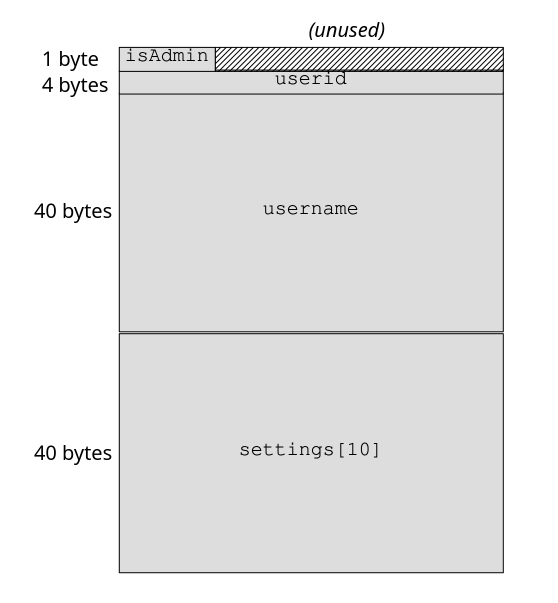
Data structure layout diagram

Additionally, the use of strcpy for the username leaves another chunk of memory in its uninitialized state. This string copy function stops copying at the null terminator, so the 5-byte string in this example only modifies the first 6 bytes, leaving 34 bytes of whatever malloc happened to grab for us. The point of all this is that the newly allocated structure contains residual data which may leak unless every byte is overwritten.

Mitigating the risk of these inadvertent memory leaks isn’t hard, but you must diligently overwrite all bytes of data structures that could be exposed. You shouldn’t attempt to anticipate precisely how the compiler might allocate field offsets, because this could vary over time and across platforms. Instead, the easiest way to avoid these issues is to zero out buffers once allocated unless you can otherwise ensure they are fully written. Remember that even if your code doesn’t use sensitive data itself, this memory leak path could expose other data anywhere in the process.

Generally speaking, you should avoid using strcpy to copy strings because there are so many ways to get it wrong. The strncpy function both fills unused bytes in the target with zeros and protects against overflow with strings that exceed the buffer size. However, strncpy does not guarantee that the resultant string will have a null terminator. This is why it’s essential to allocate the buffer to be of size MAX_USERNAME_LEN + 1, ensuring that there is always room for the null terminator. Another option is to use the strlcpy function, which does ensure null termination; however, for efficiency, it does not zero-fill unused bytes. As this example shows, when you handle memory directly there are many factors you must deal with carefully.

Now that we’ve covered the mechanics of memory allocation and seen what vulnerabilities look like in a constructed example, let’s consider a more realistic case. The following example is based on a remarkable security fiasco from several years ago that compromised a fair share of the world’s major web services.

Case Study: Heartbleed

In early April 2014, headlines warned of a worldwide disaster narrowly averted as major operating system platforms and websites rolled out coordinated fixes, hastily arranged in secret, in an attempt to minimize their exposure as details of the newly identified security flaw became public. Heartbleed made news not only as “the first security bug with a cool logo,” but because it revealed a trivially exploitable hole in the armor of any server deploying the popular OpenSSL TLS library.

What follows is an in-depth look at one of the scariest security vulnerabilities of the decade, and it should provide you with context for how serious mistakes can be. The purpose of this detailed discussion is to illustrate how bugs managing dynamically allocated memory can become devastating vulnerabilities. As such, I have simplified the code and some details of the complicated TLS communication protocol to show the crux of the vulnerability. Conceptually, this corresponds directly with what actually occurred, but with fewer moving parts and much simpler code.

Heartbleed is a flaw in the OpenSSL implementation of the TLS Heartbeat Extension, proposed in 2012 with RFC 6520. This extension provides a low-overhead method for keeping TLS connections alive, saving clients from having to re-establish a new connection after a period of inactivity. The so-called heartbeat itself is a round-trip message exchange consisting of a heartbeat request, with a payload of between 16 and 16,384 (2^14) bytes of arbitrary data, echoed back as a heartbeat response containing the same payload. Figure 9-4 shows the basic request and response messages of the protocol.
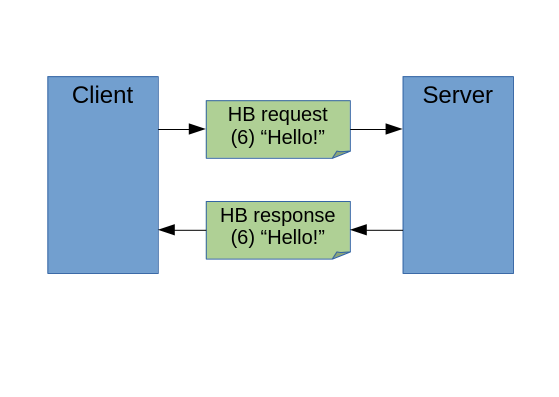
Heartbeat protocol diagram

Having downloaded an HTTPS web page, the client may later send a heartbeat request on the connection to let the server know that it wants to maintain the connection. In an example of normal use, the client might send the 16-byte message “Hello Heartbeat!” comprising the request, and the server would respond by sending the same 16 bytes back. (That’s how it’s supposed to work, at least.) Now let’s look at the Heartbleed bug.

The critical flaw occurs in malformed heartbeat requests that provide a small payload yet claim a larger payload byte count. To see exactly how this works, let’s first look at the internal structure of one of the simplified heartbeat messages that the peers exchange. All of the code in this example is in C:

typedef struct {
  HeartbeatMessageType type;
  uint16_t payload_length;
  char bytes[0]; // Variable-length payload & padding
} hbmessage;

The data structure declaration hbmessage shows the three parts of one of these heartbeat messages. The first field is the message type, indicating whether it’s a request or response. Next is the length in bytes of the message payload, called payload\_length. The third field, called bytes, is declared as zero-length, but is intended to be used with a dynamic allocation that adds the appropriate size needed.

A malicious client might attack a target server by first establishing a TLS connection to it, and then sending a 16-byte heartbeat request with a byte count of 16,000. Here’s what that looks like as a C declaration:

typedef struct {
  HeartbeatMessageType type = heartbeat_request;
  uint16_t payload_length = 16000;
  char bytes[16] = {"Hello Heartbeat!"};
} hbmessage;

The client sending this is lying: the message says its payload is 16,000 bytes long but the actual payload is only 16 bytes. To understand how this message tricks the server, look at the C code that processes the incoming heartbeat request message:

hbmessage *hb(hbmessage *request, int *message_length) {
  int response_length = request->payload_length+sizeof(hbmessage);
  hbmessage* response = malloc(response_length);
  response->type = heartbeat_response;
  response->payload_length = request->payload_length;
  memcpy(&response->bytes, &request->bytes,
         response->payload_length);
  *message_length = response_length;
  return response;
}

The hb function gets called with two parameters: the incoming heartbeat request message and a pointer named message\_length, which stores the length of the response message that the function returns. The first two lines compute the byte length of the response as response\_length, then a memory block of that size gets allocated as response. The next two lines fill in the first two values of the response message: the message type, and its payload\_length.

Next comes the fateful bug. The server needs to send back the message bytes received in the request, so it copies the data from the request into the response. Because it trusts the request message to have accurately reported its length, the function copies 16,000 bytes—but since there are only 16 bytes in the request message, the response includes thousands of bytes of internal memory contents. The last two lines store the length of the response message and then return the pointer to it.

Figure 9-5 illustrates this exchange of messages, detailing how the preceding code leaks the contents of process memory. To make the harm of the exploit concrete, I’ve depicted a couple of additional buffers, containing secret data, already sitting in memory in the vicinity of the request buffer. Copying 16,000 bytes from a buffer that only contained a 16-byte payload—illustrated here by the overly large dotted-line region— results in the secret data ending up in the response message, which the server sends to the client.
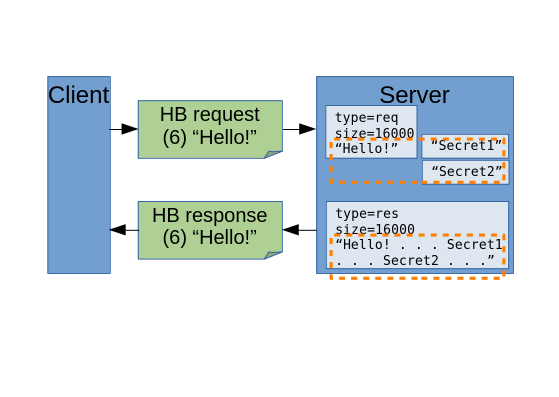
Heartbleed example exploiting Heartbeat protocol

This flaw is tantamount to configuring your server to provide an anonymous API that snapshots and sends out thousands of bytes of working memory to all callers—a complete breach of memory isolation, exposed to the internet. It should come as no surprise that web servers using HTTPS security have any number of juicy secrets in working memory. According to the discoverers of the Heartbleed bug, they were able to easily steal from themselves “the secret keys used for our X.509 certificates, user names and passwords, instant messages, emails and business critical documents and communication.” Since exactly what data leaked depended on the foibles of memory allocation, the ability of attackers exploiting this vulnerability to repeatedly access server memory eventually yielded all kinds of sensitive data.

The fix was straightforward in hindsight: anticipate “lying” heartbeat requests that ask for more payload than they provide, and, as the RFC explicitly specifies, ignore them. Thanks to Heartbleed, the world learned how dependent so many servers were on OpenSSL, and how few volunteers were laboring on the critical software that so much of the internet’s infrastructure depended on. The bug is typical of why many security flaws are difficult to detect, because everything works flawlessly in the case of well-formed requests, and only malformed requests that well-intentioned code would be unlikely to ever make cause problems. Furthermore, the leaked server memory in heartbeat responses causes no direct harm to the server: only by careful analysis of the excessive data disclosure does the extent of the potential damage become evident.

As arguably one of the most severe security vulnerabilities discovered in recent years, Heartbleed should serve as a valuable example of the nature of security bugs, and how small flaws can result in a massive undermining of our systems’ security. From a functional perspective, one could easily argue that this is a minor bug: it’s unlikely to happen, and sending back more payload data than the request provided seems, at first glance, utterly harmless.
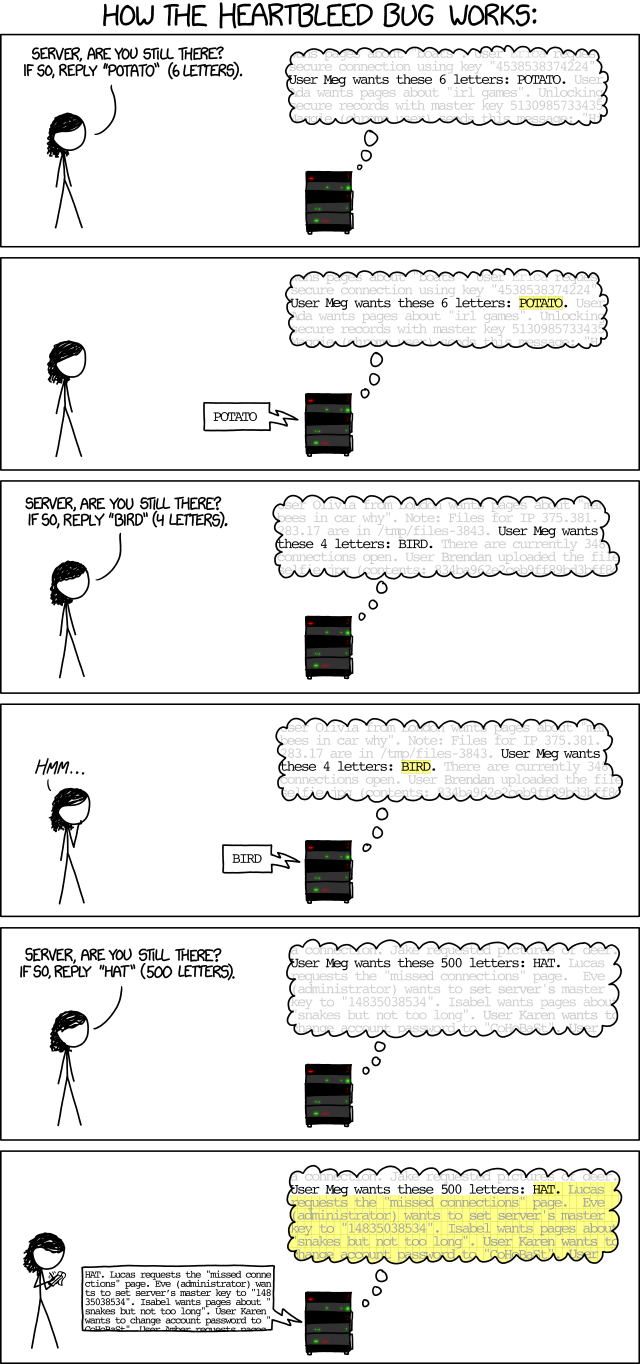
xkcd HeartBleed explanation

HeartBleed explanation (https://xkcd.com/1354/)

Heartbleed is an excellent object lesson in the fragility of low-level languages. Small errors can have massive impact. A buffer overflow potentially exposes high-value secrets if they happen to be lying around in memory at just the wrong location. The design (protocol specification) anticipated this very error by directing that heartbeat requests with incorrect byte lengths should be ignored, but without explicit testing, nobody noticed the vulnerability for over two years.

This is just one bug in one library. How many more like it are still out there now?
8: Secure Programming

Designing Secure Software by Loren Kohnfelder (all rights reserved)
Home 00 01 02 03 04 05 06 07 08 09 10 11 12 13 14 Appendix: A B C D
Buy the book here.


“The first principle is that you must not fool yourself, and you are the easiest person to fool.” —Richard P. Feynman

A completed software design, created and reviewed with security in mind, is only the beginning of a product’s journey: next comes the work of implementing, testing, deploying, operating, monitoring, maintaining, and, ultimately, retiring it at end of life. While the particular details of all of this will vary greatly in different operating systems and languages, the broad security themes are so common as to be nearly universal.

Developers must not only faithfully implement the explicit security provisions of a good design, but in doing so they must also take care to avoid inadvertently introducing additional vulnerabilities with flawed code. A carpenter building a house based on the architect’s plans is a good metaphor: sloppy construction with lousy materials leads to all kinds of problems in the finished product. If the carpenter misstrikes a nail and bends it, the problem is noticeable and easily remedied. By contrast, flawed code is easily overlooked, but may nevertheless create a vulnerability that can be exploited with dire consequences. The purpose of this chapter is not to teach you how to code—I’ll assume you already know about that—but rather how code becomes vulnerable and how to make it more secure. The following chapters cover many of the commonplace implementation vulnerabilities that continue to plague software projects.

The line between design and implementation is not always clear, nor should it be. Thoughtful designers can anticipate programming issues, provide advice about areas where security will be critical, and much more. The programmers doing the implementation must flesh out the design and resolve any ambiguities in order to make functional code with precisely defined interfaces. Not only must they securely render the design—in itself a daunting task—but they must avoid introducing additional vulnerabilities in the course of supplying the necessary code in full detail.

In an ideal world, the design should specify proactive security measures: features of the software built for the purpose of protecting the system, its assets, and users. Conversely, security in development is about avoiding pitfalls that software is liable to—rough edges on the components and tools, if you will. Where new risks arise during the process of implementation, mitigations specific to these are in order, because there is no reason to expect that designers could have anticipated these.

This chapter focuses on how some bugs become vulnerabilities: how they occur, and how to avoid the various pitfalls. It approaches these issues in general terms as a lead-in to the following chapters, which drill into major areas that, historically, have proven to be fraught with security problems. We’ll begin by exploring the essence of the challenge of secure coding, including how attackers exploit openings and extend their influence deeper into code. We’ll also talk about bugs: how vulnerabilities arise from them, how minor bugs can form vulnerability chains that potentially create bigger problems, and how code appears through the lens of entropy.

Avoiding vulnerabilities in your code requires vigilance, but that requires knowledge of how code undermines security. To make the concept of a coding vulnerability concrete, we’ll walk through a simplified version of the code for a devastating real vulnerability that shows how a one-line editing slip-up broke security across the internet. Then we’ll look at a few classes of common vulnerabilities as examples of bugs that are potentially exploitable with serious consequences.

Throughout Part 3, code examples will be in Python and C, widely used languages that span the range from high-level to low-level abstraction. This is real code using the particulars of the specific language, but the concepts in this book apply generally. Even if you are unfamiliar with Python or C, the code snippets.

The Challenge

The term “secure programming” was the obvious choice for the title of this chapter, though it is potentially misleading. A more accurate expression of the goal (unsuitable as a chapter title) would be “avoiding coding insecurely.” What I mean by that is that the challenge of secure coding largely amounts to not introducing flaws that become exploitable vulnerabilities. Programmers certainly do build protection mechanisms that proactively improve security, but these are typically explicit in the design or features of APIs. I want to focus primarily on the inadvertent pitfalls because they are nonobvious and constitute the root causes of most security failings. Think of secure coding as similar to learning where the potholes are in a road, diligently paying attention at the wheel, and navigating them consistently.

I believe that many programmers, perhaps quite rightfully, have unfavorable attitudes toward software security (and in some cases, more viscerally, about those in the role of “security cops”—or worse terms—who they perceive as bothering them) because they often hear the message “don’t mess up” when it comes to implementation. “Don’t mess it up!” is unhelpful advice to a jeweler about to cut a rare diamond, for the same reasons: they have every intention of doing their best, and the added stress only makes it harder to concentrate and do the job right. The well-meaning “cops” are providing necessary advice, but often they don’t phrase it in the most kindly and constructive way. Having made this mistake plenty of times myself, I am endeavoring to walk that fine line here, and ask for the reader’s understanding.

Caution is indeed necessary, because one slip by a programmer (as we shall see when we look at the GotoFail vulnerability later in this chapter) can easily result in disastrous consequences. The root of the problem is the great fragility and complexity of large modern software systems, which are only expected to grow in the future. Professional developers know how to test and debug code, but security is another matter, because vulnerable code works fine absent a diligent attack.

Software designers create idealized conceptions that, by virtue of not yet being realized, can even be perfectly secure in theory. But making software that actually works introduces new levels of complexity and requires fleshing out details beyond the design, all of which inevitably carries the risk of security problems. The good news is that perfection isn’t the goal, and the coding failure modes that account for most of the common vulnerabilities are both well understood and not that difficult to get right. The trick is constant vigilance and “getting your eyes on” for dangerous flaws in code. This chapter presents a few concepts that should help you get a good grasp of what secure versus vulnerable code looks like, along with some examples.

Malicious Influence

When thinking about secure coding, a key consideration is understanding how attackers potentially influence running code. Think of a big, complicated machine purring away smoothly, and then a prankster who takes a stick and starts poking it into the mechanism. Some parts, such as the cylinders of a gasoline engine, will be completely protected within the block, while other parts, such as a fan belt, are exposed, making it easy to jamb something in, causing a failure. This is analogous to how attackers prod systems when attempting to penetrate them: they start from the attack surface and use cleverly crafted, unexpected inputs to try and foul the mechanism, then attempt to trick code inside the system into doing their bidding.

Untrusted inputs potentially influence code in two ways: directly and indirectly. Beginning wherever they can inject some untrusted input—say, the string “BOO!”—they experiment in hopes that their data will avoid rejection and propagate deeper into the system. Working down through layers of I/O and various interfaces, the string “BOO!” typically will find its way into a number of code paths, and its influence permeates deeper into the system. Occasionally the untrusted data and code interaction triggers a bug, or by-design functionality that may have an unfortunate side effect. A web search for “BOO!” may involve hundreds of computers in a datacenter, each contributing a little to the search result. As a result, the string must get written to memory in many thousands of places. That’s a lot of influence spread, and if there is even a minuscule chance of harm, it could be dangerous.

The technical term for this kind of influence of data on code is tainting, and a few languages have implemented features to track it. The Perl interpreter can track tainting for the purpose of mitigating injection attacks (covered in Chapter 10). Early versions of JavaScript had taint checking for similar reasons, though it has long since been removed due to lack of use. Still, the concept of influence on code by data from untrusted sources is important to understand to prevent vulnerabilities.

There are other ways that input data can influence code indirectly, as well, without the data being stored. Suppose that, given an input of the string “BOO!”, the code avoids storing any further copies of it: does that insulate the system from its influence? It certainly does not. For example, consider this given input = "BOO!":

if "!" in input:
    PlanB()
else:
    PlanA()

The presence of the exclamation point in the input has caused the code to now pursue PlanB instead of PlanA, even though the input string itself is neither stored nor passed on for subsequent processing.

This simple example illustrates how the influence of an untrusted input can propagate deep into code, even though the data (here, “BOO!”) may not itself propagate far. In a large system, you can appreciate the potential of penetration into lots of code when you consider the transitive closure (the aggregate extent of all paths), starting from the attack surface. This ability to extend through many layers is important, because it means that attackers can reach into more code than you might expect, affording them opportunities to control what the code does. We’ll talk more about managing untrusted input in Chapter 10.

Vulnerabilities Are Bugs

“If debugging is the process of removing bugs, then programming must be the process of putting them in.” —Edsger Dijkstra

That all software has bugs is so widely accepted that it is hardly necessary to substantiate the claim at this point. Of course, exceptions to this generalization do exist: trivial code, provably correct code, and highly engineered software that runs aviation, medical, or other critical equipment. But for everything else, awareness of the ubiquity of bugs is a good starting point from which to approach secure coding, because a subset of those bugs are going to be useful to attackers. So, bugs are our focus here.

Vulnerabilities are a subset of software bugs useful to attackers to cause harm. It’s nearly impossible to accurately separate vulnerabilities from other bugs, so it may be easiest to start by identifying bugs that clearly are not vulnerabilities—that is, totally harmless bugs. Let’s consider some examples of bugs in an online shopping website. A good example of an innocuous bug might be a problem with the web page layout not working as designed: it’s a bit of a mess, but all important content is fully visible and functional. While this might be important to fix for reasons of brand image or usability, it’s clear that there is no security risk associated with this bug. But to emphasize how tricky vulnerability spotting can be, there could be similar bugs that mess up layout and are also harmful, such as if they obscure important information the user must see to make an accurate security decision.

At the harmful end of the spectrum, here’s a nightmarish vulnerability to contemplate: the administrative interface becomes accidentally exposed, unprotected, on the internet. Now, anyone visiting the website can click a button to go into the console used by managers to change prices, see confidential business and financial data, and more. This is a complete failure of authorization and a clear security threat, as it doesn’t take a genius to see.

Of course, there is a continuum between those extremes, with a large murky area in the middle that requires subjective judgments about the potential of a bug to cause harm. And as we will see in the next section, the often unforeseen cumulative effects of multiple bugs make determining their potential for harm particularly challenging. In the interests of security, naturally, I would urge you to err on the safe side and lean toward remedying more bugs if there is any chance they might be vulnerabilities.

Every project I’ve ever worked on had a tracking database filled with tons of bugs, but no concerted effort to reduce even the known bug count (which is very different from the actual bug count) to zero. So it’s safe to say that, generally, all of us program alongside a trove of known bugs, not to mention the unknown bugs. If it isn’t already actively done, consider working through the known bugs and flagging possibly vulnerabilities for fixing. It’s important to mention, too, that it’s almost always easier to just fix a bug than to investigate and prove that it’s harmless. Chapter 13 offers guidance on assessing and ranking security bugs to help you prioritize vulnerabilities.

Vulnerability Chains

The idea behind vulnerability chains is that seemingly harmless bugs can combine to create a serious security bug. It’s bug synergy for the bad guys. Think of taking a walk and coming upon a stream you would like to cross. It’s far too wide to leap across, but you notice a few stones sticking up above the surface: by hopping from stone to stone, it’s easy to cross without getting your shoes wet. These stones represent minor bugs, not vulnerabilities themselves, but together they form a new path right through the stream, allowing the attacker to reach deep inside the system. These stepping-stone bugs form, in combination, an exploitable vulnerability.

Here’s a simple example of how such a vulnerability chain could arise in an online shopping web app. With a recent code change, the order form has a new field prefilled with a code indicating which warehouse will handle the shipment. Previously, business logic in the backend assigned a warehouse after the customer placed the order. Now a field that’s editable by the customer determines the warehouse that will handle the order. Call this Bug #1. The developer responsible for this change suggests that nobody will notice the addition, and furthermore, even should anyone modify the warehouse designation that the system supplies by default, another warehouse won’t have the requested items in stock, so it will get flagged and corrected: “No harm, no foul.” Based on this analysis, but without any testing, the team schedules Bug #1 for the next release cycle. They’re glad to save themselves a fire drill and schedule slip, and push the buggy code change into production.

Meanwhile, a certain Bug #2 is languishing in the bug database with a Priority-3 ranking (meaning “fix someday,” which is to say, probably never), long forgotten. Years ago, a tester filed Bug #2 after discovering that if you place an order with the wrong warehouse designation, the system immediately issues a refund because that warehouse is unable to fulfill it; but then another processing stage reassigns the order to the correct warehouse, which fulfills and ships it. The tester saw this as a serious problem—the company would be giving away merchandise for free—and filed it as Priority-1. In the triage meeting, the programmers insisted that the tester was “cheating” because the backend handled the warehouse assignment (before Bug #1 was introduced) having confirmed available inventory. In other words, at the time of discovery, Bug #2 was purely hypothetical and could never have happened in production. Since the interaction of various stages of business logic would be difficult to untangle, the team decided to leave it alone and make the bug Priority-3, and it was quickly forgotten.

If you followed this story of “letting sleeping bugs lie” you probably already can see that it has an unhappy ending. With the introduction of Bug #1, in combination with Bug #2, a fully fledged vulnerability chain now exists, almost certainly unbeknownst to anyone. Now that the warehouse designation field is writable by customers, the wrong warehouse case that triggers Bug #2 is easy to produce. All it takes is for one devious, or even curious, customer to try editing the warehouse field; pleasantly surprised to receive free merchandise with a full refund, they might go back for a lot more the next time, or share the secret with others.

Let’s look at where the bug triage went wrong. Bug #2 (found earlier) was a serious fragility that they should have been fixed in the first place. The reasoning in favor of leaving it alone hinged on the warehouse trusting other backend logic to direct it flawlessly, under the assumption (correct, at the time) that the warehouse assignment field in an order was completely isolated from any attack surface. Still, it’s clearly a worrisome fragility that clearly has bad consequences, and the fact that the business logic would be difficult to fix suggests that a rewrite might be a good idea.

Bug #1, introduced later on, opened up new attack surface, exposing the warehouse designation field to tampering. The unfortunate decision not to fix this depended on the incorrect assumption that the system was impervious to tampering. With the benefit of hindsight, had anyone done a little testing (in a test environment, of course, never in production), they could have easily found the flaw in their reasoning and done the right thing before releasing Bug #1. And, ideally, had the tester who found Bug #2, or anyone familiar with it, been present, they might have connected the dots and slated both bugs for fixing as Priority-1.

Compared to this artificial example, recognizing when bugs form vulnerability chains is, in general, very challenging. Once you understand the concept, it’s easy to see the wisdom of fixing bugs proactively whenever possible. Furthermore, even when you do suspect a vulnerability chain might exist, I should warn you that in practice it’s often hard to convince others to spend time implementing a fix for what looks like a vague hypothetical, especially when fixing the bug in question entails significant work. It’s likely that most large systems are full of undetected vulnerability chains, and our systems are weaker for it.

This example illustrates how two bugs can align into a causal chain, much like a tricky billiards shot with the cue ball hitting another ball, that in turn knocks the target ball into the pocket. Believe it or not, vulnerability chains can be a good deal more involved: one team in the Pwn2Own competitive hacking contest managed to chain together six bugs to achieve a difficult exploit.

When you understand vulnerability chains, you can better appreciate the relationship of code quality to security. Bugs introducing fragility, especially around critical assets, should be fixed aggressively. Punting a bug because “it will never happen” (like our Bug #2) is risky, and you should bear in mind that one person’s opinion that it will be fine is just that, an opinion, not a proof. Such thinking is akin to the Security by Obscurity anti-pattern and at best a temporary measure rather than a good final triage decision.

Bugs and Entropy

Having surveyed vulnerabilities and vulnerability chains, next consider that software is also liable to less precise sequences of events that can do damage. Some bugs tend to break things in unpredictable ways, which makes an analysis of their exploitability (as with a vulnerability chain) difficult. As evidence of this phenomenon, we commonly reboot our phones and computers to clear out the entropy that accumulates over time due to the multitude of bugs. (Here I’m using the word entropy loosely, to evoke an image of disorder and metaphorical corrosion.) Attackers can sometimes leverage these bugs and their aftereffects, so countermeasures can help improve security.

Bugs arising from unexpected interactions between threads of execution are one class prone to this kind of trouble, because they typically present in a variety of ways, seemingly at random. Memory corruption bugs are another such class, because the contents of the stack and heap are in constant flux. These sorts of bugs, which perturb the system in unpredictable ways, can almost be juicier targets for attack, because they offer potentially endless possibilities. Attackers can be quite adept at exploiting such messy bugs, and automation makes it easy to retry low-yield attempts until they get lucky. On the flip side, most programmers dislike taking on these elusive bugs that are hard to pin down and frequently deemed too flaky to be of concern, and hence they tend to persist unaddressed.

Even if you cannot nail down a clear causal chain, entropy-inducing bugs can be dangerous and are well worth fixing. All bugs introduce amounts of something like entropy into systems, in the sense that they are slight departures from the correct behavior, and those small amounts of disturbance quickly add up—especially if abetted by a wily attacker. By analogy with the Second Law of Thermodynamics, entropy inevitably builds up within a closed system, raising the risk of harm due to bugs of this type becoming exploitable at some point.

Vigilance

I love hiking, and the trails in my area are often muddy and slippery, with exposed roots and rocks, so slipping and falling is a constant threat. With practice and experience slips have become rare, but what’s uncanny is that in particularly treacherous spots, where I focus, I never slip. While occasionally I do still fall, rather than due to any obstacle, it’s usually on an easier part of the trail, because I just wasn’t paying attention. The point here is that with awareness, difficult challenges can be mastered; and conversely, inattention easily undermines you, even when the going is easy.

Software developers face just such a challenge: without awareness of potential security pitfalls, and sustained focus, it’s easy to unwittingly fall into them. Developers instinctively write code to work for the normal use case, but attackers often try the unexpected in hopes of finding a flaw that might lead to an exploit. Maintaining vigilance to anticipate the full range of possible inputs and combinations of events is critical, as described previously in terms of vulnerability chains and entropy, to delivering secure code.

The following section and chapters present a broad representative survey of the vulnerabilities that plague modern software, with “toy” code examples used to show what implementation vulnerabilities look like. As Marvin Minsky, one of the artificial intelligence legends at MIT, whom I was fortunate to meet during my time there, points out, “In science one can learn the most by studying the least.” In this context, that means that simplified code examples aid explanation by making it easy to focus on the critical flaw. In practice, vulnerabilities are woven into the fabric of a great profusion of code, along with a lot of other things going on that are important to the task but irrelevant to the security implications, and are not so easily recognized. If you want to look at real-world code examples, browse the bug database of any open source software project—they are all sure to have security bugs.

Vigilance requires discipline at first, but with practice it becomes second nature when you know what to watch out for. Remember that if your vigilance pays off and you do manage to fend off a would-be attacker, you probably will never know it—so celebrate each small victory, as you avert hypothetical future attacks with every fix.

Case Study: GotoFail

Some vulnerabilities are nasty bugs that don’t follow any pattern, somehow slip past testing, and get released. One property of vulnerabilities that makes this more likely to happen than you might expect is that the code often works for typical usage, and only displays harmful behavior when stressed by an intentional attack. In 2014, Apple quietly released a set of critical security patches for most of its products, declining to explain the problem for “the protection of our customers.” It didn’t take long for the world to learn that the vulnerability was due to an apparent editing slip-up that effectively undermined a critical security protection. It’s easy to understand what happened by examining a short excerpt of the actual code. Let’s take a look.

One-Line Vulnerability

To set the stage, the code in question runs during secure connection establishment. It checks that everything is working properly in order to secure subsequent communications. The security of the Secure Sockets Layer (SSL) protocol rests on checking that the server signs the negotiated key, authenticated according to the server’s digital certificate. More precisely, the server signs the hash of several pieces of data that the ephemeral key derives from. Chapter 11 covers the basics of SSL, but you can follow the code behind this vulnerability without knowing any of those details. Here it is:

  goto fail;
if ((err = SSLHashSHA1.update(&hashCtx, &serverRandom)) != 0)
  goto fail;
  goto fail;
if ((err = SSLHashSHA1.update(&hashCtx, &signedParams)) != 0)
  goto fail;
  
*--snip--*

fail:
  SSLFreeBuffer(&signedHashes);
  SSLFreeBuffer(&hashCtx);
  return err;

The three calls to SSLHashSHA1.update feed their respective chunks of data into the hash function and check for the nonzero return error case. The details of the hash computation are beside the point for our purposes, and not shown; just know that this computation is critical to security, since its output must match an expected value in order to authenticate the communication.

At the bottom of the function, the code frees up a couple of buffers, and then returns the value of err: zero for success, or a nonzero error code.

The intended pattern in the code is clear: keep checking for nonzero return values indicating error, or sail through with zeros if everything is fine, and then return that. You probably already see the error—the duplicated goto fail line. Notwithstanding the suggestive indentation, this unconditionally shunts execution down to the fail label, skipping the rest of the hash computation, and skipping the hash check altogether. Since the last assignment to err before the extra jump was a zero value, this function suddenly unconditionally approves of everything. Presumably this bug went undetected because valid secure connections still worked: the code didn’t check the hash, but if it had, they all would have passed anyway.

Beware of Footguns

GotoFail is a great argument for the wisdom of structuring code by indentation, as languages such as Python do. The C language enables a kind of footgun (a feature that makes it easy to shoot yourself in the foot) by instead determining a program’s structure syntactically. This allows indentation that, by standard code style conventions, is potentially misleading because it implies different semantics, even though it’s completely ignored by the compiler. When looking at this code:

if ((err = SSLHashSHA1.update(&hashCtx, &serverRandom)) != 0)
  goto fail;
  goto fail;

programmers might easily see the following (unless they are careful and mentally compiling the code):

if ((err = SSLHashSHA1.update(&hashCtx, &serverRandom)) != 0) {
  goto fail;
  goto fail;
}

Meanwhile, the compiler unambiguously sees:

if ((err = SSLHashSHA1.update(&hashCtx, &serverRandom)) != 0) {
  goto fail;
}
goto fail;

A simple editing error happened to be easily missed, and also dramatically changed the code, right at the heart of a critical security check. That’s the epitome of a serious vulnerability.

Beware of other such footguns in languages, APIs, and other programming tools and data formats. You’ll see many examples in the following chapters, but another one from C syntax that I’ll mention here is writing if (x = 8) instead of if (x == 8). The former assigns 8 to x, unconditionally executing the then-clause, since that value is nonzero; the latter compares x to 8, executing the then-clause only if it’s true—quite different, indeed. While some would argue against it stylistically, I like to write such C statements as if (8 == x) because if I forget to double the equal sign, it is a syntax error and the compiler will catch it.

Compiler warnings, even harmless-looking ones, can help flag this sort of slip-up. The GCC compiler’s \-Wmisleading-indentation warning option is intended for just the sort of problem that caused the GotoFail vulnerability. Some warnings indicate potential trouble in subtler ways. An unused variable warning seems benign enough, but say there are two variables with similar names and you accidentally typed the wrong one in an important access test, resulting in the warning and also the use of the wrong data for a crucial test. While warnings are by no means reliable indicators of all vulnerabilities, they are easy to check and just might save the day.

Lessons from GotoFail

There are several important lessons we can learn from GotoFail:

  • Small slips in critical code can have a devastating impact on security.
  • The vulnerable code still works correctly in the expected case.
  • It’s arguably more important for security to test that code like this rejects invalid cases than that it passes the normal legit uses.
  • Code reviews are an important check against bugs introduced by oversight. It’s hard to imagine how a careful reviewer looking at a code diff could miss this.

This vulnerability suggests a number of countermeasures that could have prevented it from occurring. Some of these are specific to this particular bug, but even those should suggest the sorts of precautions you could apply elsewhere to save yourself the pain of creating flawed code. Useful countermeasures include:

  • Better testing, of course. At a minimum, there should have been a test case for each of those ifs to ensure that all necessary checks work.
  • Watch out for unreachable code (many compilers have options to flag this). In the case of GotoFail, this could have tipped the programmers off to the introduction of the vulnerability.
  • Make code as explicit as possible, for example by using parentheses and curly braces liberally, even where they could be omitted.
  • Use source code analysis tools such as “linters,” which can improve code quality, and in the process may flag some potential vulnerabilities for preemptive fixing.
  • Consider ad hoc source code filters to detect suspect patterns, such as, in this case, duplicated source code lines, or any other recurrent errors.
  • Measure and require full code coverage, especially for security-critical code. In this case the code following the second goto up to the fail label is unreachable, which should have been a red flag. Many compilers have options to flag this.

These are just some of the basic techniques you can use to spot bugs that could undermine security. As you encounter new classes of bugs, consider how tools might be applied to systemically avoid repeated occurrences in the future—doing so should reduce vulnerabilities in the long term.

Coding Vulnerabilities

“All happy families are alike; each unhappy family is unhappy in its own way.” —Leo Tolstoy

Sadly, the famous opening line from Leo Tolstoy’s novel Anna Karenina applies all too well to software: the possibilities for new kinds of bugs are endless, and attempting to compile a complete list of all potential software vulnerabilities would be a fool’s errand. Categories are useful, and we will cover many of them, but do not confuse them with a complete taxonomy covering the full range of possibilities.

This book by no means presents an exhaustive list of all potential flaws, but it does cover a representative swath of many of the most common categories. This basic survey should provide you with a good start, and with experience you will begin to intuit additional issues and learn how to safely steer clear of them.

Atomicity

Many of the worst coding “war stories” that I have heard involve multithreading or distributed processes sporadically interacting in bizarre ways due to an unexpected sequence of events. Vulnerabilities often stem from these same conditions, and the only saving grace is that the sensitive timing required may make the exploit too unreliable for the perpetrators—though you should not expect this to easily dissuade them from trying anyway.

Even if your code is single threaded and well behaved, it’s almost always running in a machine with many other active processes, so when you interact with the filesystem, or any common resource, you are potentially dealing with race conditions involving code you know nothing about. Atomicity in software describes operations that are guaranteed to effectively be completed as a single step. This is an important defensive weapon in such cases in order to prevent surprises that potentially can lead to vulnerabilities.

To explain what can happen, consider a simple example of copying sensitive data to a temporary file. The deprecated Python tempfile.mktemp function returns the name of a temporary file guaranteed not to exist, intended for use by applications as the name of a file they create and then use. Don’t use it: use the new tempfile.NamedTemporaryFile instead. Here’s why. Between the time that tempfile.mktemp returns the temporary file path and the time at which your code actually opens the file, another process may have had a chance to interfere. If the other process can guess the name generated next, it can create the file first and (among many possibilities) inject malicious data into the temporary file. The clean solution that the new function provides is to use an atomic operation to create and open the temporary file, without the possibility of anything intervening in the process.

Timing Attacks

A timing attack is a side-channel attack that infers information from the time it takes to do an operation, indirectly learning about some state of the system that should be private. Differences in timing can sometimes provide a hint—that is, they leak a little bit of protected information—benefiting an attacker. As a simple example, consider the task of trying to guess a secret number between 1 and 100; if it is known that the time to answer “No” is proportional to how far off the guess is, this quirk helps the guesser home in on the correct answer much more quickly.

Meltdown and Spectre are timing attacks on modern processors that operate below the software level, but the principles are directly applicable. These attacks exploit quirks of s**peculative execution, where the processor races forward to precompute results while tentatively relaxing various checks in the interest of speed. When this includes operations that are normally disallowed, the processor detects this eventually and cancels the results before they become final. This complicated speculation all works according to the processor design and is essential to achieve the incredible speeds we enjoy. However, during the speculative, rules-are-suspended execution, whenever the computation accesses memory, this has the side effect of causing it to be cached. When the speculative execution is canceled, the cache is unaffected, and that side effect represents a potential hint, which these attacks utilize to infer what happened during the speculative execution. Specifically, the attack code can deduce what happened during the canceled speculative execution by checking the state of the cache. Memory caching speeds up execution but is not directly exposed to software; however, code can tell whether or not the memory location contents were in the cache by measuring memory access time, because cached memory is way faster. This is a complicated attack on a complex processor architecture, but for our purposes the point is that when timing correlates to protected information state, it can be exploitable as a leak.

For a simpler, purely software-based example of a timing attack, suppose you want to determine whether or not your friend (or frenemy?) has an account with a particular online service, but you don’t know their account name. The “forgot password” option asks users for their account name and phone number in order to send a “reminder.” However, suppose that the implementation first looks up the phone number in a database, and if found, proceeds to look up the associated account name to see if it matches the input. Say that each lookup takes a few seconds, so the time delay is noticeable to the user. First, you try a few random account names (say, by mashing the keyboard) and phone numbers that likely won’t match actual users, and learn that it reliably takes about three seconds to get a “No such account” response. Next, you sign up with your own phone number and try the “forgot password” feature using your number with one of the random account names. Now you observe that in this case it takes five seconds, or almost twice as long, to get the response.

Armed with these facts, you can try your friend’s phone number with the same unused account name: if it takes five seconds to get a reply, then you know that their phone number is in the database, and if it takes three seconds, then it isn’t. By observing the timing alone, you can infer whether a given phone number is in the database. If membership might reveal sensitive private information, such as in a forum for patients with a certain medical condition, such timing attacks could enable a harmful disclosure.

Timing differences naturally occur due to software when there is a sequence of slow operations (think if...if...if...if...), and there is valuable information to be inferred from knowing how far down the sequence of events the execution proceeded. Precisely how much or little timing difference is required to leak information depends on many factors. In the online account checking example, it takes a few seconds to represent a clear signal, given the normal delays the web imposes on access. By contrast, when exploiting Meltdown or Spectre using code running on the same machine, sub-millisecond time differences may be measurable and also significant.

The best mitigation option is to reduce the time differential to an acceptable—that is, imperceptible—level. To prevent the presence of a phone number in the database from leaking, changing the code to use a single database lookup to handle both cases would be sufficient. When there is an inherent timing difference and the timing side channel could result in a serious disclosure, about all you can do to mitigate the risk is introduce an artificial delay to blur the timing signal.

Serialization

Serialization refers to the common technique of converting data objects to a byte stream, a little like a Star Trek transporter does, to then “beam” them through time and space. Storing or transmitting the resulting bytes allows you to subsequently reconstitute equivalent data objects through deserialization. This ability to “dehydrate” objects and then “rehydrate” them is handy for object-oriented programming, but the technique is inherently a security risk if there is any possibility of tampering in between. Not only can an attacker cause critical data values to morph, but by constructing invalid byte sequences, they can even cause the deserialization code to perform harmful operations. Since deserialization is only safe when used with trusted serialized data, this is an example of the untrusted input problem.

The problem is not that these libraries are poorly built, but that they require trust to be able to perform the operations necessary to construct arbitrary objects in order to do their job. Deserialization is, in effect, an interpreter that does whatever the serialized bytes of its input tell it to do, so its use with untrusted data is never a good idea. For example, Python’s deserialization operation (called “unpickling”) is easily tricked into executing arbitrary code by embedding a malicious byte sequence in the data to be unpickled. Unless serialized byte data can be securely stored and transmitted without the possibility of tampering, such as with a MAC or digital signature (as discussed in Chapter 5), it’s best avoided completely.

The Usual Suspects

“The greatest trick the devil ever pulled was convincing the world he didn’t exist.” —Charles Baudelaire

The next several chapters cover many of the “usual suspects” that keep cropping up in code as vulnerabilities. In this chapter we considered GotoFail and issues with atomicity, timing attacks, and serialization. Here is a preview of the topics we’ll explore next:

  • Fixed-width integer vulnerabilities
  • Floating-point precision vulnerabilities
  • Buffer overflow and other memory management issues
  • Input validation
  • Character string mishandling
  • Injection attacks
  • Web security

Many of these issues will seem obvious, yet all continue to recur largely unabated as root causes of software vulnerabilities, with no end in sight. It’s important to learn from past failings, because many of these vulnerability classes have existed for decades. Yet, it would be a mistake to take a backward-looking approach as if all possible security bugs were cataloged exhaustively. No book can forewarn of all possible pitfalls, but you can study these examples to get an idea of the deeper patterns and lessons behind them.
